
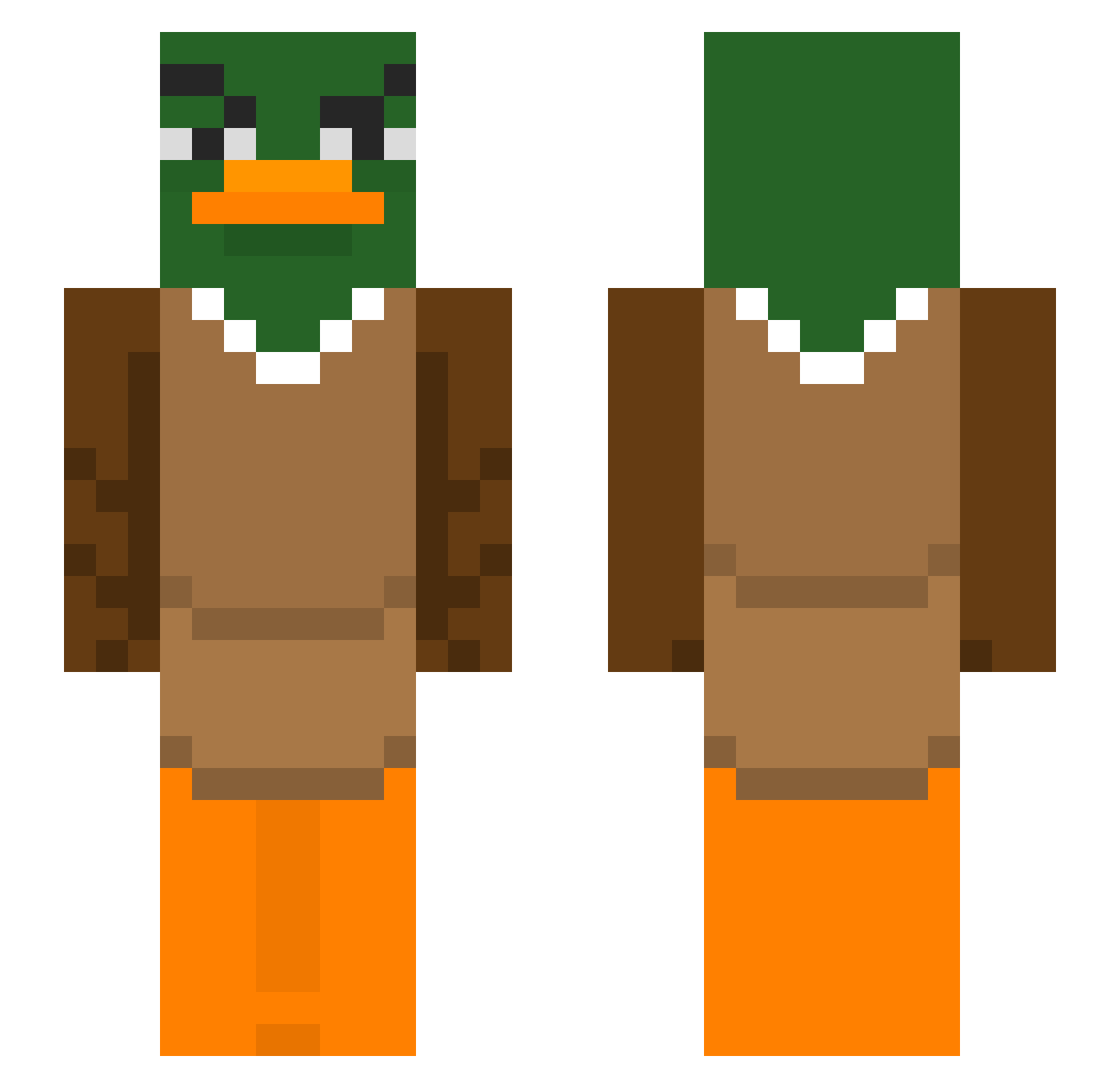
Current Minecraft skin of the player gnoqui05, loaded from the official Mojang API. Rotate the 3D model with your mouse or finger, then download the skin as a PNG file and use it in Minecraft: Bedrock Edition or Java Edition for free. When gnoqui05 changes their skin, this page updates automatically and the old skin stays in the history below.
Other players with this skin (291)
gnoqui05 was the 191st player we have seen with this skin, first spotted on 20.09.2026. The same skin was seen on these players. Open a nickname to see their current skin and skin history.
 yunolovesrice Im0lo LilDanix28 Czimy Doniuksas_ahh NickChubb SkySpeaker Chey_23 ME_Iing Sn0wBunnysAreHot DokiReal ZelPhantom Nestounes Shyminn cumcumk REAPERFR1 darklino06 matildaaaaaaaaa3 Yuki2t SZYMONEK2000 Falcones Yananass DerPauluss YennnTT Diadrax123 1234gg Nikodons slvt4guts Defysa EntenKopff NabeGm IVANHXK BIMBASSS lifemaex JabbaJoobie Fabio_Gustavo Ego_4_You Tristourss Psuedor BxrnaL Seismic2024 PilotFurkan Naetio drakerYTB Breadd125 iygamer nbeeeeee Michael1_og Joorrisss Alvqin DrNaggleTips FJB528 legasy14 Sofiane355
 binguschilling NeoKoolio101 Jetroyal Yuzuwasa ROBBIEboy96 LuckyDucky059
More Duck Minecraft skins
How to install the gnoqui05 skin
- Press the Download button above to save the skin as a PNG file.
- Minecraft: Bedrock Edition (PE): open the Dressing Room from the main menu (or tap your character → Edit Character), go to Classic Skins → Owned, press the + (new skin) button, choose the downloaded PNG and pick the Slim (Alex) model. Works on PC and mobile; consoles cannot import custom skins.
- Minecraft: Java Edition: open the Minecraft Launcher, go to the Skins tab, click New Skin, load the PNG, pick the Slim (Alex) model and press Save & Use. You can also upload it at minecraft.net → Profile → Change Skin.
The skin does not show up after import - what should I do?
Restart Minecraft and open the Dressing Room again - imported skins sometimes appear only after a restart. Also make sure you selected the imported skin and picked the Slim (Alex) model.
Which model should I choose, Classic or Slim?
This skin is designed for the Slim (Alex) model. If you pick the wrong model, the arms of the skin will look stretched or squeezed.
Is the skin of gnoqui05 free to download?
Yes. Press Download, save the PNG file and use it in Minecraft: Bedrock Edition or Java Edition - no payment or registration needed. The skin also works on multiplayer servers and Realms.
More skins
Looking for more? Go back to all Minecraft skins and check the top skins of the week, month and all time, or find any player's skin by nickname.