
dxnkest - Minecraft Skins & Skin History
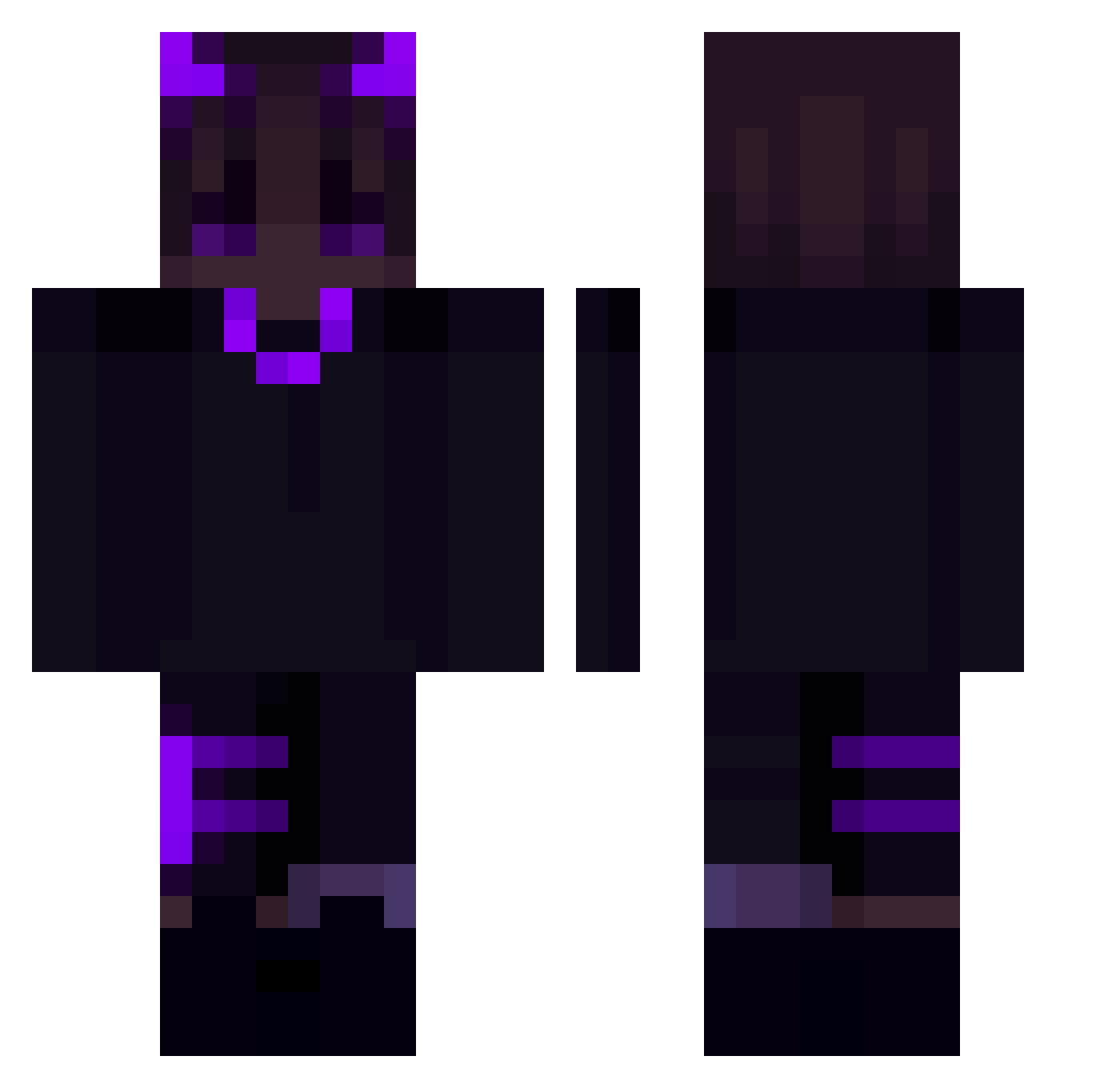
Current Minecraft skin of the player dxnkest, loaded from the official Mojang API. Rotate the 3D model with your mouse or finger, then download the skin as a PNG file and use it in Minecraft: Bedrock Edition or Java Edition for free. When dxnkest changes their skin, this page updates automatically and the old skin stays in the history below.
Other players with this skin (176)
dxnkest was the 25th player we have seen with this skin, first spotted on 07.08.2026. The same skin was seen on these players. Open a nickname to see their current skin and skin history.
 splinkyy Kozyx_ Breezilyyy
 Zaeey mystary1122 ThoughtCrown444 noua19 ur_mad_big_mac jstar08 zeeqtoziomal WiiGolf Dragonicus11 piru7345 kmw0321 iHashirama Cartter _blackthorn _Floik_ Liudrin okaymurilo Defibrillator asesiNachox ElegantGhoul CrxzyG tha_karm404 Rain_ic derek007 lassowesh TwoSpy0 wKosdo Waszyfo r4p1st420 Norf1m remak165 XxgeobeyexX evphorie Elwows ssevii Baumgesicht NovaIIII G0dHunS JerryBoi4 Nasibal Jaydenkay Realoro Madrass _Nissie trenps0w0 Y_FIROU_T HiroshiHonda Tellooo LostBoyLexika ElPeorDeColombia BOOTms unlegitKnxcks JakeReal Peter0703 RetourAuLobby SqueakyOcean803 Kenphachi
More Demon Minecraft skins
How to install the dxnkest skin
- Press the Download button above to save the skin as a PNG file.
- Minecraft: Bedrock Edition (PE): open the Dressing Room from the main menu (or tap your character → Edit Character), go to Classic Skins → Owned, press the + (new skin) button, choose the downloaded PNG and pick the Classic (Steve) model. Works on PC and mobile; consoles cannot import custom skins.
- Minecraft: Java Edition: open the Minecraft Launcher, go to the Skins tab, click New Skin, load the PNG, pick the Classic (Steve) model and press Save & Use. You can also upload it at minecraft.net → Profile → Change Skin.
The skin does not show up after import - what should I do?
Restart Minecraft and open the Dressing Room again - imported skins sometimes appear only after a restart. Also make sure you selected the imported skin and picked the Classic (Steve) model.
Which model should I choose, Classic or Slim?
This skin is designed for the Classic (Steve) model. If you pick the wrong model, the arms of the skin will look stretched or squeezed.
Is the skin of dxnkest free to download?
Yes. Press Download, save the PNG file and use it in Minecraft: Bedrock Edition or Java Edition - no payment or registration needed. The skin also works on multiplayer servers and Realms.
More skins
Looking for more? Go back to all Minecraft skins and check the top skins of the week, month and all time, or find any player's skin by nickname.