
xbobbax - Minecraft Skins & Skin History
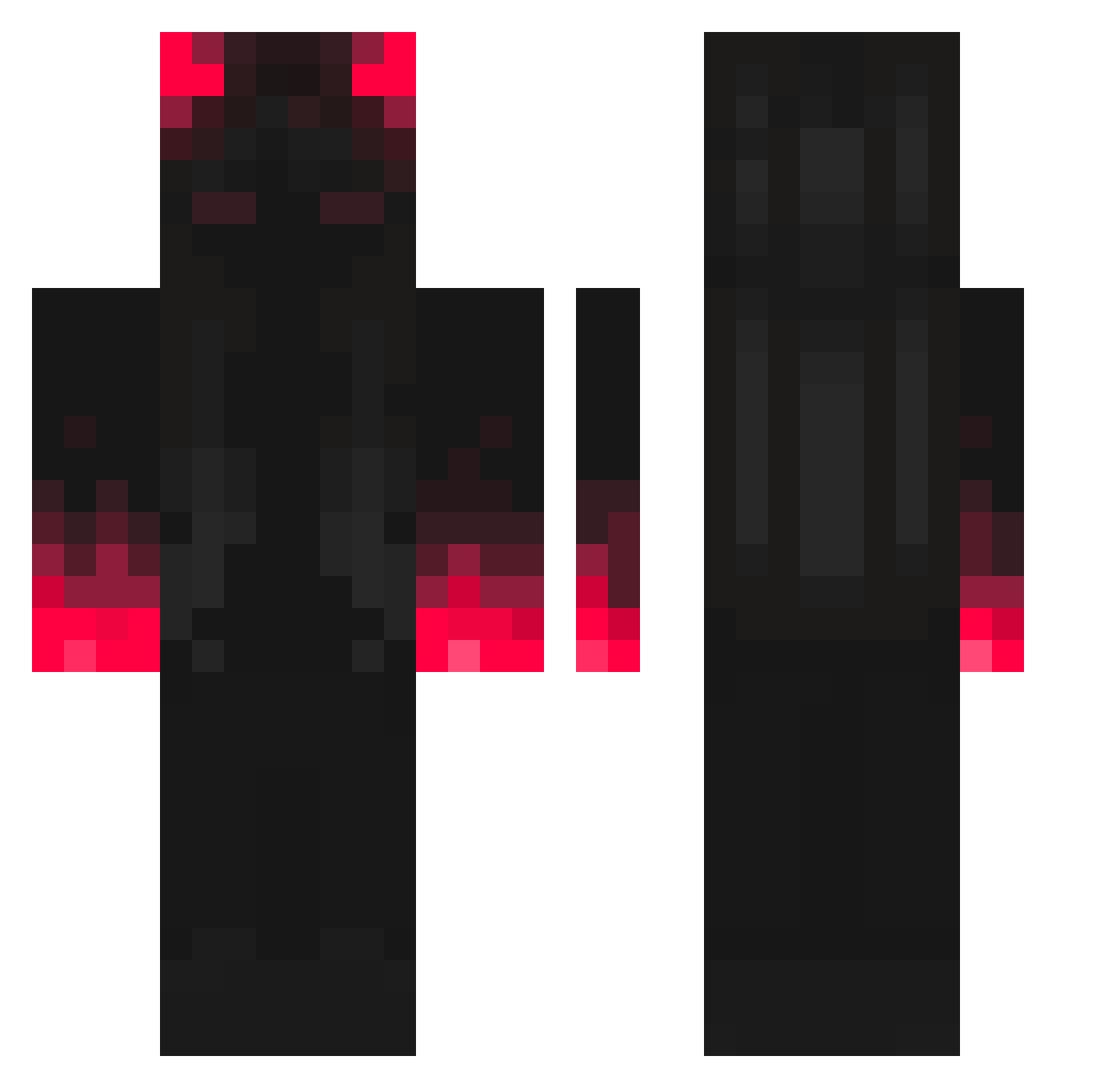
Current Minecraft skin of the player xbobbax, loaded from the official Mojang API. Rotate the 3D model with your mouse or finger, then download the skin as a PNG file and use it in Minecraft: Bedrock Edition or Java Edition for free. When xbobbax changes their skin, this page updates automatically and the old skin stays in the history below.
Other players with this skin (307)
xbobbax was the 1st player we have seen with this skin, first spotted on 20.07.2026. The same skin was seen on these players. Open a nickname to see their current skin and skin history.
 _DerMarc_ Crawlingdash Meyer_boys The_Nature_Cat ComiUmFusca _Tusia_19 GD_Sargonax Zuckless SLR_Yeet KOoWIII Sbironfame_420 Digiklone nyh_0504 P_4NTAR0 OzziOsborn MadGamerx binibini429 LegitShot EazyErd Rab87 LimitedEdition08 20EnderRanger jula_26 _hxb _VickZim ZhibaiN wurf____ Zbnator xiao6661 Verixon_EU NIKABROWN YousifM ElGoty puppycat7x Mishizou SatanAsso99 Kyonos jimy696 Ankyy26 Nyquzion ImNotAndhrew Riakag SB_ST_99 Rixz_rapz99 7instable game_master412 TravisFlameScott G_U_C_C_I_ walewiadro69420 thexo2003 Krohhhh Kxv023 nxirvanai FANTOM_505 Bryce_2126 Poxky Kqvxz DekaHUN frankenhook3r Andres1199
More Shadow Minecraft skins
How to install the xbobbax skin
- Press the Download button above to save the skin as a PNG file.
- Minecraft: Bedrock Edition (PE): open the Dressing Room from the main menu (or tap your character → Edit Character), go to Classic Skins → Owned, press the + (new skin) button, choose the downloaded PNG and pick the Classic (Steve) model. Works on PC and mobile; consoles cannot import custom skins.
- Minecraft: Java Edition: open the Minecraft Launcher, go to the Skins tab, click New Skin, load the PNG, pick the Classic (Steve) model and press Save & Use. You can also upload it at minecraft.net → Profile → Change Skin.
The skin does not show up after import - what should I do?
Restart Minecraft and open the Dressing Room again - imported skins sometimes appear only after a restart. Also make sure you selected the imported skin and picked the Classic (Steve) model.
Which model should I choose, Classic or Slim?
This skin is designed for the Classic (Steve) model. If you pick the wrong model, the arms of the skin will look stretched or squeezed.
Is the skin of xbobbax free to download?
Yes. Press Download, save the PNG file and use it in Minecraft: Bedrock Edition or Java Edition - no payment or registration needed. The skin also works on multiplayer servers and Realms.
More skins
Looking for more? Go back to all Minecraft skins and check the top skins of the week, month and all time, or find any player's skin by nickname.