
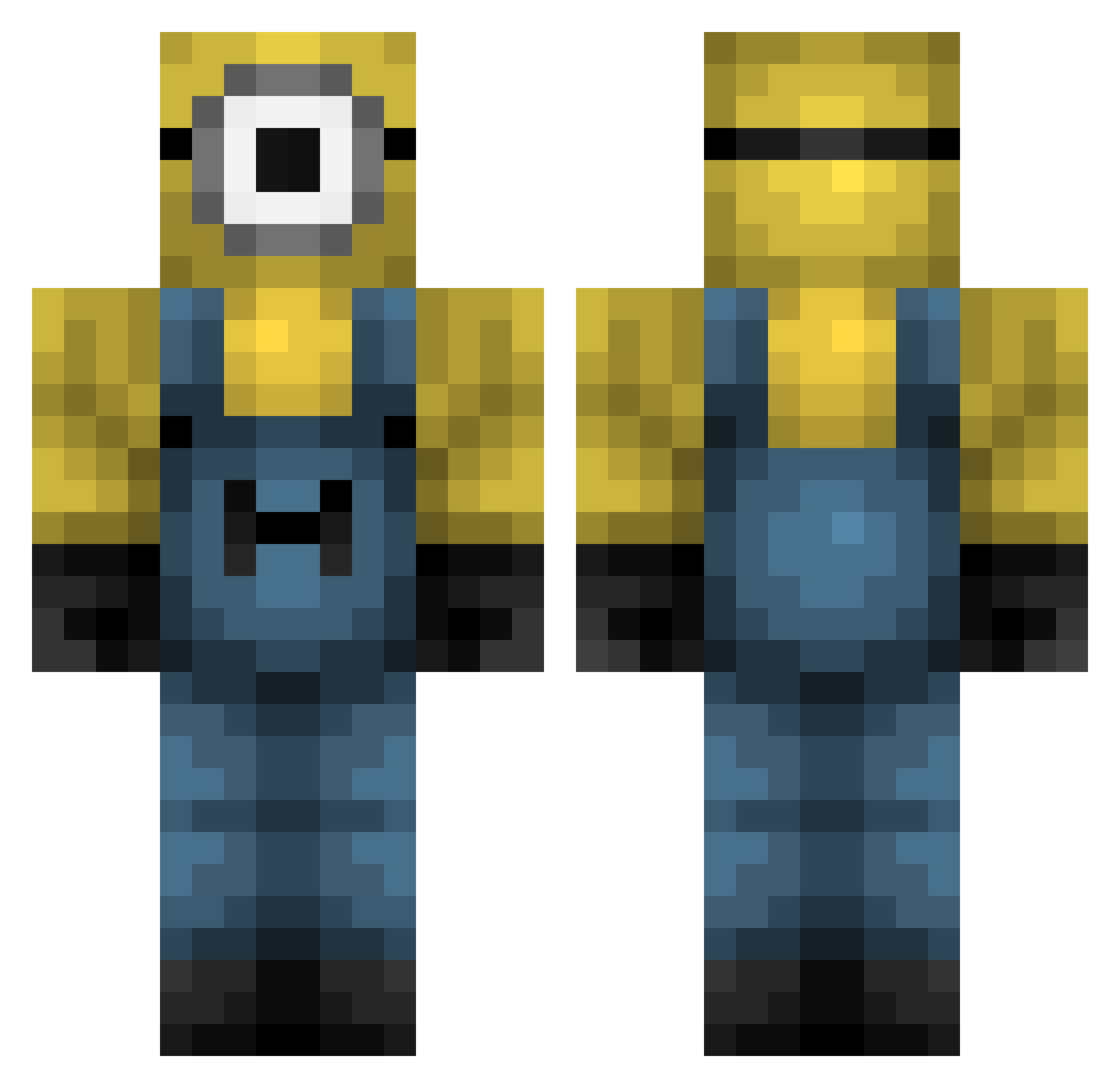
Current Minecraft skin of the player allahthesavior, loaded from the official Mojang API. Rotate the 3D model with your mouse or finger, then download the skin as a PNG file and use it in Minecraft: Bedrock Edition or Java Edition for free. When allahthesavior changes their skin, this page updates automatically and the old skin stays in the history below.
Other players with this skin (322)
allahthesavior was the 93rd player we have seen with this skin, first spotted on 17.08.2026. The same skin was seen on these players. Open a nickname to see their current skin and skin history.
 IG______ Chan0601 Mone2907 Lopsydoo123 MatiFC Rolf_Harald edc3 6p1z MientusXx Alizotici OffaGloop xolovinq housefoam Pysfunctional itsCapek WakeThus G_o_d_S Mallemox DustyTk DrSneak MINlONS PandemicBaby Jiloes TheBobo112 binu369 Tyskie209 EricRS0319 Peluda10 Alfredo_Pc1 MervanBaba HarveyM8155 RAP1031 _Chouchou adamaxro Ghositito RAIHA103124 blvcktom27 xxnotsalty iqnut_1337 Txostaaa Mineperial User8226 Arrasador7 ghettoboyzpunk minsub1716 J3BL Fischy420 Sn00gsDeN00che mooyanlol Dogstopper_E DAVIDGENESIS5 funnytuber Herzog_Gisu Captain_Daner SEOWJ Xexa011 brain_head
 TneRealMC JiwoongKang 13Reisik12
More Minion Minecraft skins
How to install the allahthesavior skin
- Press the Download button above to save the skin as a PNG file.
- Minecraft: Bedrock Edition (PE): open the Dressing Room from the main menu (or tap your character → Edit Character), go to Classic Skins → Owned, press the + (new skin) button, choose the downloaded PNG and pick the Classic (Steve) model. Works on PC and mobile; consoles cannot import custom skins.
- Minecraft: Java Edition: open the Minecraft Launcher, go to the Skins tab, click New Skin, load the PNG, pick the Classic (Steve) model and press Save & Use. You can also upload it at minecraft.net → Profile → Change Skin.
The skin does not show up after import - what should I do?
Restart Minecraft and open the Dressing Room again - imported skins sometimes appear only after a restart. Also make sure you selected the imported skin and picked the Classic (Steve) model.
Which model should I choose, Classic or Slim?
This skin is designed for the Classic (Steve) model. If you pick the wrong model, the arms of the skin will look stretched or squeezed.
Is the skin of allahthesavior free to download?
Yes. Press Download, save the PNG file and use it in Minecraft: Bedrock Edition or Java Edition - no payment or registration needed. The skin also works on multiplayer servers and Realms.
More skins
Looking for more? Go back to all Minecraft skins and check the top skins of the week, month and all time, or find any player's skin by nickname.