
Stealthkill3r - Minecraft Skins & Skin History
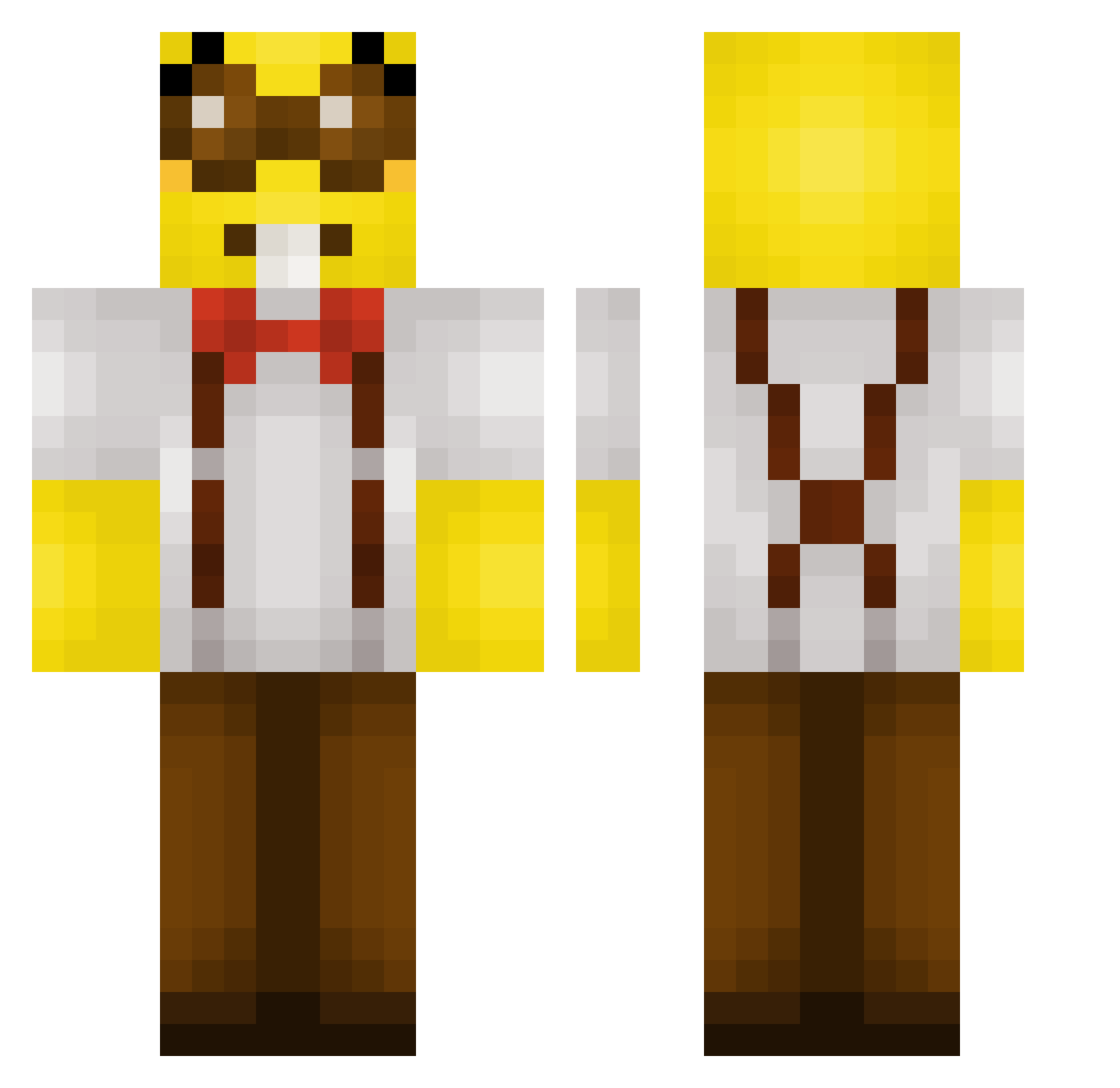
Current Minecraft skin of the player Stealthkill3r, loaded from the official Mojang API. Rotate the 3D model with your mouse or finger, then download the skin as a PNG file and use it in Minecraft: Bedrock Edition or Java Edition for free. When Stealthkill3r changes their skin, this page updates automatically and the old skin stays in the history below.
Other players with this skin (284)
Stealthkill3r was the 143rd player we have seen with this skin, first spotted on 23.09.2026. The same skin was seen on these players. Open a nickname to see their current skin and skin history.
 FunGun3301 KingBetclan Elionat M2MO67 Fikrihs15 Justice_2003 Mihasik1909 Balloou Rickzzq IIINSERA ARANGUA_3 clemclemenft smo0nn moggedbyboro Alex7679 riaisuruncle Martinopelyeet ParalyzedP3nis ShebySheby Erikoooooo SaiVinny toebflyy ChargerDeMalade BaretBigButt hangyumin0802 Lrbebou tsv20 Dawwizo ItzDelta_ Plasma_Nova bekan243 StoneRipper Yumoko_ _rootman imbearr505 valeeesite lonx_II AquaDuckk ung1922 toastdudeee Navalego 3688 tatu_bolin MaruyGcGamer Teamofrancisca Barresson Bateria_alkaiczn dylanthedoof Intendead yannyang cazin2 zeny4L parzival2303 SneakySquids47 Carroty6 Kunkamelodi Puthecookiedown kilyan21 MAL_JakiyI Guinho_20114
More Minion Minecraft skins
How to install the Stealthkill3r skin
- Press the Download button above to save the skin as a PNG file.
- Minecraft: Bedrock Edition (PE): open the Dressing Room from the main menu (or tap your character → Edit Character), go to Classic Skins → Owned, press the + (new skin) button, choose the downloaded PNG and pick the Classic (Steve) model. Works on PC and mobile; consoles cannot import custom skins.
- Minecraft: Java Edition: open the Minecraft Launcher, go to the Skins tab, click New Skin, load the PNG, pick the Classic (Steve) model and press Save & Use. You can also upload it at minecraft.net → Profile → Change Skin.
The skin does not show up after import - what should I do?
Restart Minecraft and open the Dressing Room again - imported skins sometimes appear only after a restart. Also make sure you selected the imported skin and picked the Classic (Steve) model.
Which model should I choose, Classic or Slim?
This skin is designed for the Classic (Steve) model. If you pick the wrong model, the arms of the skin will look stretched or squeezed.
Is the skin of Stealthkill3r free to download?
Yes. Press Download, save the PNG file and use it in Minecraft: Bedrock Edition or Java Edition - no payment or registration needed. The skin also works on multiplayer servers and Realms.
More skins
Looking for more? Go back to all Minecraft skins and check the top skins of the week, month and all time, or find any player's skin by nickname.