
Current Minecraft skin of the player QVCDoghouse, loaded from the official Mojang API. Rotate the 3D model with your mouse or finger, then download the skin as a PNG file and use it in Minecraft: Bedrock Edition or Java Edition for free. When QVCDoghouse changes their skin, this page updates automatically and the old skin stays in the history below.
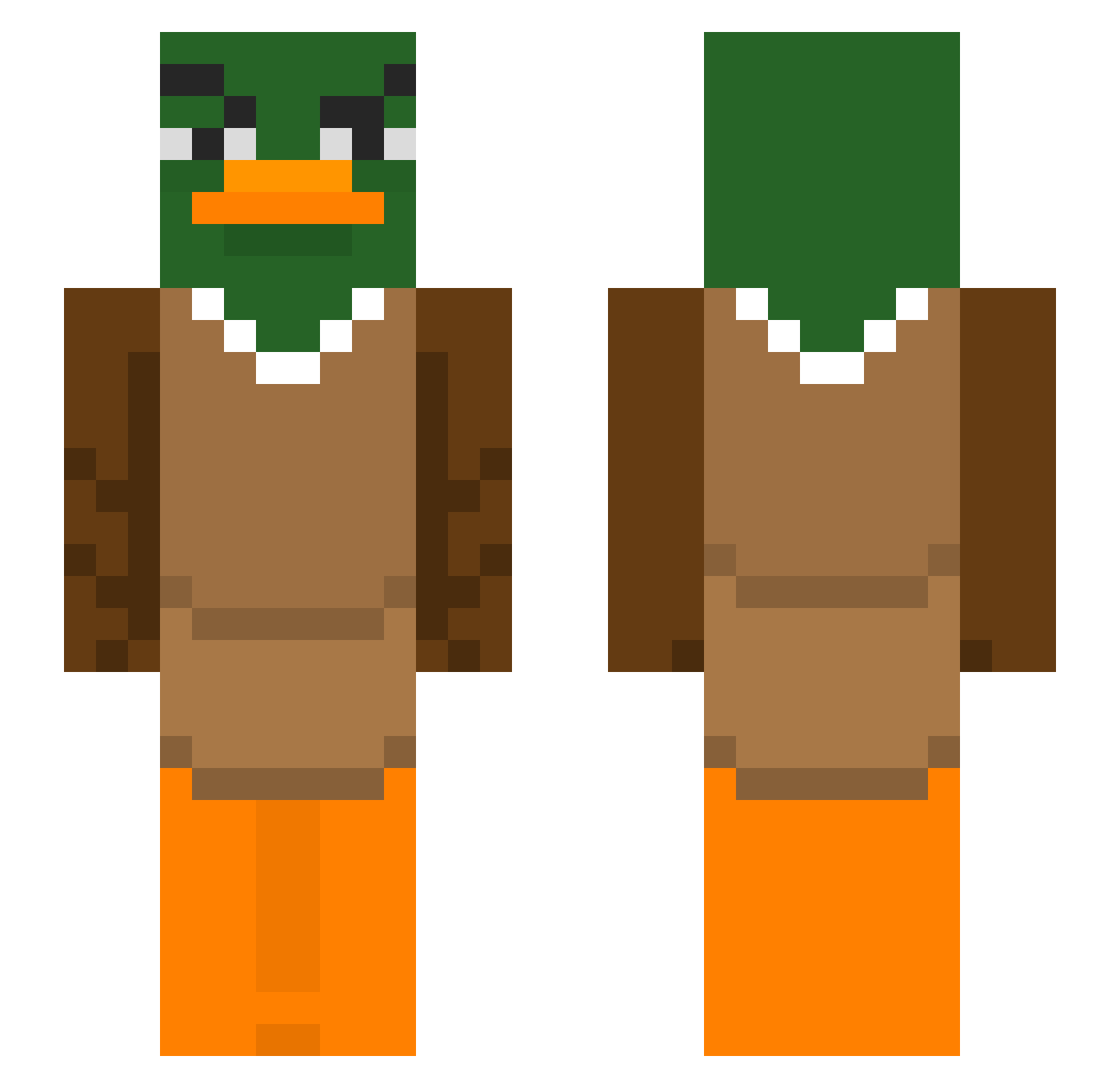
Other players with this skin (291)
QVCDoghouse was the 92nd player we have seen with this skin, first spotted on 19.08.2026. The same skin was seen on these players. Open a nickname to see their current skin and skin history.
 JoeyBurr lennny17 Tomo929 big_sips ZaySpinDablock45 Spooky_Dark Ogarush
 27wy narirnaru Windbreaker06 DuckyNiklas08 O_Grande_Fael haosweet PitInvestor
 Canine266 TooEasyForBerlin KrekMan qkrwhdgur2020 sayhiboo GreatNezox_ Bouziguelolo lotchelen 69__p Fr33C4ndy elpizote TerryChoco xFemelle H10alex diglor Korbacik_ mmonker FakeTohil Sirodesair PitifulSalami FreeMCAlts_ZK91C googlymooglee _Hooijdonk Savargea vi1kk nevesneves1 KoenigPano dasSchwarzeSchaf HighEndz420 BlackConcombre Aaraela rookieARMY25 Vstrokes Petryss RottenZucchini sock517 Sheyito Zinjuc B0_nk Grylls24 Soar_Scoper qwertyuiop1024 Doll00111 _ooxide Jevidee ixx7s
More Duck Minecraft skins
How to install the QVCDoghouse skin
- Press the Download button above to save the skin as a PNG file.
- Minecraft: Bedrock Edition (PE): open the Dressing Room from the main menu (or tap your character → Edit Character), go to Classic Skins → Owned, press the + (new skin) button, choose the downloaded PNG and pick the Slim (Alex) model. Works on PC and mobile; consoles cannot import custom skins.
- Minecraft: Java Edition: open the Minecraft Launcher, go to the Skins tab, click New Skin, load the PNG, pick the Slim (Alex) model and press Save & Use. You can also upload it at minecraft.net → Profile → Change Skin.
The skin does not show up after import - what should I do?
Restart Minecraft and open the Dressing Room again - imported skins sometimes appear only after a restart. Also make sure you selected the imported skin and picked the Slim (Alex) model.
Which model should I choose, Classic or Slim?
This skin is designed for the Slim (Alex) model. If you pick the wrong model, the arms of the skin will look stretched or squeezed.
Is the skin of QVCDoghouse free to download?
Yes. Press Download, save the PNG file and use it in Minecraft: Bedrock Edition or Java Edition - no payment or registration needed. The skin also works on multiplayer servers and Realms.
More skins
Looking for more? Go back to all Minecraft skins and check the top skins of the week, month and all time, or find any player's skin by nickname.