
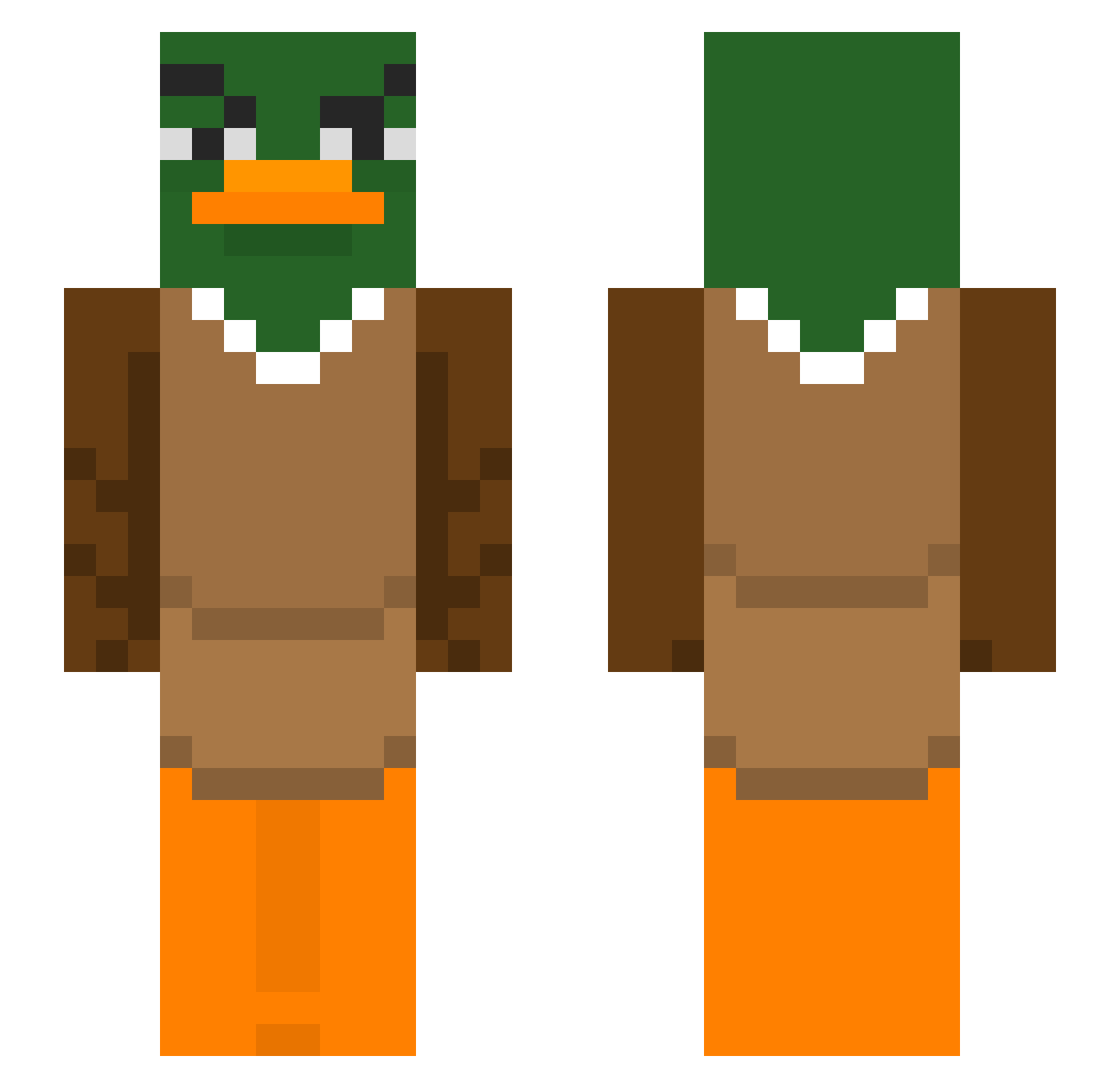
Current Minecraft skin of the player MincedOnion972, loaded from the official Mojang API. Rotate the 3D model with your mouse or finger, then download the skin as a PNG file and use it in Minecraft: Bedrock Edition or Java Edition for free. When MincedOnion972 changes their skin, this page updates automatically and the old skin stays in the history below.
Other players with this skin (291)
MincedOnion972 was the 29th player we have seen with this skin, first spotted on 31.07.2026. The same skin was seen on these players. Open a nickname to see their current skin and skin history.
 Troetelel_eend Zizua2 Akrusi_ DragonSabEle TaoKIEU Jooooope Dimitreeeei HummerTruck iCenfe Dracaufeu890 Fer2806 Bachelorbby69
 Nlaz Doritoman98 ademhaling Oropla Owdog67 MriaCLR thedarklool Vxeama Shilendce KarecaSeboso Gutiiz Trenchrogue11 andgjm Milesaway7 BebRochka705 ttalsym Lucas100p Beb182 H510und jahudistealwife Astroboy_789 Foca2015 SquidyPlayzTTV Vxtelo 0deon Typentilwero Steffany16 IamJAYisme Brethoc faivminit DuHuuuu88 Miner_B KaMudeng ThicNQuic Alisjan kfc1 Kaboeter YamahamuPower EloiJr SuPerDuCkKza Realdarkness61 GKXS leprkon56 chiickenadobo Jevidee qwertyuiop1024 Soar_Scoper notoysters
More Duck Minecraft skins
How to install the MincedOnion972 skin
- Press the Download button above to save the skin as a PNG file.
- Minecraft: Bedrock Edition (PE): open the Dressing Room from the main menu (or tap your character → Edit Character), go to Classic Skins → Owned, press the + (new skin) button, choose the downloaded PNG and pick the Slim (Alex) model. Works on PC and mobile; consoles cannot import custom skins.
- Minecraft: Java Edition: open the Minecraft Launcher, go to the Skins tab, click New Skin, load the PNG, pick the Slim (Alex) model and press Save & Use. You can also upload it at minecraft.net → Profile → Change Skin.
The skin does not show up after import - what should I do?
Restart Minecraft and open the Dressing Room again - imported skins sometimes appear only after a restart. Also make sure you selected the imported skin and picked the Slim (Alex) model.
Which model should I choose, Classic or Slim?
This skin is designed for the Slim (Alex) model. If you pick the wrong model, the arms of the skin will look stretched or squeezed.
Is the skin of MincedOnion972 free to download?
Yes. Press Download, save the PNG file and use it in Minecraft: Bedrock Edition or Java Edition - no payment or registration needed. The skin also works on multiplayer servers and Realms.
More skins
Looking for more? Go back to all Minecraft skins and check the top skins of the week, month and all time, or find any player's skin by nickname.