
HunZiMoLi - Minecraft Skins & Skin History
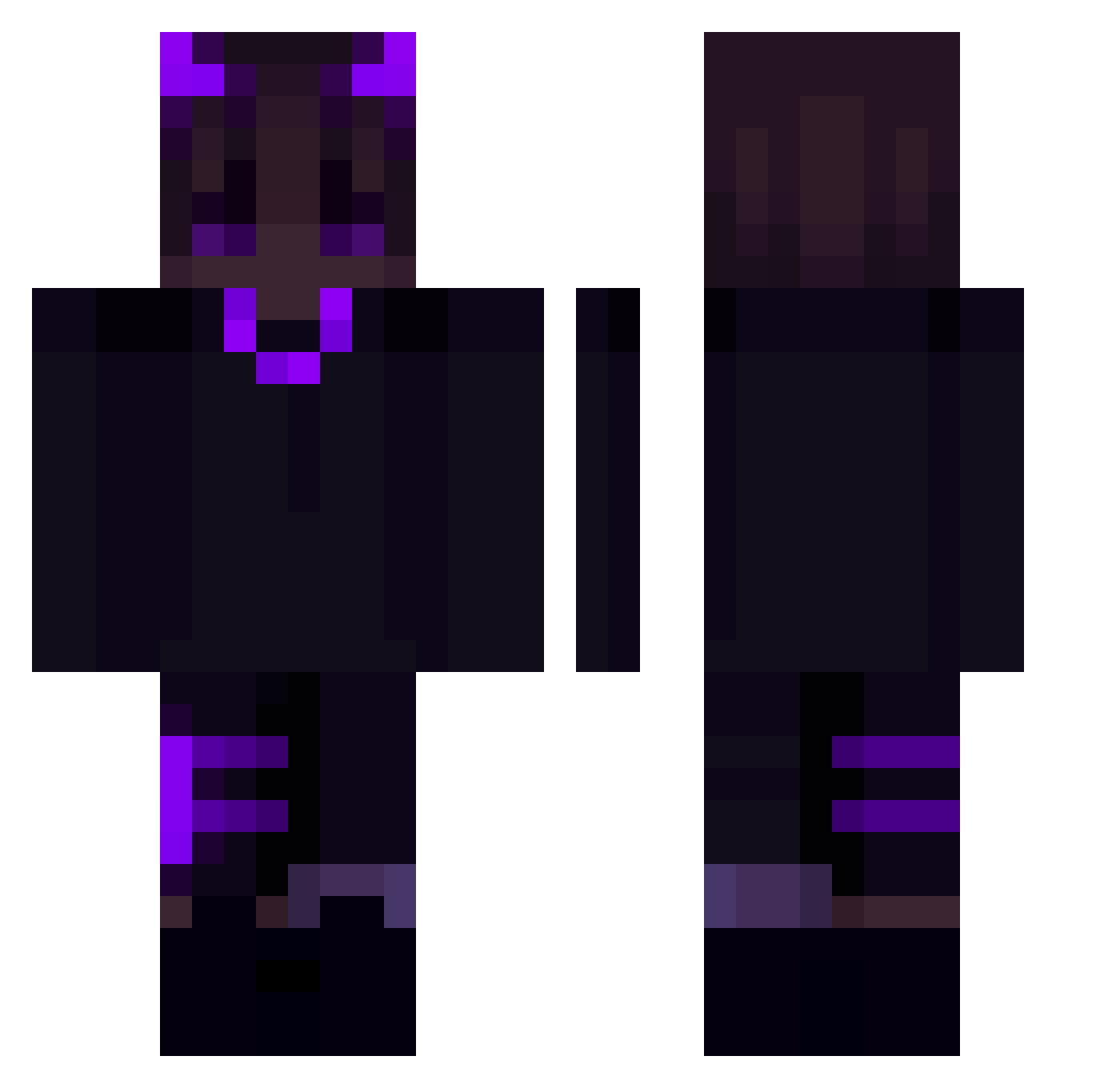
Current Minecraft skin of the player HunZiMoLi, loaded from the official Mojang API. Rotate the 3D model with your mouse or finger, then download the skin as a PNG file and use it in Minecraft: Bedrock Edition or Java Edition for free. When HunZiMoLi changes their skin, this page updates automatically and the old skin stays in the history below.
Other players with this skin (176)
HunZiMoLi was the 93rd player we have seen with this skin, first spotted on 19.09.2026. The same skin was seen on these players. Open a nickname to see their current skin and skin history.
 BlncSL8 TheMonkeyKing27 bojohema DIMA777 S2S2S2S2S2S2S2S2 Terayuz LoRz6 Pixiechaso SaveWaterBro1200 lKRIPERSl HEEAAD Kakbohne kjnocelot Galoka Pinkie_God skyweta zYqxi_ Kusagun kiloof Caramellu Iciuss BargeldDrache ZWICKY_ Sylvac matmoraa masterofthevoid renato10000 clqver_ apejake BangGeunYi SinLXV 1gnite ajhl purple_angel Knicklicht666 MadHabbit caffeeine TheMerky sxylr__ SaMir_XD Spke463 KarboneKral murphyk15 TAkoBOBOLOLO Sangchi ybbob VanPersi Hoto_CoCoa_ Hyxzii Pezis_ DaviGRA erlebt Versicherung_I Javehunter certyyy JustNash44 ahhRealize SkullHeLLs BZDSQZY yuno_grinberryal
More Demon Minecraft skins
How to install the HunZiMoLi skin
- Press the Download button above to save the skin as a PNG file.
- Minecraft: Bedrock Edition (PE): open the Dressing Room from the main menu (or tap your character → Edit Character), go to Classic Skins → Owned, press the + (new skin) button, choose the downloaded PNG and pick the Classic (Steve) model. Works on PC and mobile; consoles cannot import custom skins.
- Minecraft: Java Edition: open the Minecraft Launcher, go to the Skins tab, click New Skin, load the PNG, pick the Classic (Steve) model and press Save & Use. You can also upload it at minecraft.net → Profile → Change Skin.
The skin does not show up after import - what should I do?
Restart Minecraft and open the Dressing Room again - imported skins sometimes appear only after a restart. Also make sure you selected the imported skin and picked the Classic (Steve) model.
Which model should I choose, Classic or Slim?
This skin is designed for the Classic (Steve) model. If you pick the wrong model, the arms of the skin will look stretched or squeezed.
Is the skin of HunZiMoLi free to download?
Yes. Press Download, save the PNG file and use it in Minecraft: Bedrock Edition or Java Edition - no payment or registration needed. The skin also works on multiplayer servers and Realms.
More skins
Looking for more? Go back to all Minecraft skins and check the top skins of the week, month and all time, or find any player's skin by nickname.