
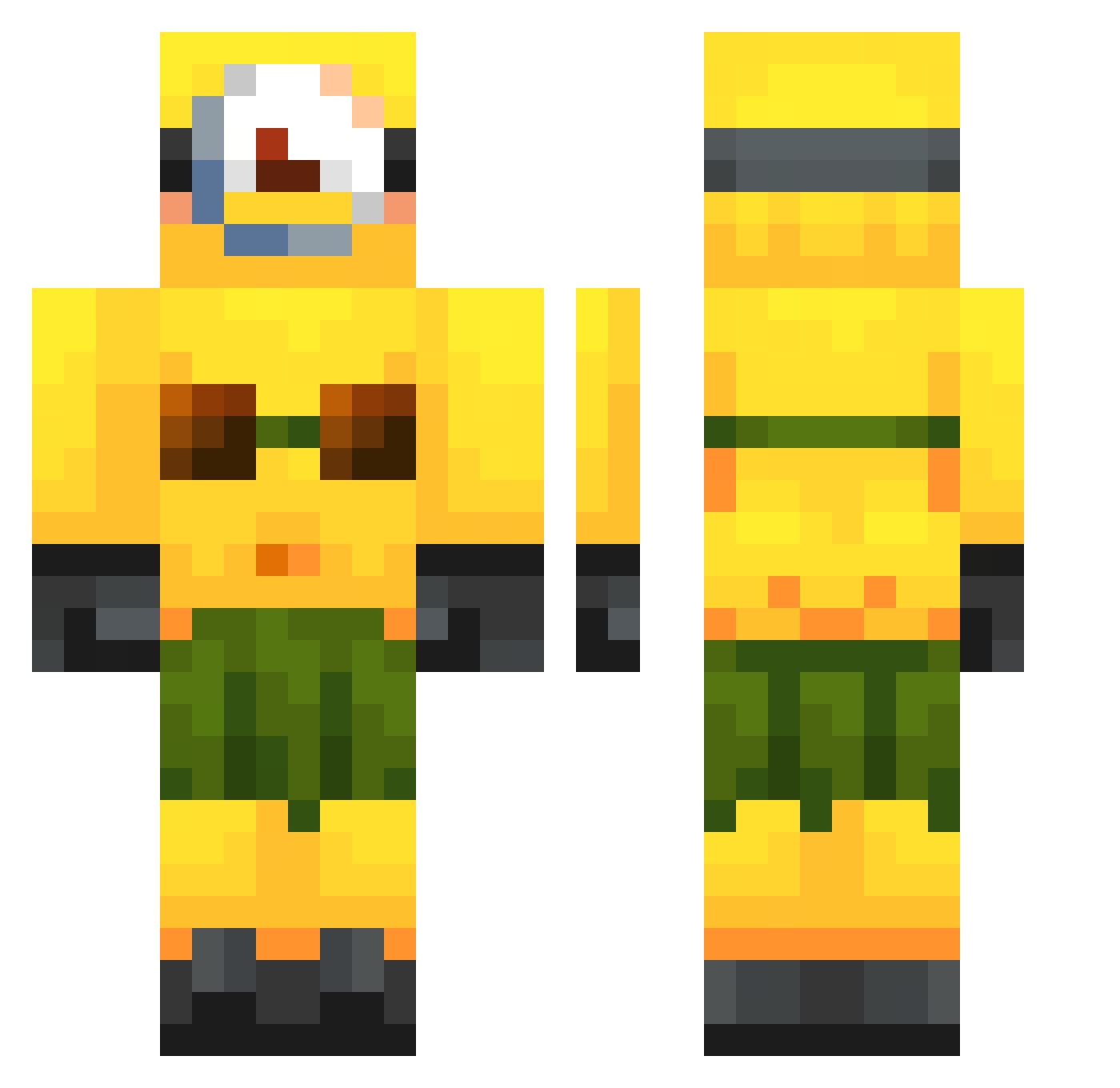
Current Minecraft skin of the player Hellcatdriver90, loaded from the official Mojang API. Rotate the 3D model with your mouse or finger, then download the skin as a PNG file and use it in Minecraft: Bedrock Edition or Java Edition for free. When Hellcatdriver90 changes their skin, this page updates automatically and the old skin stays in the history below.
Other players with this skin (250)
Hellcatdriver90 was the 98th player we have seen with this skin, first spotted on 01.09.2026. The same skin was seen on these players. Open a nickname to see their current skin and skin history.
 rimas28028 Ivancrlol Xx_Kotic_xX skalleknuser2010 69Dragoss lukitas0 il0vegru iluvunicorns22 PESDALIS1337 jumbochu EnoughMaz Plocchosee shrooomies_ THE_ZENITH DortHit_60NqJp20 gavnoed3232 rafael_miguel SPRINGBOKS_KINGS bitypol AdolfsGrandson Magutin ReesieCup78 PlasticDesert76 RMFJSP0516 kioxd EnderWoofs Bambelgully1 doomsday1888 Deagonizer_ coffeeaddictxx1 Citrin Carmale18 goddestimer aleiagrace koksakijucken SlySrow_ Braxulitto podkaszarawzium Ixudler JzGM arshi2009 bananaman532 majesticarrot bong_bong_boo fejnix ilikenothing417 Nycodarkz101 Fettmachsport PR3DATOR69420 izluhv Luskas1 Rodroga_ Natkisan SamsonSG bigpapiwxlf thorstenl312 VitinDosCorres antinpant 1Dips Asiaam
More Minion Minecraft skins
How to install the Hellcatdriver90 skin
- Press the Download button above to save the skin as a PNG file.
- Minecraft: Bedrock Edition (PE): open the Dressing Room from the main menu (or tap your character → Edit Character), go to Classic Skins → Owned, press the + (new skin) button, choose the downloaded PNG and pick the Classic (Steve) model. Works on PC and mobile; consoles cannot import custom skins.
- Minecraft: Java Edition: open the Minecraft Launcher, go to the Skins tab, click New Skin, load the PNG, pick the Classic (Steve) model and press Save & Use. You can also upload it at minecraft.net → Profile → Change Skin.
The skin does not show up after import - what should I do?
Restart Minecraft and open the Dressing Room again - imported skins sometimes appear only after a restart. Also make sure you selected the imported skin and picked the Classic (Steve) model.
Which model should I choose, Classic or Slim?
This skin is designed for the Classic (Steve) model. If you pick the wrong model, the arms of the skin will look stretched or squeezed.
Is the skin of Hellcatdriver90 free to download?
Yes. Press Download, save the PNG file and use it in Minecraft: Bedrock Edition or Java Edition - no payment or registration needed. The skin also works on multiplayer servers and Realms.
More skins
Looking for more? Go back to all Minecraft skins and check the top skins of the week, month and all time, or find any player's skin by nickname.