
B1ueAlqaca - Minecraft Skins & Skin History
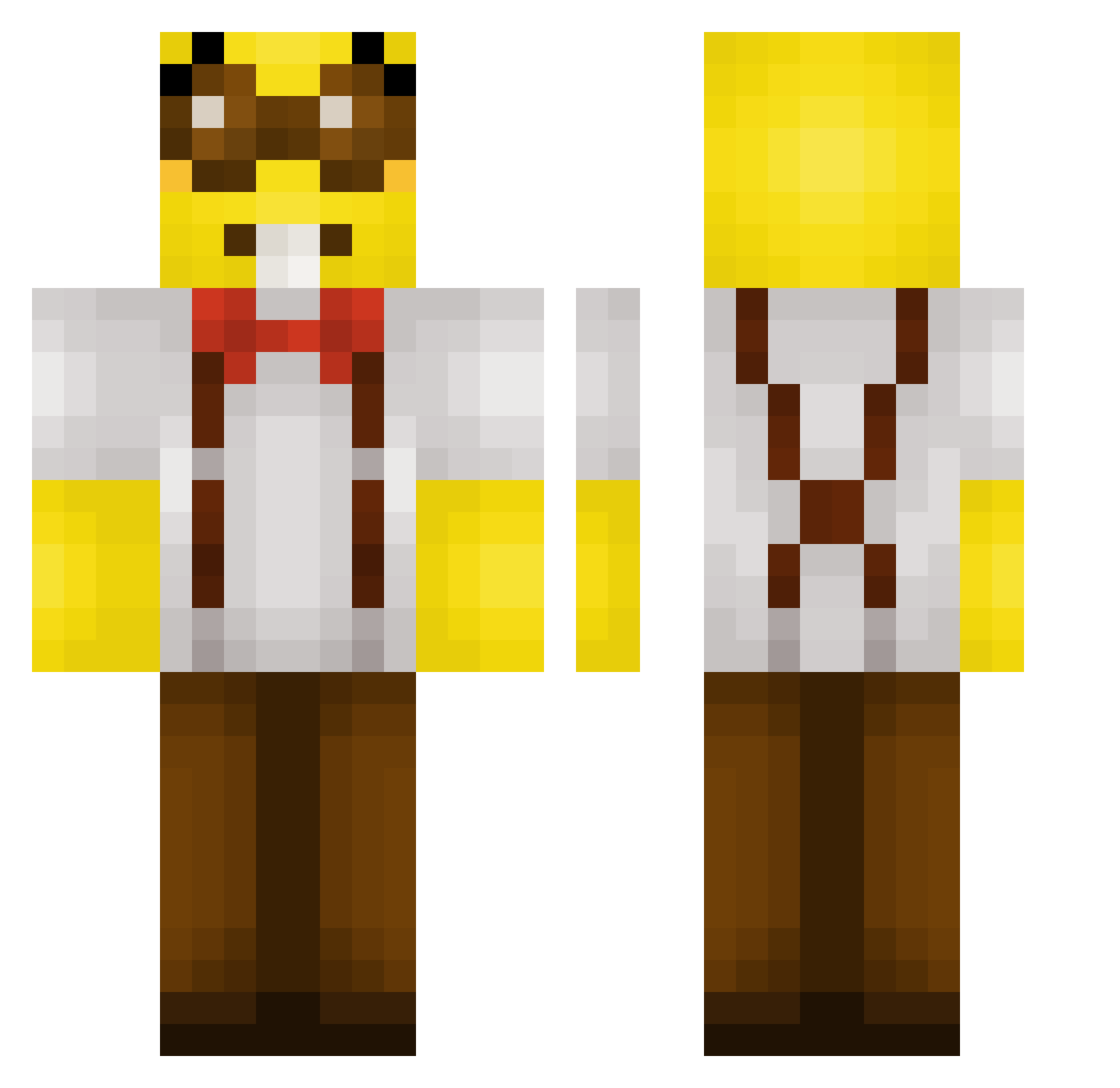
Current Minecraft skin of the player B1ueAlqaca, loaded from the official Mojang API. Rotate the 3D model with your mouse or finger, then download the skin as a PNG file and use it in Minecraft: Bedrock Edition or Java Edition for free. When B1ueAlqaca changes their skin, this page updates automatically and the old skin stays in the history below.
Other players with this skin (284)
B1ueAlqaca was the 241st player we have seen with this skin, first spotted on 20.10.2026. The same skin was seen on these players. Open a nickname to see their current skin and skin history.
 kenzooyt bibounii oldyeller89 luvvsjckk icepie_3 Nikeen ClavaMne PolleyWoller ly_mstSa_1111 Hasaki2127 Yummyshl Fuchicho Barneuh jasminninette Boketto0926 R3ZM4 TaeMiner reflexsu Kokomotinho mimiu1234 vasjatko Girassou Danimfil Bugitos Weeaver Maximus201111 Darkzinnr Jamusdied HARDworkeer koimya Omerbabapro01 dzaminyes_lega GuippyLn Metsi1 zegisa Orionthehunter34 JoeyDanger _DeadHost_ The_MrMen KuppiiGG MikaKov Sunny404_ Deyirn Espadaaa_ MC1goose Cloroxy Koggen Harleymax4 monkyagondli DethDKN C136N eduard2004 Area51HadCatGirl ykhooks Gilded_Golden Seppvodasog EsePaquito ruwsian dinkleboi Bythesea99
More Minion Minecraft skins
How to install the B1ueAlqaca skin
- Press the Download button above to save the skin as a PNG file.
- Minecraft: Bedrock Edition (PE): open the Dressing Room from the main menu (or tap your character → Edit Character), go to Classic Skins → Owned, press the + (new skin) button, choose the downloaded PNG and pick the Classic (Steve) model. Works on PC and mobile; consoles cannot import custom skins.
- Minecraft: Java Edition: open the Minecraft Launcher, go to the Skins tab, click New Skin, load the PNG, pick the Classic (Steve) model and press Save & Use. You can also upload it at minecraft.net → Profile → Change Skin.
The skin does not show up after import - what should I do?
Restart Minecraft and open the Dressing Room again - imported skins sometimes appear only after a restart. Also make sure you selected the imported skin and picked the Classic (Steve) model.
Which model should I choose, Classic or Slim?
This skin is designed for the Classic (Steve) model. If you pick the wrong model, the arms of the skin will look stretched or squeezed.
Is the skin of B1ueAlqaca free to download?
Yes. Press Download, save the PNG file and use it in Minecraft: Bedrock Edition or Java Edition - no payment or registration needed. The skin also works on multiplayer servers and Realms.
More skins
Looking for more? Go back to all Minecraft skins and check the top skins of the week, month and all time, or find any player's skin by nickname.