
AvengingBeef288 - Minecraft Skins & Skin History
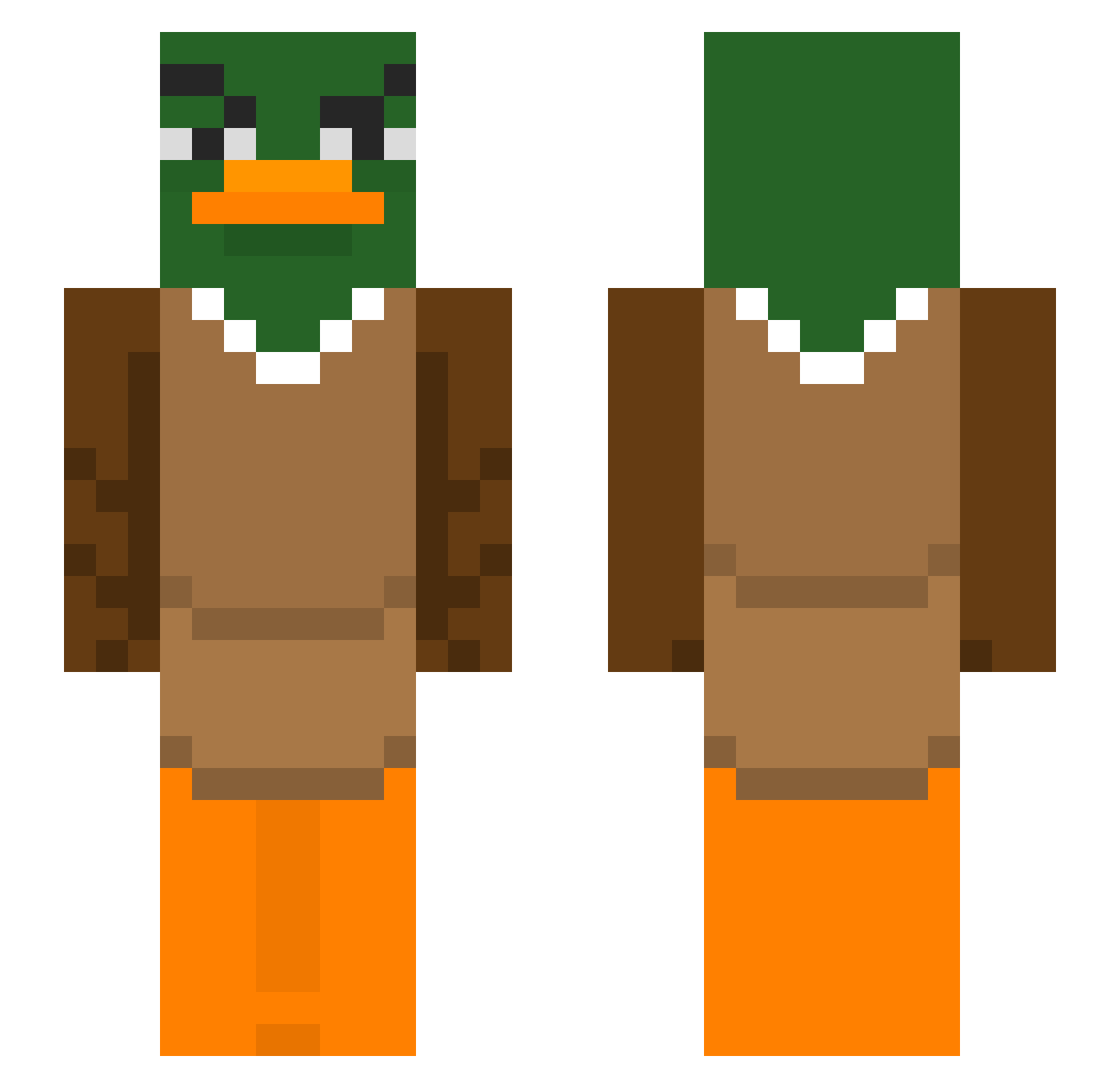
Current Minecraft skin of the player AvengingBeef288, loaded from the official Mojang API. Rotate the 3D model with your mouse or finger, then download the skin as a PNG file and use it in Minecraft: Bedrock Edition or Java Edition for free. When AvengingBeef288 changes their skin, this page updates automatically and the old skin stays in the history below.
Other players with this skin (367)
AvengingBeef288 was the 156th player we have seen with this skin, first spotted on 09.09.2026. The same skin was seen on these players. Open a nickname to see their current skin and skin history.
 KiraNor Jeep Submerso LuckyDucky059 ROBBIEboy96 joshdaboyyy Kiera3423 Yuzuwasa Jiwi99 brianthecat12 Big_gusske
 binguschilling HzDoruk FJB528 Hupcio1331 DrNaggleTips cookie_4416 Breadd125 samuele123456789 drakerYTB Naetio PilotFurkan Seismic2024 henrrysnow BxrnaL Goosenort Psuedor sirpaimon Fabio_Gustavo JabbaJoobie IVANHXK navi0990 treyswags EntenKopff Defysa Nikodons 1234gg Diadrax123 tumoxxx ynebra masanegi NC_Gamer28 Willyfar formatik Koanea 0qpo Novataf matildaaaaaaaaa3 darklino06 Shyminn Nestounes DokiReal Simdog98 ME_Iing StiefMutter
 poyrs SkySpeaker IBENJIRO Doniuksas_ahh Czimy
More Duck Minecraft skins
How to install the AvengingBeef288 skin
- Press the Download button above to save the skin as a PNG file.
- Minecraft: Bedrock Edition (PE): open the Dressing Room from the main menu (or tap your character → Edit Character), go to Classic Skins → Owned, press the + (new skin) button, choose the downloaded PNG and pick the Slim (Alex) model. Works on PC and mobile; consoles cannot import custom skins.
- Minecraft: Java Edition: open the Minecraft Launcher, go to the Skins tab, click New Skin, load the PNG, pick the Slim (Alex) model and press Save & Use. You can also upload it at minecraft.net → Profile → Change Skin.
The skin does not show up after import - what should I do?
Restart Minecraft and open the Dressing Room again - imported skins sometimes appear only after a restart. Also make sure you selected the imported skin and picked the Slim (Alex) model.
Which model should I choose, Classic or Slim?
This skin is designed for the Slim (Alex) model. If you pick the wrong model, the arms of the skin will look stretched or squeezed.
Is the skin of AvengingBeef288 free to download?
Yes. Press Download, save the PNG file and use it in Minecraft: Bedrock Edition or Java Edition - no payment or registration needed. The skin also works on multiplayer servers and Realms.
More skins
Looking for more? Go back to all Minecraft skins and check the top skins of the week, month and all time, or find any player's skin by nickname.