
poyrs - Minecraft Skins & Skin History
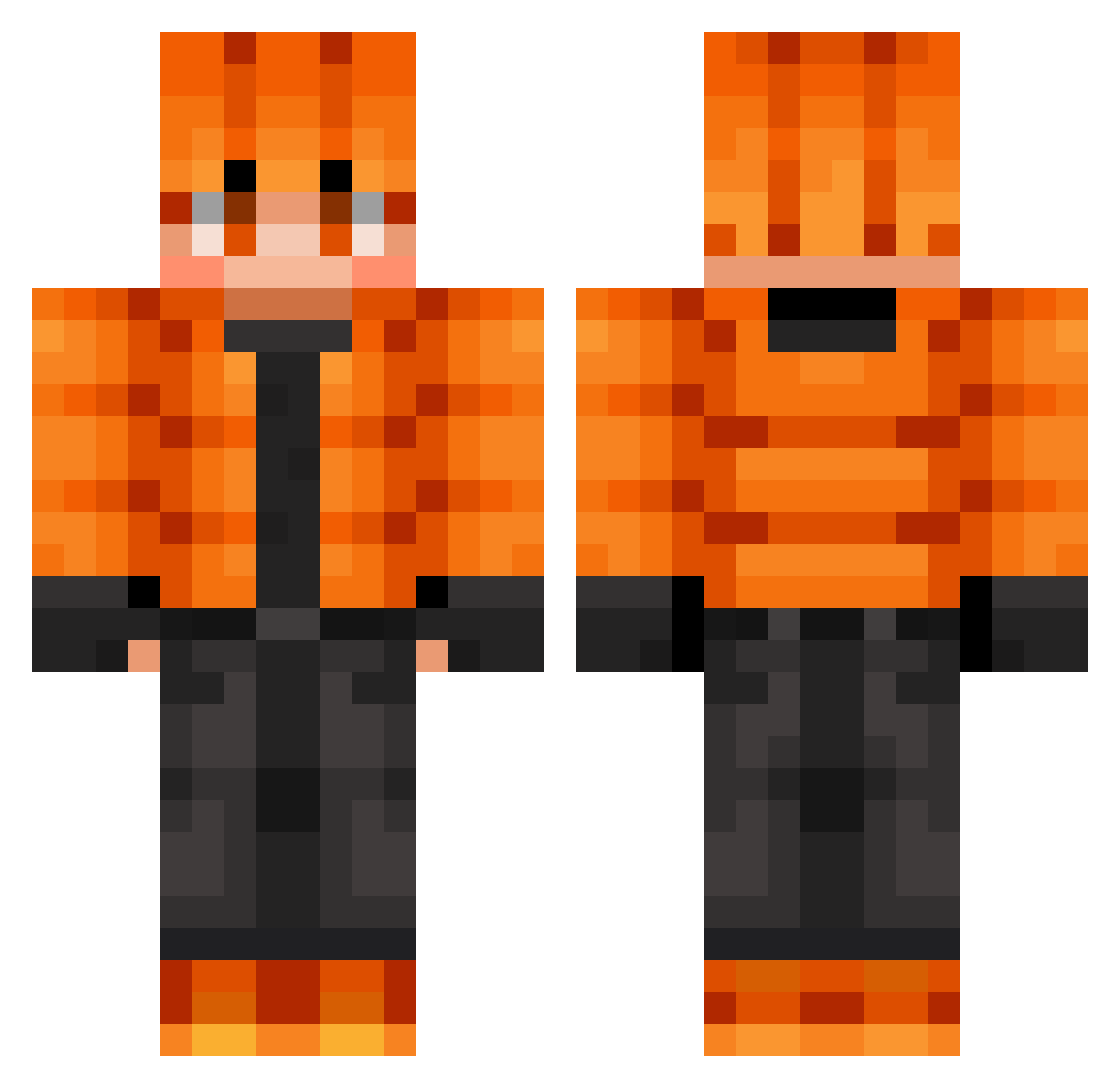
Current Minecraft skin of the player poyrs, loaded from the official Mojang API. Rotate the 3D model with your mouse or finger, then download the skin as a PNG file and use it in Minecraft: Bedrock Edition or Java Edition for free. When poyrs changes their skin, this page updates automatically and the old skin stays in the history below.
Other players with this skin (766)
poyrs was the 480th player we have seen with this skin, first spotted on 02.10.2026. The same skin was seen on these players. Open a nickname to see their current skin and skin history.
 Purpletig Gunnar1089 k4_lx fifa55125 Makaron67 RHT11 La_destructiva keegan_benn DuncinMcokiner mxowy MrKnaky Flare135 lasersword1 LoweNoah Rheagar27 MacNutty123 Seihiko thanosninja Fa11in_Hunt3r Sun_Eun_Woo SpaceManSpiff5 Bacon543 Franzen_18 Borna18 LightningBolt002 maksim111111 MrAwesome10087 Phoenix_CZE aspas203 krzysdragon Hollymood Semih07 slim69420 HARUTOgame2022 Dread257 Aureus7 RPulham FLOWER_PRINCESS Tymi505h CraftyMikeyJ IZAKWONDER _zxyn_ gabrielCM09 Googlyeyes60 Sanic21200 bt725 cooldude18765 SilasThaGamer SAXICXI Crowni666 ziomek8384 SquidyWetty ShrinkID Aleu1519 LordKing99 Riichman FearsomeClaw74 kechup21373 hhjun35 KEREMPRO35
Previous skins of poyrs
Skins that poyrs wore before, newest first. Click a skin to open its page and download it.
How to install the poyrs skin
- Press the Download button above to save the skin as a PNG file.
- Minecraft: Bedrock Edition (PE): open the Dressing Room from the main menu (or tap your character → Edit Character), go to Classic Skins → Owned, press the + (new skin) button, choose the downloaded PNG and pick the Classic (Steve) model. Works on PC and mobile; consoles cannot import custom skins.
- Minecraft: Java Edition: open the Minecraft Launcher, go to the Skins tab, click New Skin, load the PNG, pick the Classic (Steve) model and press Save & Use. You can also upload it at minecraft.net → Profile → Change Skin.
The skin does not show up after import - what should I do?
Restart Minecraft and open the Dressing Room again - imported skins sometimes appear only after a restart. Also make sure you selected the imported skin and picked the Classic (Steve) model.
Which model should I choose, Classic or Slim?
This skin is designed for the Classic (Steve) model. If you pick the wrong model, the arms of the skin will look stretched or squeezed.
Is the skin of poyrs free to download?
Yes. Press Download, save the PNG file and use it in Minecraft: Bedrock Edition or Java Edition - no payment or registration needed. The skin also works on multiplayer servers and Realms.
More skins
Looking for more? Go back to all Minecraft skins and check the top skins of the week, month and all time, or find any player's skin by nickname.