
suke0303 - Minecraft Skins & Skin History
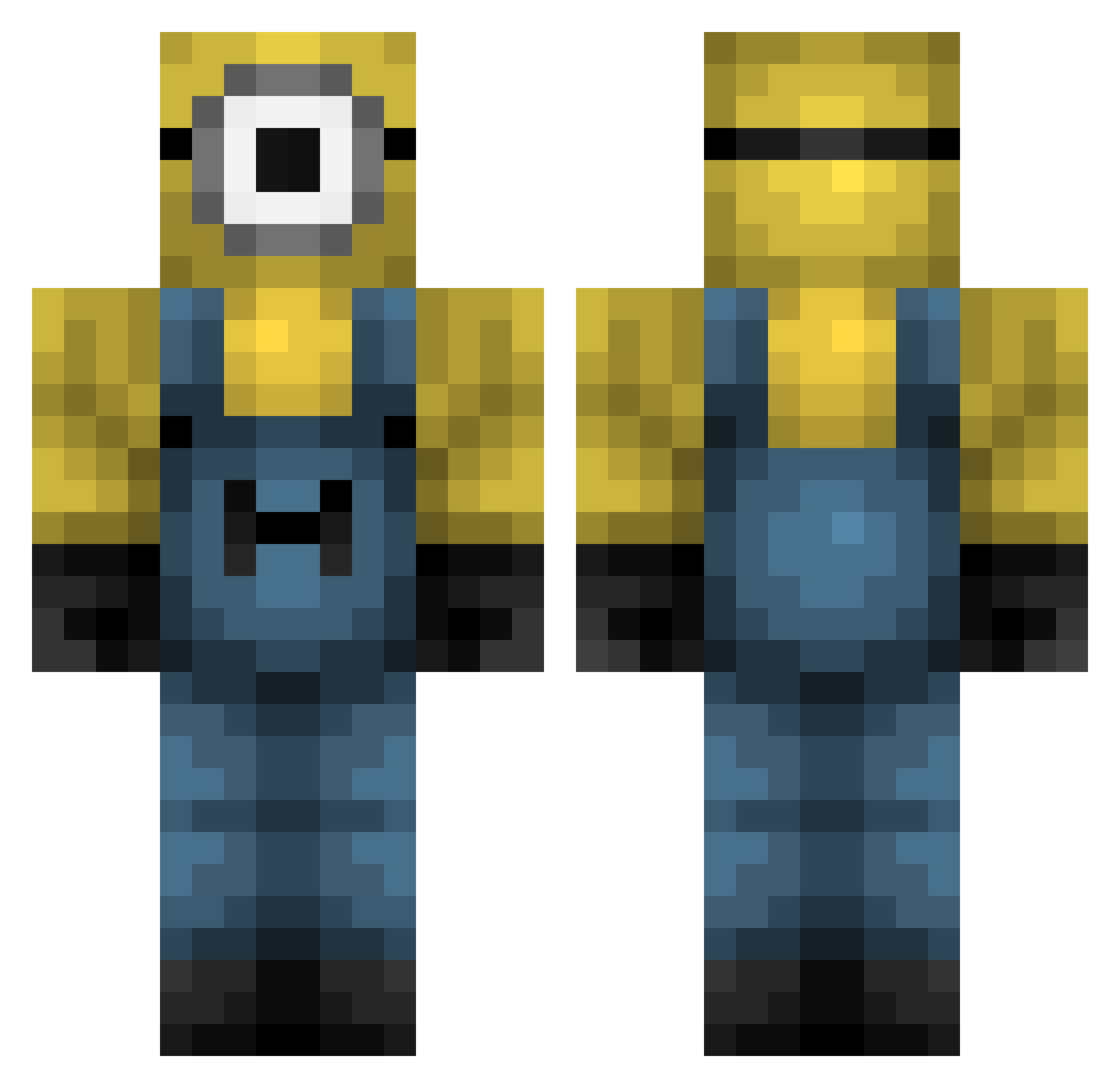
Current Minecraft skin of the player suke0303, loaded from the official Mojang API. Rotate the 3D model with your mouse or finger, then download the skin as a PNG file and use it in Minecraft: Bedrock Edition or Java Edition for free. When suke0303 changes their skin, this page updates automatically and the old skin stays in the history below.
Other players with this skin (426)
suke0303 was the 35th player we have seen with this skin, first spotted on 01.08.2026. The same skin was seen on these players. Open a nickname to see their current skin and skin history.
 Zacks3rdLeg imafr bagietk bigdaysz Recerde Canded12 qzlstriz Dekart00 ni88er_boy nishiwurld chenpinrong fankystrings icusq CaptainAyes minecraftpotion JesseLee650 oxu69 solkicarr DiegoCrazyMonkey plablito nathalija CapitanaStreamin Fl4pj4cks pingepalo shmev1e khbx jiandong22 TenderTofu02 vrfy filecabinet SegatronGaming isaacdagoat 1Neiko SLR_Dubzy DDM1123 v3s3laaaa DonutsKox BlackFN_ esssdeathhh lorisui Chuluwu standuserz MurtBoi BoogooB kanasho01 beckchristmas Ivanova_00 Brocyber Wiac723 Shixiang SteadieDuke30 IronMosquito764 andreasgryphius ExplorerVodka brain_head Mr_Linguini1642 ObviouslyNerd2 Xexa011 funnytuber DAVIDGENESIS5
More Minion Minecraft skins
How to install the suke0303 skin
- Press the Download button above to save the skin as a PNG file.
- Minecraft: Bedrock Edition (PE): open the Dressing Room from the main menu (or tap your character → Edit Character), go to Classic Skins → Owned, press the + (new skin) button, choose the downloaded PNG and pick the Classic (Steve) model. Works on PC and mobile; consoles cannot import custom skins.
- Minecraft: Java Edition: open the Minecraft Launcher, go to the Skins tab, click New Skin, load the PNG, pick the Classic (Steve) model and press Save & Use. You can also upload it at minecraft.net → Profile → Change Skin.
The skin does not show up after import - what should I do?
Restart Minecraft and open the Dressing Room again - imported skins sometimes appear only after a restart. Also make sure you selected the imported skin and picked the Classic (Steve) model.
Which model should I choose, Classic or Slim?
This skin is designed for the Classic (Steve) model. If you pick the wrong model, the arms of the skin will look stretched or squeezed.
Is the skin of suke0303 free to download?
Yes. Press Download, save the PNG file and use it in Minecraft: Bedrock Edition or Java Edition - no payment or registration needed. The skin also works on multiplayer servers and Realms.
More skins
Looking for more? Go back to all Minecraft skins and check the top skins of the week, month and all time, or find any player's skin by nickname.