
asaga0 - Minecraft Skins & Skin History
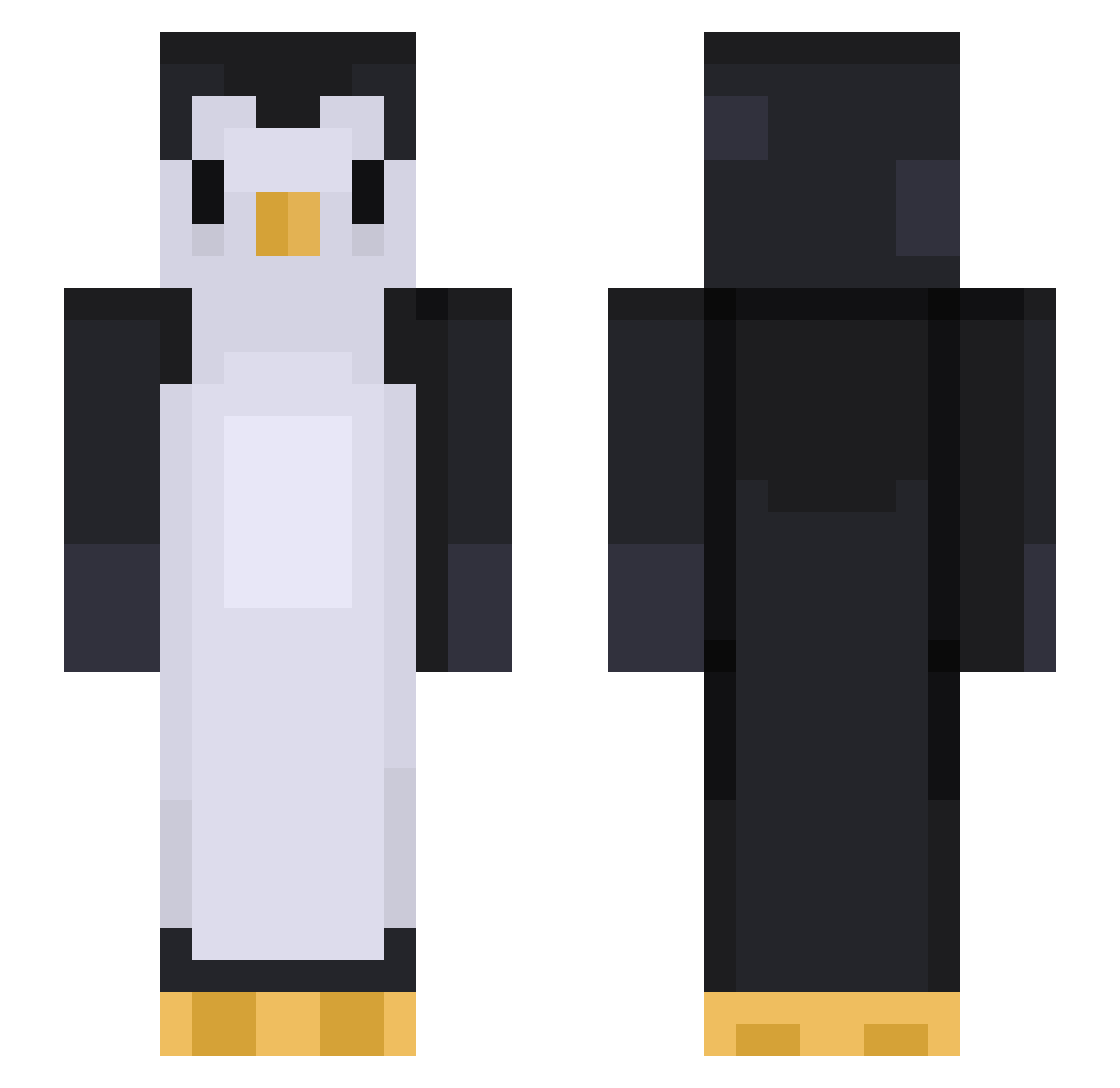
Current Minecraft skin of the player asaga0, loaded from the official Mojang API. Rotate the 3D model with your mouse or finger, then download the skin as a PNG file and use it in Minecraft: Bedrock Edition or Java Edition for free. When asaga0 changes their skin, this page updates automatically and the old skin stays in the history below.
Other players with this skin (425)
asaga0 was the 280th player we have seen with this skin, first spotted on 03.10.2026. The same skin was seen on these players. Open a nickname to see their current skin and skin history.
 PhotoVure LlamaLandlord Bollitoo cdubthecoolcat kkhhss03 BiobananeXXL qiqiaa Lemonbabo oDxnxl Borads Noluxo javiwas chipdude7 Sorrying YuJun_0417 Rayt_Le insim99 TomUHD sodegari SoG_Trevor D3ton4t0r DeadlyPinguiN F0kiWasTaken Serious0719 sarcha DarkRage92 llebpmac PandaQ1105 rrubyyy Dong1121 gwndaniel1 Streck30 Noctalys_ hgn_FLEX sang_won316 BoringLevi0 cowpokey NickDaTick YeyoYJ Gnomehour Maxigce CUTYJUNHO 36cmBachforelle zZilla_ chochochoi Zeker_97 zPredator juzaaa Anth0ny_hj SluggyBear kityeungg Soosch Moondiz whh_0405 The_Pomme2Notch Penguyn71 Hiroyukii_ Glan4253 csccc FaZe_HappyMeal
More Animal Minecraft skins
How to install the asaga0 skin
- Press the Download button above to save the skin as a PNG file.
- Minecraft: Bedrock Edition (PE): open the Dressing Room from the main menu (or tap your character → Edit Character), go to Classic Skins → Owned, press the + (new skin) button, choose the downloaded PNG and pick the Slim (Alex) model. Works on PC and mobile; consoles cannot import custom skins.
- Minecraft: Java Edition: open the Minecraft Launcher, go to the Skins tab, click New Skin, load the PNG, pick the Slim (Alex) model and press Save & Use. You can also upload it at minecraft.net → Profile → Change Skin.
The skin does not show up after import - what should I do?
Restart Minecraft and open the Dressing Room again - imported skins sometimes appear only after a restart. Also make sure you selected the imported skin and picked the Slim (Alex) model.
Which model should I choose, Classic or Slim?
This skin is designed for the Slim (Alex) model. If you pick the wrong model, the arms of the skin will look stretched or squeezed.
Is the skin of asaga0 free to download?
Yes. Press Download, save the PNG file and use it in Minecraft: Bedrock Edition or Java Edition - no payment or registration needed. The skin also works on multiplayer servers and Realms.
More skins
Looking for more? Go back to all Minecraft skins and check the top skins of the week, month and all time, or find any player's skin by nickname.