
 General_Stuff jwu2640 doooo000 NoxFly rascal4522 Autumn90123 Hyhne zemsk0y Anavelll JyeP Xujiva Kogular _GRKM EmIsThePenguin thebluefuzz Itzsanttu Yammini Feleny TIddyCaps kampook Dusky_Wolf cialaf Kinouby kimchihuun _Joobong IceeAce tlkiey TowBlue wikolk Ooossori Toroskii Pengin1033 tomateencolere ChaosEllie PinguinDesTodes Nosuke78 joonmonra Marshie3833 dydgur_1_ Summersthebest NitroNinjaDog Tiiti1219 TurnerF LukasLevi562 Fofinho_BM suchan_ OutofNowhereJoey JediFatCat Toryr 30CPM yeongyeong14 ghdchgus123 fourreyess zoba9k ppslayerskii adammthesahr yanni_swe HARUNOBU_I Rafafoueel NLUSCH
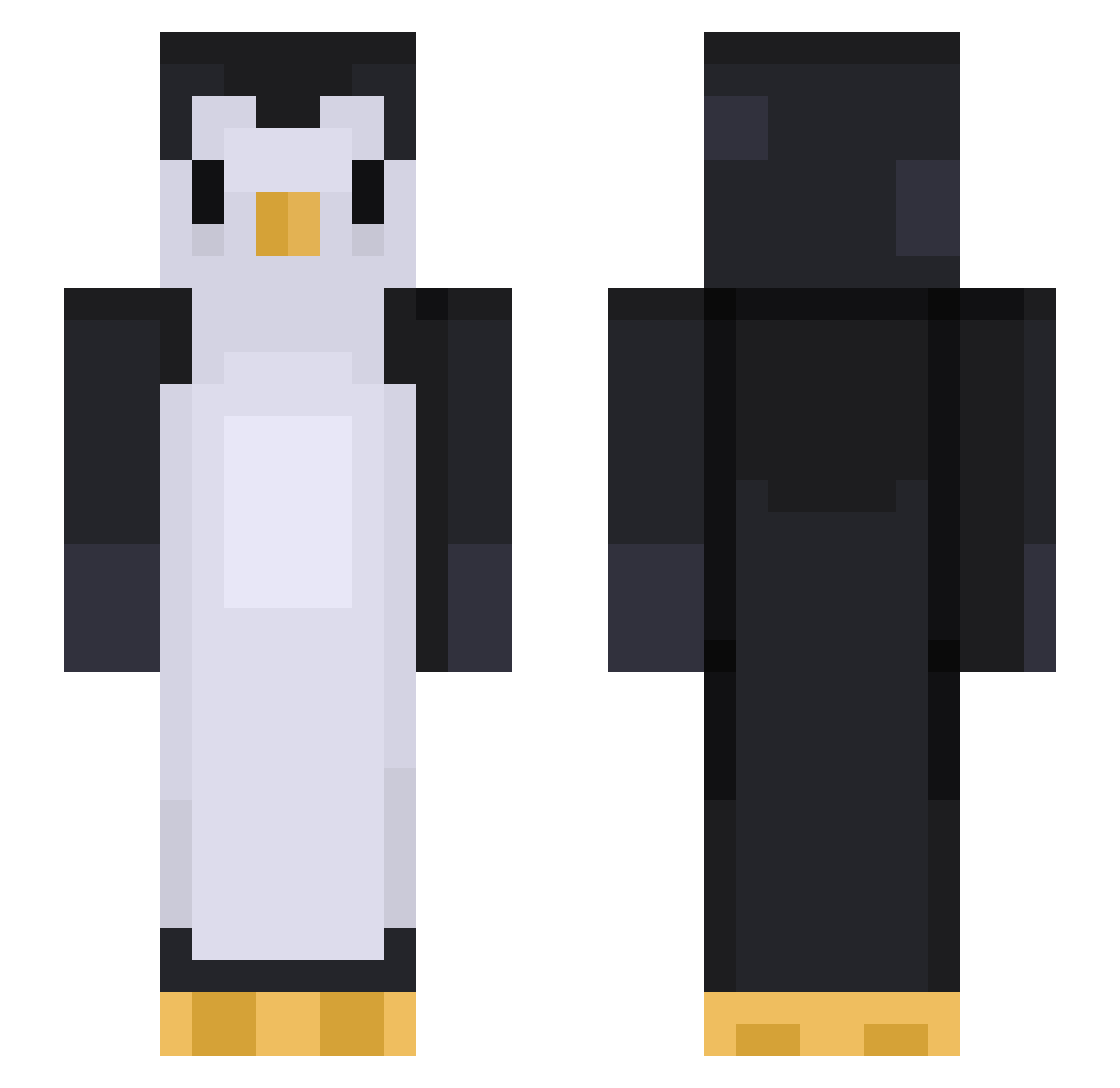
Minecraft skin of y99799. Rotate the 3D model with your mouse or finger to view the skin from every angle, then download it as a PNG file and use it in Minecraft: Bedrock Edition or Java Edition for free. Rate the skin with stars to help other players find the best skins in our collection.
How to install the y99799 skin
- Press the Download button above to save the skin as a PNG file.
- Minecraft: Bedrock Edition (PE): open the Dressing Room from the main menu (or tap your character → Edit Character), go to Classic Skins → Owned, press the + (new skin) button, choose the downloaded PNG and pick the Slim (Alex) model. Works on PC and mobile; consoles cannot import custom skins.
- Minecraft: Java Edition: open the Minecraft Launcher, go to the Skins tab, click New Skin, load the PNG, pick the Slim (Alex) model and press Save & Use. You can also upload it at minecraft.net → Profile → Change Skin.
The skin does not show up after import - what should I do?
Restart Minecraft and open the Dressing Room again - imported skins sometimes appear only after a restart. Also make sure you selected the imported skin and picked the Slim (Alex) model.
Which model should I choose, Classic or Slim?
This skin is designed for the Slim (Alex) model. If you pick the wrong model, the arms of the skin will look stretched or squeezed.
Is this skin free to use?
Yes. Press Download, save the PNG file and use it in Minecraft: Bedrock Edition or Java Edition - no payment or registration needed. The skin also works on multiplayer servers and Realms.
More Animal Minecraft skins
More skins
Looking for more? Go back to all Minecraft skins and check the top skins of the week, month and all time, or find any player's skin by nickname.