
StinkyApe420 - Minecraft Skins & Skin History
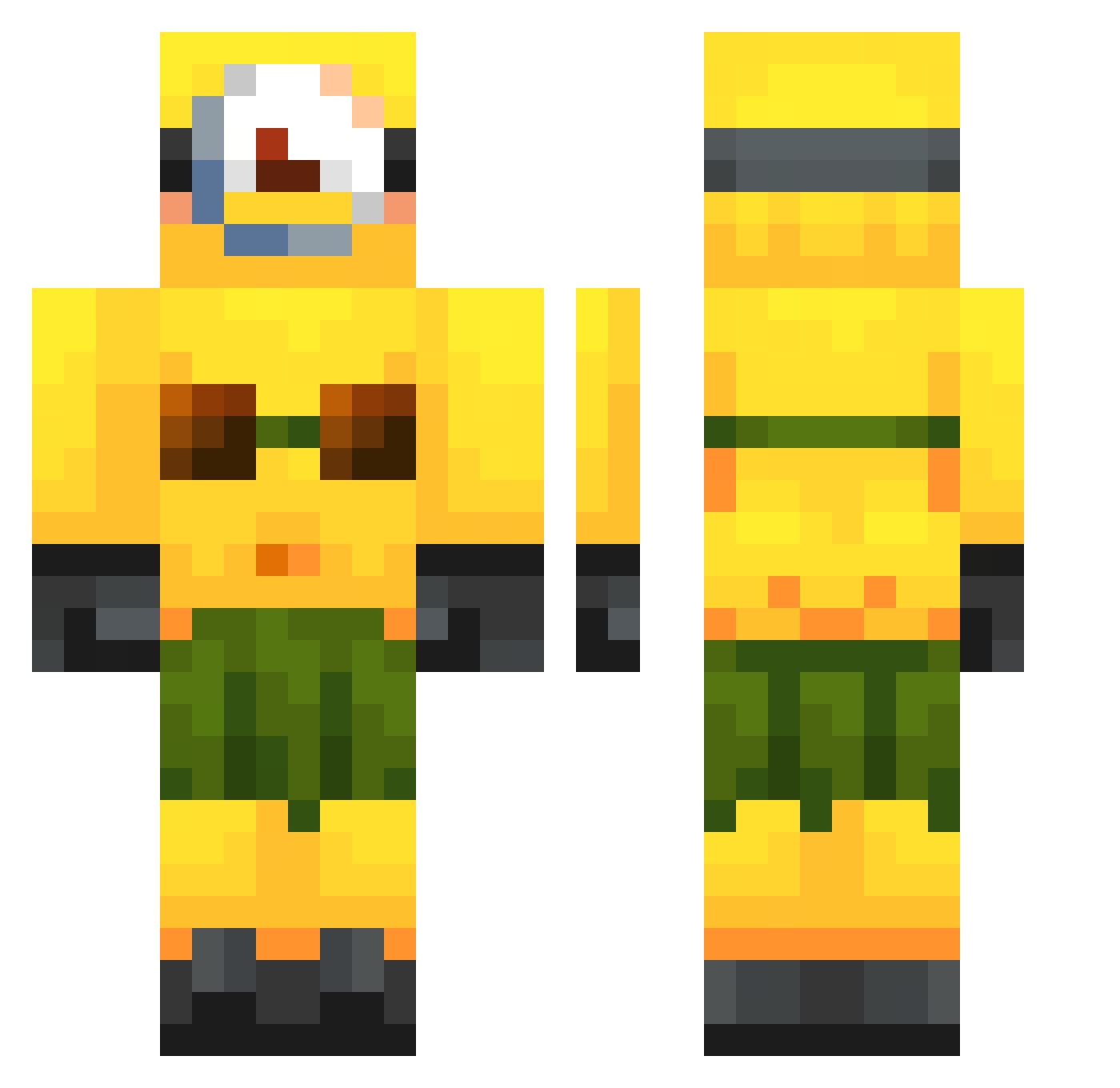
Current Minecraft skin of the player StinkyApe420, loaded from the official Mojang API. Rotate the 3D model with your mouse or finger, then download the skin as a PNG file and use it in Minecraft: Bedrock Edition or Java Edition for free. When StinkyApe420 changes their skin, this page updates automatically and the old skin stays in the history below.
Other players with this skin (321)
StinkyApe420 was the 210th player we have seen with this skin, first spotted on 03.10.2026. The same skin was seen on these players. Open a nickname to see their current skin and skin history.
 LilTwizSteak nickbar69 micia726 REAL_GORMEDIOS Hoooks ezxn10 jwsm_ HyperbolicEagle kkarimaashraf ecody smegladon23 Doekkies kk_slide Mad_sous_pepin88 Bluandsuch BEDLESS_CAZLA xoxoairah MinionIsTheBest LibLib_ awesomegirl332 godiefattie fly_watch31 seswaroto afwolf88 Qubix2704 jjycel ToxicEboy REANKAE bzaqw Liwers_68 ackjyachurra Miaauwu9183 MalteCT miryum55 TeslaModelX27 SVEN_TW mcocoa stochu moneang monikys mrrked popadose edudu02 ValaDawn nufizz Helli2009stoni mrlandonn Gram2222 ECHAVARRIA iCrixxz germjh snowyfesta Vikuzzza Seaplu JuNxxU ImaStarr felixny123 emilymac48 TEMIK12 Sebacraft2144
More Minion Minecraft skins
How to install the StinkyApe420 skin
- Press the Download button above to save the skin as a PNG file.
- Minecraft: Bedrock Edition (PE): open the Dressing Room from the main menu (or tap your character → Edit Character), go to Classic Skins → Owned, press the + (new skin) button, choose the downloaded PNG and pick the Classic (Steve) model. Works on PC and mobile; consoles cannot import custom skins.
- Minecraft: Java Edition: open the Minecraft Launcher, go to the Skins tab, click New Skin, load the PNG, pick the Classic (Steve) model and press Save & Use. You can also upload it at minecraft.net → Profile → Change Skin.
The skin does not show up after import - what should I do?
Restart Minecraft and open the Dressing Room again - imported skins sometimes appear only after a restart. Also make sure you selected the imported skin and picked the Classic (Steve) model.
Which model should I choose, Classic or Slim?
This skin is designed for the Classic (Steve) model. If you pick the wrong model, the arms of the skin will look stretched or squeezed.
Is the skin of StinkyApe420 free to download?
Yes. Press Download, save the PNG file and use it in Minecraft: Bedrock Edition or Java Edition - no payment or registration needed. The skin also works on multiplayer servers and Realms.
More skins
Looking for more? Go back to all Minecraft skins and check the top skins of the week, month and all time, or find any player's skin by nickname.