
MickeyCP - Minecraft Skins & Skin History
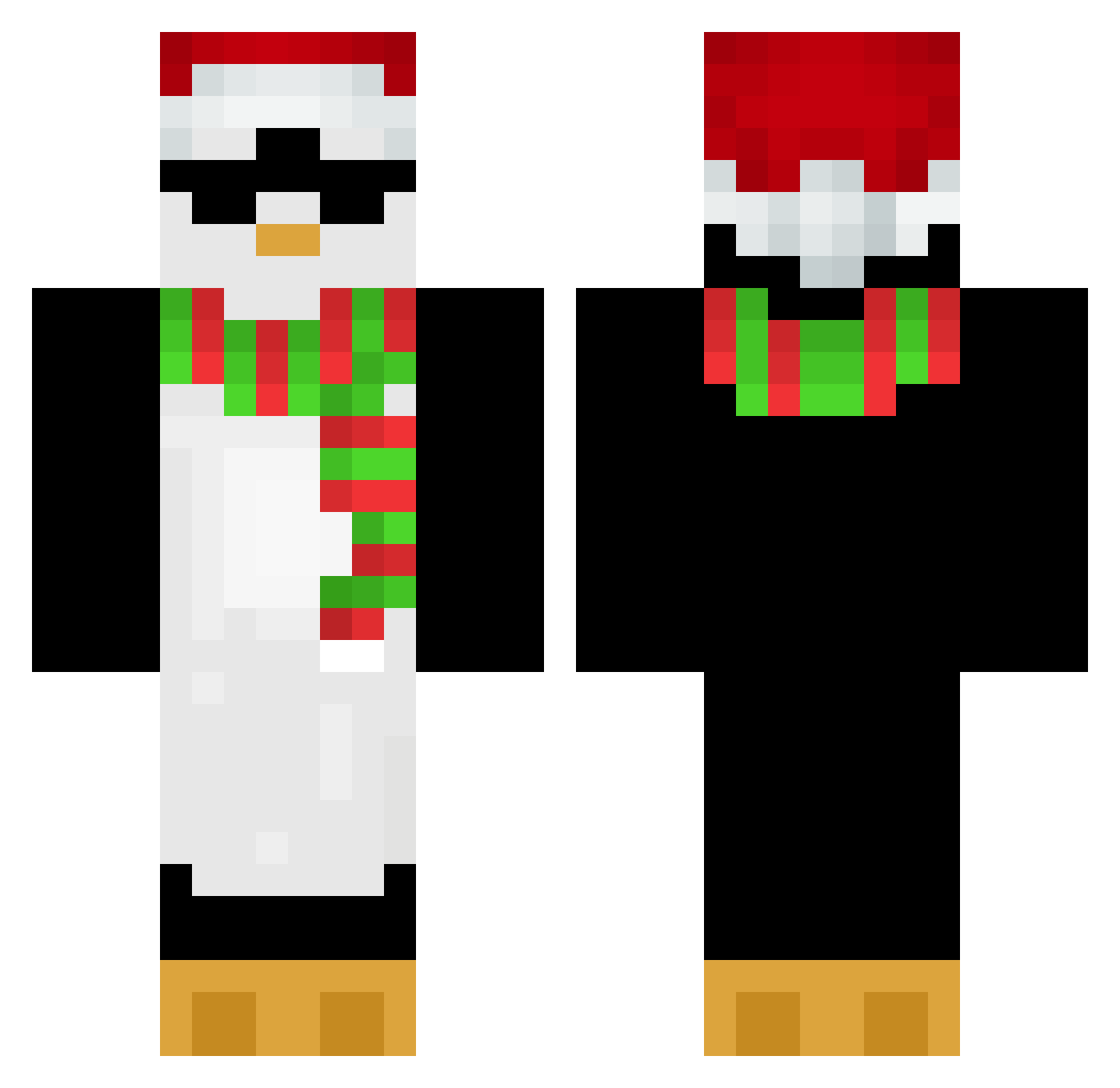
Current Minecraft skin of the player MickeyCP, loaded from the official Mojang API. Rotate the 3D model with your mouse or finger, then download the skin as a PNG file and use it in Minecraft: Bedrock Edition or Java Edition for free. When MickeyCP changes their skin, this page updates automatically and the old skin stays in the history below.
Other players with this skin (653)
MickeyCP was the 503rd player we have seen with this skin, first spotted on 11.10.2026. The same skin was seen on these players. Open a nickname to see their current skin and skin history.
 Ondolkr_731 Montally ragun0605 elnoobYT_PvP mckinleypenguin Penguin_LE AlexOficial20 Hadeszinho Korsa_ _____leonxd_____ MrLhopo tomatito07 Pumpk1nSpice245 MeyzZzZ Fedeareg2 Powell3103 MrIceeDos gillesschum jacksonquest dlatjsdn Ja4cobK oberhi KMS0Z23 Ashunequashun TUPAPIGHOSTT Jaxirone ZAUIDD kukiZAC NP2011 UnMecCool tailorglint98 zSharux tmoisondude nil_13 Power_Vodka viv34221 coco8007 TaumTom samemi Kleczuu rarararachel JDAC Belle_fern yEdiz onespeedyboi_ masterLD dmz_girin RenxSurge CoolDked HunterOlko iZibra CharDigg LetTheClownCook Fckmylifewtf lizzaannie Mxrrik Beastie1x Neknn SmplyCalvin T1ny_Danc3r
More Penguin Minecraft skins
How to install the MickeyCP skin
- Press the Download button above to save the skin as a PNG file.
- Minecraft: Bedrock Edition (PE): open the Dressing Room from the main menu (or tap your character → Edit Character), go to Classic Skins → Owned, press the + (new skin) button, choose the downloaded PNG and pick the Classic (Steve) model. Works on PC and mobile; consoles cannot import custom skins.
- Minecraft: Java Edition: open the Minecraft Launcher, go to the Skins tab, click New Skin, load the PNG, pick the Classic (Steve) model and press Save & Use. You can also upload it at minecraft.net → Profile → Change Skin.
The skin does not show up after import - what should I do?
Restart Minecraft and open the Dressing Room again - imported skins sometimes appear only after a restart. Also make sure you selected the imported skin and picked the Classic (Steve) model.
Which model should I choose, Classic or Slim?
This skin is designed for the Classic (Steve) model. If you pick the wrong model, the arms of the skin will look stretched or squeezed.
Is the skin of MickeyCP free to download?
Yes. Press Download, save the PNG file and use it in Minecraft: Bedrock Edition or Java Edition - no payment or registration needed. The skin also works on multiplayer servers and Realms.
More skins
Looking for more? Go back to all Minecraft skins and check the top skins of the week, month and all time, or find any player's skin by nickname.