
 potato_moon Boulgomm q_OxO_p Mumbel12 Blepster_ Big_Wobber PrestoFinesto sensir001 OBWang567 joonuk DarJosh FlameHD mayo0304 Xutterr Karina_n Buddy2134 Lagginq SukoMittens Tmokkori Pyrellei blakkez GuntherLover __Pengue__ CupOfLeo HipHipX YICHEN405 aruka15 Stafu132 HwaSal1 Granite03 apple03090 Osmors E_Harzard sknoofy ShiveringTimber Crayawns Miri_Babo Chusirisas hacogun LIRNMANKIZ TUNRAX nayoung7572 Mertkan61 Moveit2002 KusoGakiSk Pyrazolate Kuba0reo Xerlith PierGar Natalie_Nova JoyRealm gamergirlxx1luv HappyHFT Big_Lipas SnowDog_ iloveizze flav123 kanatoDAYO RyangHa Penginkin
Minecraft skin of arthurzones. Rotate the 3D model with your mouse or finger to view the skin from every angle, then download it as a PNG file and use it in Minecraft: Bedrock Edition or Java Edition for free. Rate the skin with stars to help other players find the best skins in our collection.
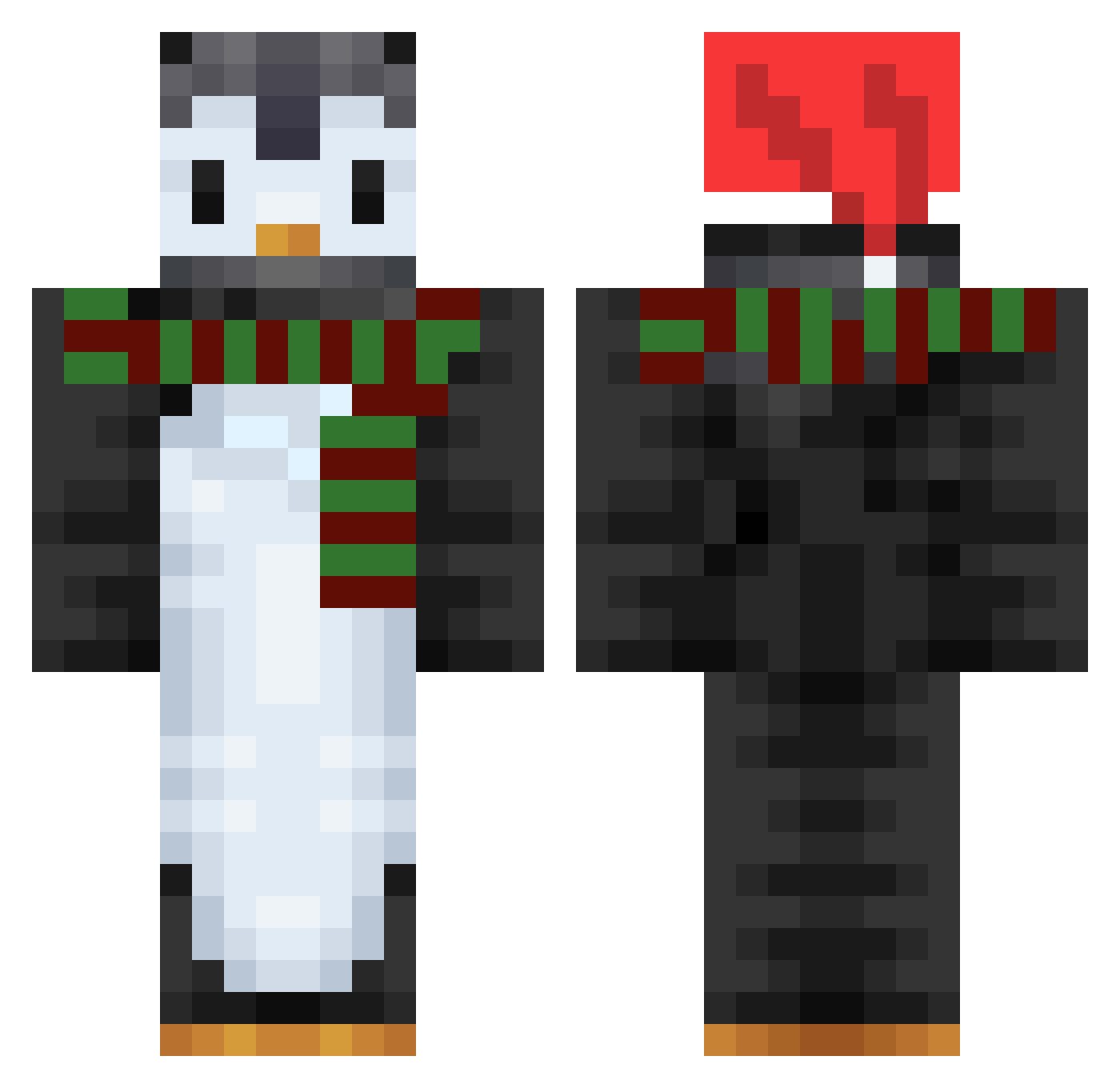
How to install the arthurzones skin
- Press the Download button above to save the skin as a PNG file.
- Minecraft: Bedrock Edition (PE): open the Dressing Room from the main menu (or tap your character → Edit Character), go to Classic Skins → Owned, press the + (new skin) button, choose the downloaded PNG and pick the Classic (Steve) model. Works on PC and mobile; consoles cannot import custom skins.
- Minecraft: Java Edition: open the Minecraft Launcher, go to the Skins tab, click New Skin, load the PNG, pick the Classic (Steve) model and press Save & Use. You can also upload it at minecraft.net → Profile → Change Skin.
The skin does not show up after import - what should I do?
Restart Minecraft and open the Dressing Room again - imported skins sometimes appear only after a restart. Also make sure you selected the imported skin and picked the Classic (Steve) model.
Which model should I choose, Classic or Slim?
This skin is designed for the Classic (Steve) model. If you pick the wrong model, the arms of the skin will look stretched or squeezed.
Is this skin free to use?
Yes. Press Download, save the PNG file and use it in Minecraft: Bedrock Edition or Java Edition - no payment or registration needed. The skin also works on multiplayer servers and Realms.
More Penguin Minecraft skins
More skins
Looking for more? Go back to all Minecraft skins and check the top skins of the week, month and all time, or find any player's skin by nickname.