
 EagleBearer27 WholeWheat_ aprnLx MarkiiSs Xzwasd WENBAKA SealInAHat AhTim0926 ssnw Gamer_YT13 bbuzz_ Spikezter MrSalsifis woongJJang RaikooUwU Fatpengu666 Flame9988 BnRonnie eret6 Eutaeyoria Anduwun Revitating yi1oo1 Perompak Duck_Jedi otros20 Hero15239 dssssss FakeFly PablloEscobar Unique_Dsw timmy4142 cjswodlsgkals Holfan Flyingten linkyeaaa Joao1205 Ruriweb_Suki klauzelcoito frostyyzephyr Donut5369 Rapozitu Robert_TheGreat Smetry koushi0122 EdgyMN grannyTkqrhtn qDrax Edgybread Izumichii Violet_Little Not_Blaze_YT YaKaktus Andrei6k kyky_EZ Peddy711 hank1211 Joachim09 JulyZz PetiteFriteMayo
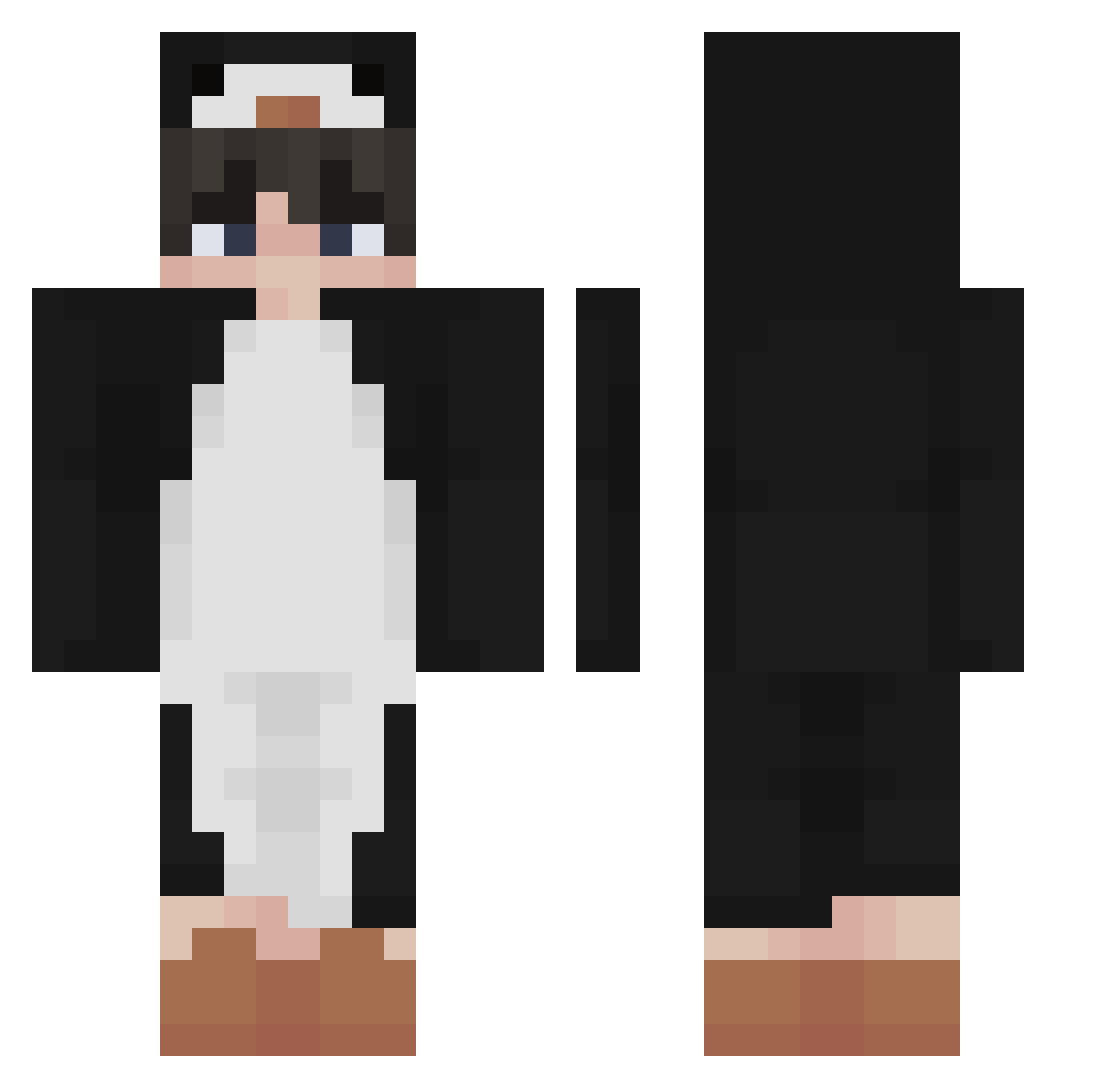
Minecraft skin of Bladexx08. Rotate the 3D model with your mouse or finger to view the skin from every angle, then download it as a PNG file and use it in Minecraft: Bedrock Edition or Java Edition for free. Rate the skin with stars to help other players find the best skins in our collection.
How to install the Bladexx08 skin
- Press the Download button above to save the skin as a PNG file.
- Minecraft: Bedrock Edition (PE): open the Dressing Room from the main menu (or tap your character → Edit Character), go to Classic Skins → Owned, press the + (new skin) button, choose the downloaded PNG and pick the Classic (Steve) model. Works on PC and mobile; consoles cannot import custom skins.
- Minecraft: Java Edition: open the Minecraft Launcher, go to the Skins tab, click New Skin, load the PNG, pick the Classic (Steve) model and press Save & Use. You can also upload it at minecraft.net → Profile → Change Skin.
The skin does not show up after import - what should I do?
Restart Minecraft and open the Dressing Room again - imported skins sometimes appear only after a restart. Also make sure you selected the imported skin and picked the Classic (Steve) model.
Which model should I choose, Classic or Slim?
This skin is designed for the Classic (Steve) model. If you pick the wrong model, the arms of the skin will look stretched or squeezed.
Is this skin free to use?
Yes. Press Download, save the PNG file and use it in Minecraft: Bedrock Edition or Java Edition - no payment or registration needed. The skin also works on multiplayer servers and Realms.
More Penguin Minecraft skins
More skins
Looking for more? Go back to all Minecraft skins and check the top skins of the week, month and all time, or find any player's skin by nickname.