
RaimZor - Minecraft Skins & Skin History
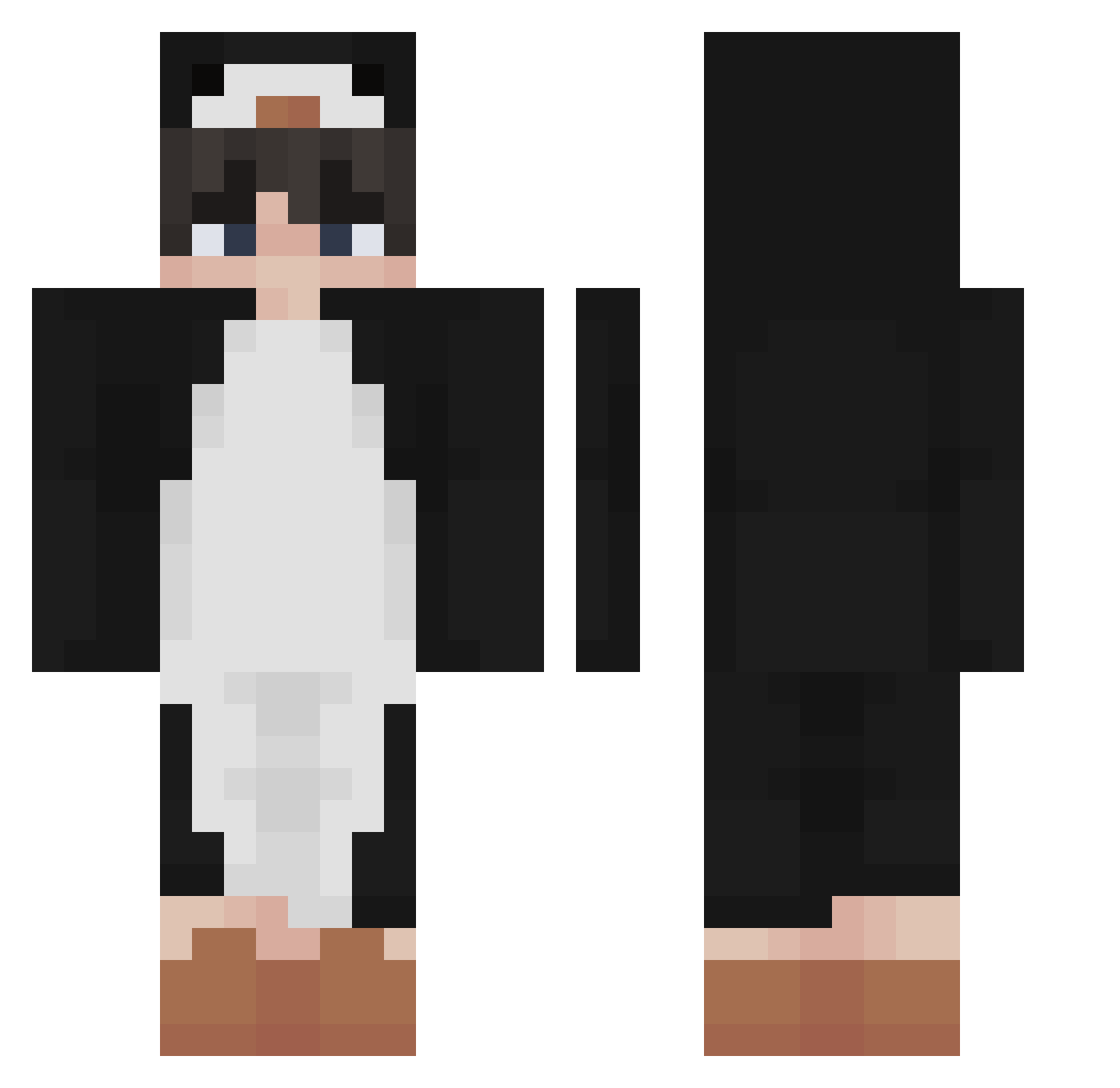
Current Minecraft skin of the player RaimZor, loaded from the official Mojang API. Rotate the 3D model with your mouse or finger, then download the skin as a PNG file and use it in Minecraft: Bedrock Edition or Java Edition for free. When RaimZor changes their skin, this page updates automatically and the old skin stays in the history below.
Other players with this skin (455)
RaimZor was the 421st player we have seen with this skin, first spotted on 02.11.2026. The same skin was seen on these players. Open a nickname to see their current skin and skin history.
 katilpattis Scofly Giyuzito mepisto Enwordkappa treengame ihane0501 Bango333 Leisure8787 SAKUCHAN1192 KLCharlie yuggai ghostfair12 Devcana36 Skrr7_ MiniLacuka sentzue an1234df Potateo69 K_Huri Hanenn danhdanh23 crippleboi10 LH5666 LimTaeHyun Piinguim Captain1127 Mauro2000 ZinPingg Buppl KeRoPoN3 DirtyPanda_OwO G66M TheDeadGaming Sensoble xXPingwinXx Rduhh its_me_ku lep0n Life__ Shadowlink90 Piterek120 Herbji penguin6170 triswahh bl0t japanesewoman yirumasongs Miner0526 kaypopsmoke ughAaron Snowscent Noobface_ Hope0208 zFekonz Pharaohhhh__ haihaiyou Zappsie WILLIAMYUK Intercontinentax
More Penguin Minecraft skins
How to install the RaimZor skin
- Press the Download button above to save the skin as a PNG file.
- Minecraft: Bedrock Edition (PE): open the Dressing Room from the main menu (or tap your character → Edit Character), go to Classic Skins → Owned, press the + (new skin) button, choose the downloaded PNG and pick the Classic (Steve) model. Works on PC and mobile; consoles cannot import custom skins.
- Minecraft: Java Edition: open the Minecraft Launcher, go to the Skins tab, click New Skin, load the PNG, pick the Classic (Steve) model and press Save & Use. You can also upload it at minecraft.net → Profile → Change Skin.
The skin does not show up after import - what should I do?
Restart Minecraft and open the Dressing Room again - imported skins sometimes appear only after a restart. Also make sure you selected the imported skin and picked the Classic (Steve) model.
Which model should I choose, Classic or Slim?
This skin is designed for the Classic (Steve) model. If you pick the wrong model, the arms of the skin will look stretched or squeezed.
Is the skin of RaimZor free to download?
Yes. Press Download, save the PNG file and use it in Minecraft: Bedrock Edition or Java Edition - no payment or registration needed. The skin also works on multiplayer servers and Realms.
More skins
Looking for more? Go back to all Minecraft skins and check the top skins of the week, month and all time, or find any player's skin by nickname.