
Ines_1301 - Minecraft Skins & Skin History
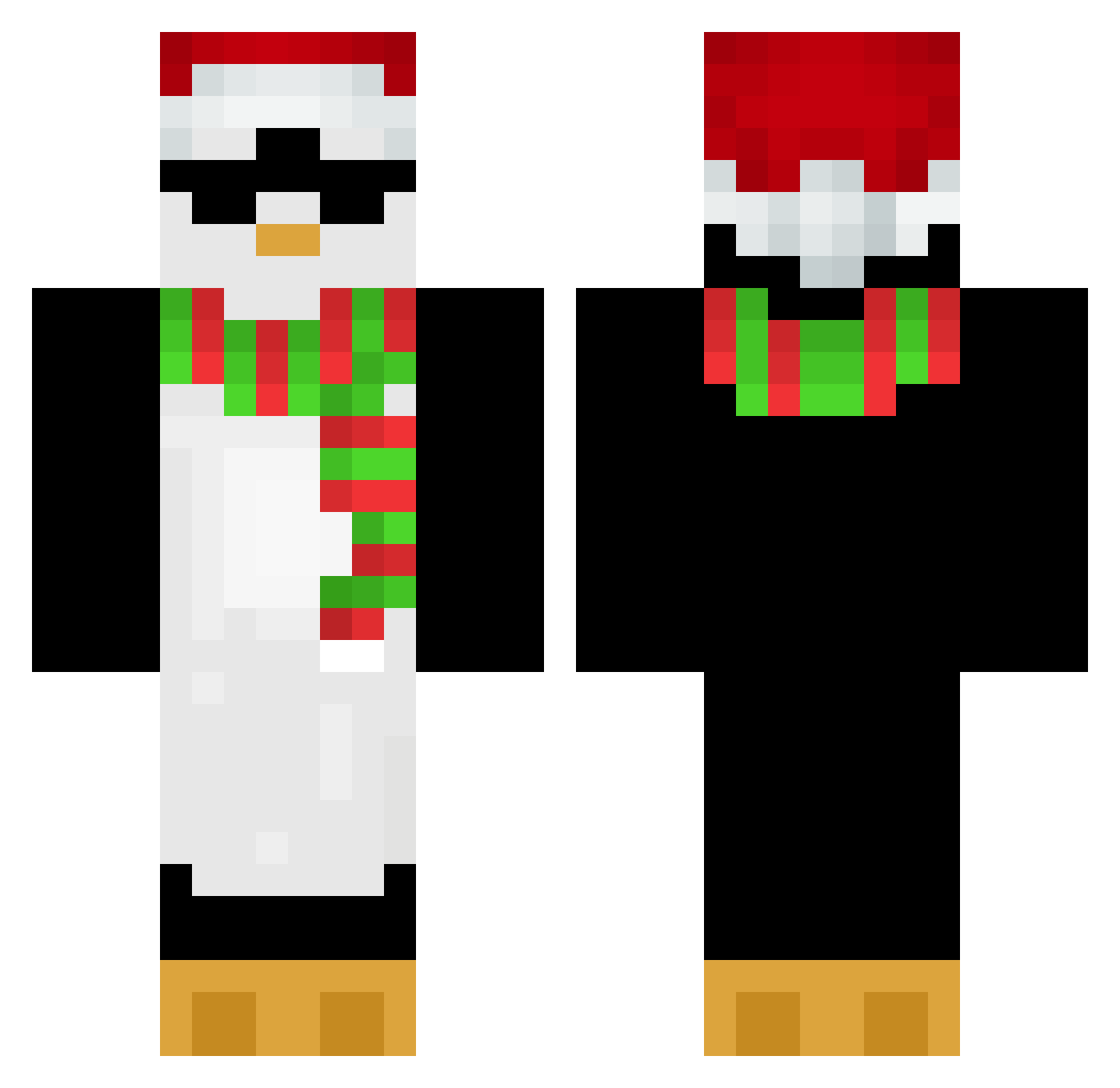
Current Minecraft skin of the player Ines_1301, loaded from the official Mojang API. Rotate the 3D model with your mouse or finger, then download the skin as a PNG file and use it in Minecraft: Bedrock Edition or Java Edition for free. When Ines_1301 changes their skin, this page updates automatically and the old skin stays in the history below.
Other players with this skin (652)
Ines_1301 was the 529th player we have seen with this skin, first spotted on 16.10.2026. The same skin was seen on these players. Open a nickname to see their current skin and skin history.
 just_a_dragon_ cool_jonas NotDre_ lizzaannie Tio_Cosa Vichouz pabsy11 Bert6725 CoolDked dmz_girin JUNSEO0617 Borys0305 onespeedyboi_ SeaLion__ Belle_fern SlothyEh rarararachel Vilagit Kleczuu Hcker2115 jungs11 soojung0403 samemi Poop_Lord69 TaumTom Wakelele Chicken9500 Burritofemboy viv34221 Hyakua kiyochan0104 Light3zx Esemik Tsumishiro Washark LFC_8 Yntised Scarlxr tmoisondude masterPing2 zSharux zenuxk UnMecCool iampositive_xD kukiZAC ZAUIDD TUPAPIGHOSTT ElektroPlayz hhakh skylemonsoda Kacper6483 A1S2D3F4 NxST0R jacksonquest kimberley1912 MrIceeDos Powell3103 Fedeareg2 tomatito07 AlexOficial20
More Penguin Minecraft skins
How to install the Ines_1301 skin
- Press the Download button above to save the skin as a PNG file.
- Minecraft: Bedrock Edition (PE): open the Dressing Room from the main menu (or tap your character → Edit Character), go to Classic Skins → Owned, press the + (new skin) button, choose the downloaded PNG and pick the Classic (Steve) model. Works on PC and mobile; consoles cannot import custom skins.
- Minecraft: Java Edition: open the Minecraft Launcher, go to the Skins tab, click New Skin, load the PNG, pick the Classic (Steve) model and press Save & Use. You can also upload it at minecraft.net → Profile → Change Skin.
The skin does not show up after import - what should I do?
Restart Minecraft and open the Dressing Room again - imported skins sometimes appear only after a restart. Also make sure you selected the imported skin and picked the Classic (Steve) model.
Which model should I choose, Classic or Slim?
This skin is designed for the Classic (Steve) model. If you pick the wrong model, the arms of the skin will look stretched or squeezed.
Is the skin of Ines_1301 free to download?
Yes. Press Download, save the PNG file and use it in Minecraft: Bedrock Edition or Java Edition - no payment or registration needed. The skin also works on multiplayer servers and Realms.
More skins
Looking for more? Go back to all Minecraft skins and check the top skins of the week, month and all time, or find any player's skin by nickname.