
IHateDrewWall - Minecraft Skins & Skin History
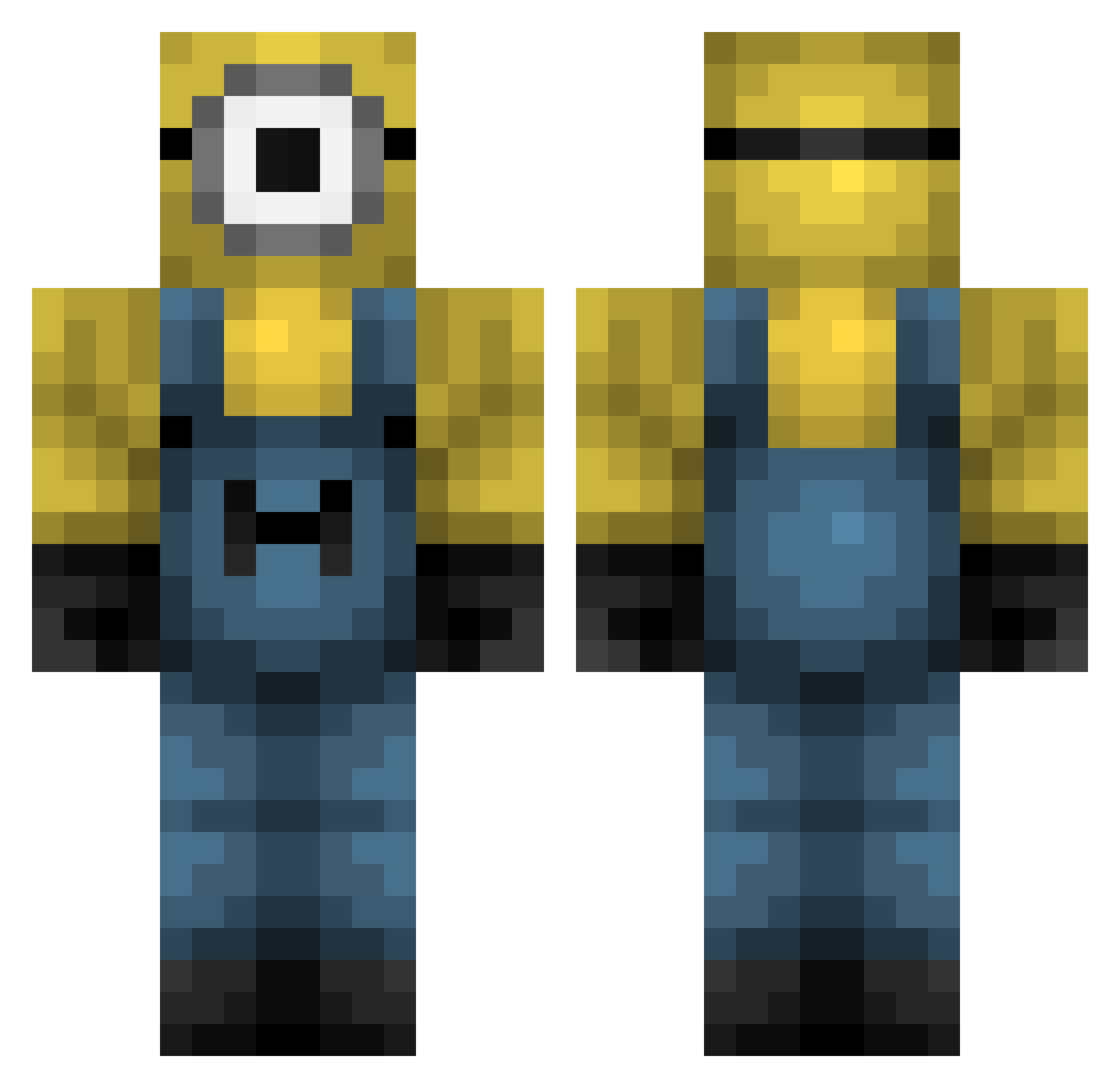
Current Minecraft skin of the player IHateDrewWall, loaded from the official Mojang API. Rotate the 3D model with your mouse or finger, then download the skin as a PNG file and use it in Minecraft: Bedrock Edition or Java Edition for free. When IHateDrewWall changes their skin, this page updates automatically and the old skin stays in the history below.
Other players with this skin (426)
IHateDrewWall was the 297th player we have seen with this skin, first spotted on 12.10.2026. The same skin was seen on these players. Open a nickname to see their current skin and skin history.
 JUNYEN0916 kianpro1_yt jadyn31008 jokaMINE fish_0101 Dikxion FenekGO Nempul Luke3397 Livia_girl Tallage Jotape00 Siobhan8 CurtHaircut Luisl69 Gatickosky bles_sed 123kahld Makicz BigBoiFire Wanderer_Pinky El_More Shmorf101 GherkinFriend HARLEEBOY 1ixxy Cytos_ Guixeee Alzeta01 LilFusion9 ImAlexZ NovaiEnvy Flesh_Potato LucaPenny gamza12 Cooke14 TENNY5498 Fleetgaming504 ethanishott yeetyeetman16 Hingledorf Sylkster eosunam thabigpimp Esaulito Brzezinaa_ Slowfeed Han878787 Dylanguaigua _Glizzyy_ AidansAlt2 RRager Paaanfilo7YT76 BenneyBoy69 PICUDITO Viktor277 Lois7Gamadon Santi542 Theskyyy pipas421
More Minion Minecraft skins
How to install the IHateDrewWall skin
- Press the Download button above to save the skin as a PNG file.
- Minecraft: Bedrock Edition (PE): open the Dressing Room from the main menu (or tap your character → Edit Character), go to Classic Skins → Owned, press the + (new skin) button, choose the downloaded PNG and pick the Classic (Steve) model. Works on PC and mobile; consoles cannot import custom skins.
- Minecraft: Java Edition: open the Minecraft Launcher, go to the Skins tab, click New Skin, load the PNG, pick the Classic (Steve) model and press Save & Use. You can also upload it at minecraft.net → Profile → Change Skin.
The skin does not show up after import - what should I do?
Restart Minecraft and open the Dressing Room again - imported skins sometimes appear only after a restart. Also make sure you selected the imported skin and picked the Classic (Steve) model.
Which model should I choose, Classic or Slim?
This skin is designed for the Classic (Steve) model. If you pick the wrong model, the arms of the skin will look stretched or squeezed.
Is the skin of IHateDrewWall free to download?
Yes. Press Download, save the PNG file and use it in Minecraft: Bedrock Edition or Java Edition - no payment or registration needed. The skin also works on multiplayer servers and Realms.
More skins
Looking for more? Go back to all Minecraft skins and check the top skins of the week, month and all time, or find any player's skin by nickname.