
HJVNB - Minecraft Skins & Skin History
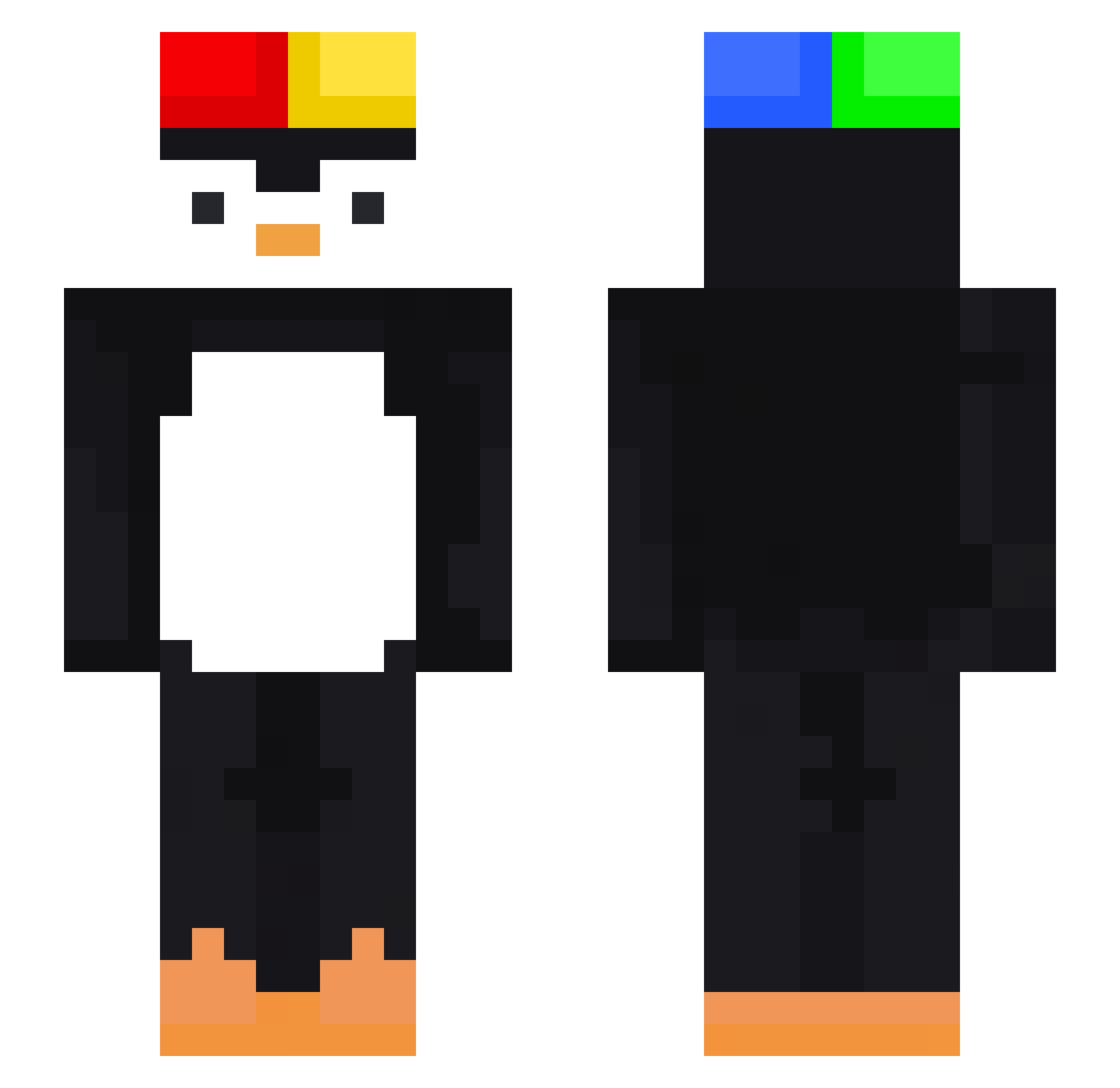
Current Minecraft skin of the player HJVNB, loaded from the official Mojang API. Rotate the 3D model with your mouse or finger, then download the skin as a PNG file and use it in Minecraft: Bedrock Edition or Java Edition for free. When HJVNB changes their skin, this page updates automatically and the old skin stays in the history below.
Other players with this skin (473)
HJVNB was the 172nd player we have seen with this skin, first spotted on 03.09.2026. The same skin was seen on these players. Open a nickname to see their current skin and skin history.
 7lu_msmc_4xb Hygor123 ScottryanThe2nd _Vix_ada rome08 bjstttt Biscuitli vMayhemm
 jasiu6688 Roman0603 WetBags
 Alfiegaming1702 ribnaraK Seoanha ImMario7 NNNN02 Mostaza01 ashleyasd L3AR kaahtls Diogo5 DizziPL Tacodarlorus KrakaSlaya ItchyFeet PlatiGameShow KDOHOE firepop131
 Jjjjj1399 BathTimeNik kotukutuku Vague2pingouin YaoMinga milkjeong AHNSEJUN04 ImCarma xiaoyu503 VWZIMMER Frover _Zhun_ 6f3 Klotzenrotz SkullyAkame luizfelipeanwal BunnyBuggy GenerationUS Sapuldak FENGSHANGX Wsy12 carabistouille00 Itsnotpartyy JaSamNub BlokhisPL Pingu_58 BOLT20 FL4SHF4ST _kenzi__ patrick63586 anthonybozo1 Rabbit_Lnwza
More Penguin Minecraft skins
How to install the HJVNB skin
- Press the Download button above to save the skin as a PNG file.
- Minecraft: Bedrock Edition (PE): open the Dressing Room from the main menu (or tap your character → Edit Character), go to Classic Skins → Owned, press the + (new skin) button, choose the downloaded PNG and pick the Slim (Alex) model. Works on PC and mobile; consoles cannot import custom skins.
- Minecraft: Java Edition: open the Minecraft Launcher, go to the Skins tab, click New Skin, load the PNG, pick the Slim (Alex) model and press Save & Use. You can also upload it at minecraft.net → Profile → Change Skin.
The skin does not show up after import - what should I do?
Restart Minecraft and open the Dressing Room again - imported skins sometimes appear only after a restart. Also make sure you selected the imported skin and picked the Slim (Alex) model.
Which model should I choose, Classic or Slim?
This skin is designed for the Slim (Alex) model. If you pick the wrong model, the arms of the skin will look stretched or squeezed.
Is the skin of HJVNB free to download?
Yes. Press Download, save the PNG file and use it in Minecraft: Bedrock Edition or Java Edition - no payment or registration needed. The skin also works on multiplayer servers and Realms.
More skins
Looking for more? Go back to all Minecraft skins and check the top skins of the week, month and all time, or find any player's skin by nickname.