
Danechkin - Minecraft Skins & Skin History
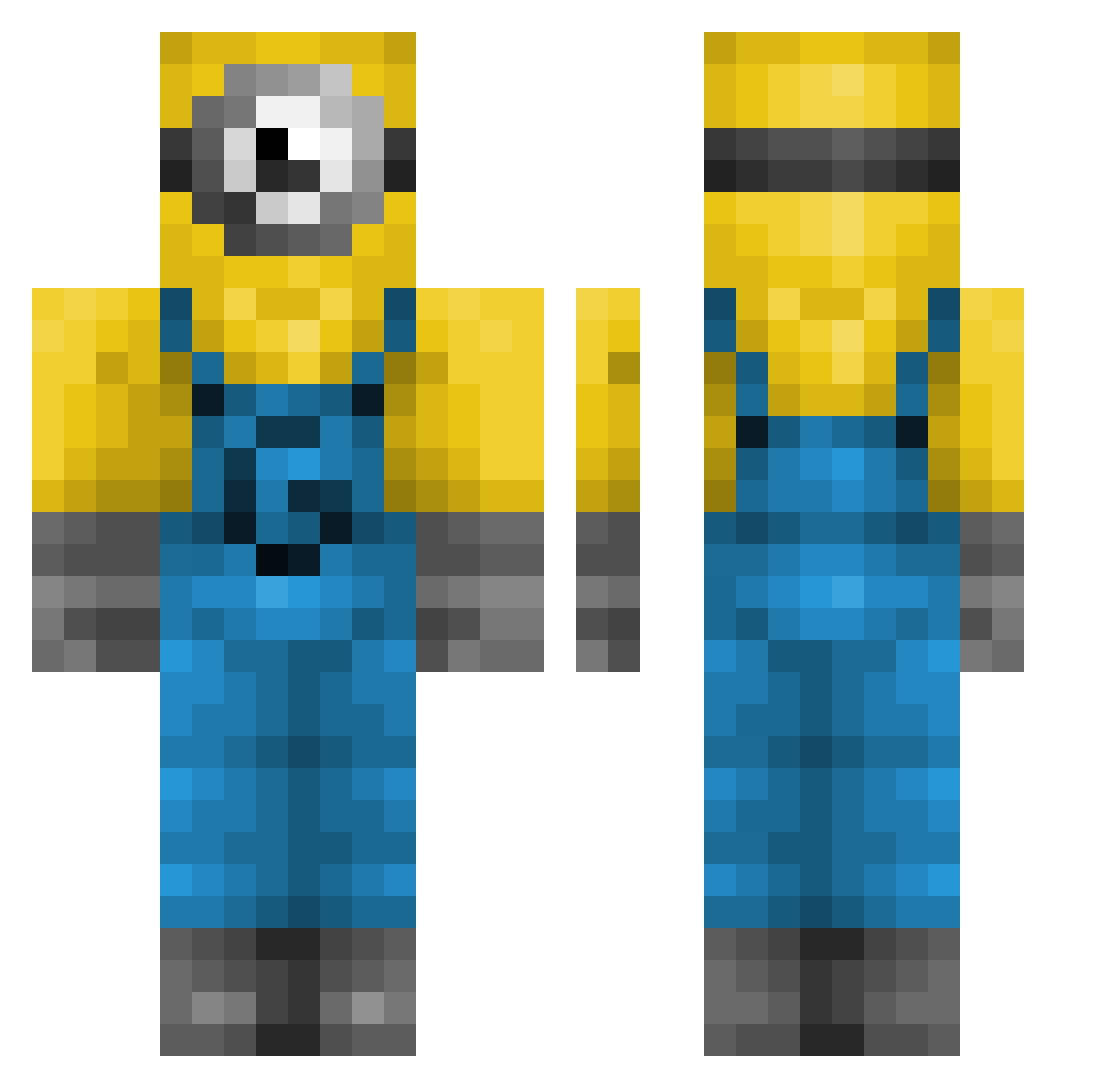
Current Minecraft skin of the player Danechkin, loaded from the official Mojang API. Rotate the 3D model with your mouse or finger, then download the skin as a PNG file and use it in Minecraft: Bedrock Edition or Java Edition for free. When Danechkin changes their skin, this page updates automatically and the old skin stays in the history below.
Other players with this skin (239)
Danechkin was the 155th player we have seen with this skin, first spotted on 29.09.2026. The same skin was seen on these players. Open a nickname to see their current skin and skin history.
 Juliuano noahnoahhsu smeyii lokihifi Harmfulbubba Kilwenn marzz1 boreilinore saxx07 jsdubs ELHUEVO1 Mobik10 jawnsCF amybawls immflaw Midasik_ 160715 JAMOMINION Svante008 KGJHKGJ1 viti123 chumchumMAN udori Jujuf974 Maractus01 Ronnypip marquantonio Silverelio Niloues NullerManden1999 LIAMLAMBERT10 coyotokor pollonis Bowfighter8 coKoa_ SoySanti10 xDreamer99 therealdavid26 Minefonas Tigrashka Himvy alienprincess19 TTTMUSHY99 Mayatheduck1234 kvr15 nibita ThatoneCOLUMIAN Zajcu18 Bruce1003 chisto_bzden GamePit06 TheInfernoz Molybi BasedWeebGod kaylegtm jeremyysk HurdyxGurdy rach1e TimmyTemptation wingsgirl
More Minion Minecraft skins
How to install the Danechkin skin
- Press the Download button above to save the skin as a PNG file.
- Minecraft: Bedrock Edition (PE): open the Dressing Room from the main menu (or tap your character → Edit Character), go to Classic Skins → Owned, press the + (new skin) button, choose the downloaded PNG and pick the Classic (Steve) model. Works on PC and mobile; consoles cannot import custom skins.
- Minecraft: Java Edition: open the Minecraft Launcher, go to the Skins tab, click New Skin, load the PNG, pick the Classic (Steve) model and press Save & Use. You can also upload it at minecraft.net → Profile → Change Skin.
The skin does not show up after import - what should I do?
Restart Minecraft and open the Dressing Room again - imported skins sometimes appear only after a restart. Also make sure you selected the imported skin and picked the Classic (Steve) model.
Which model should I choose, Classic or Slim?
This skin is designed for the Classic (Steve) model. If you pick the wrong model, the arms of the skin will look stretched or squeezed.
Is the skin of Danechkin free to download?
Yes. Press Download, save the PNG file and use it in Minecraft: Bedrock Edition or Java Edition - no payment or registration needed. The skin also works on multiplayer servers and Realms.
More skins
Looking for more? Go back to all Minecraft skins and check the top skins of the week, month and all time, or find any player's skin by nickname.