
Bobbycar123 - Minecraft Skins & Skin History
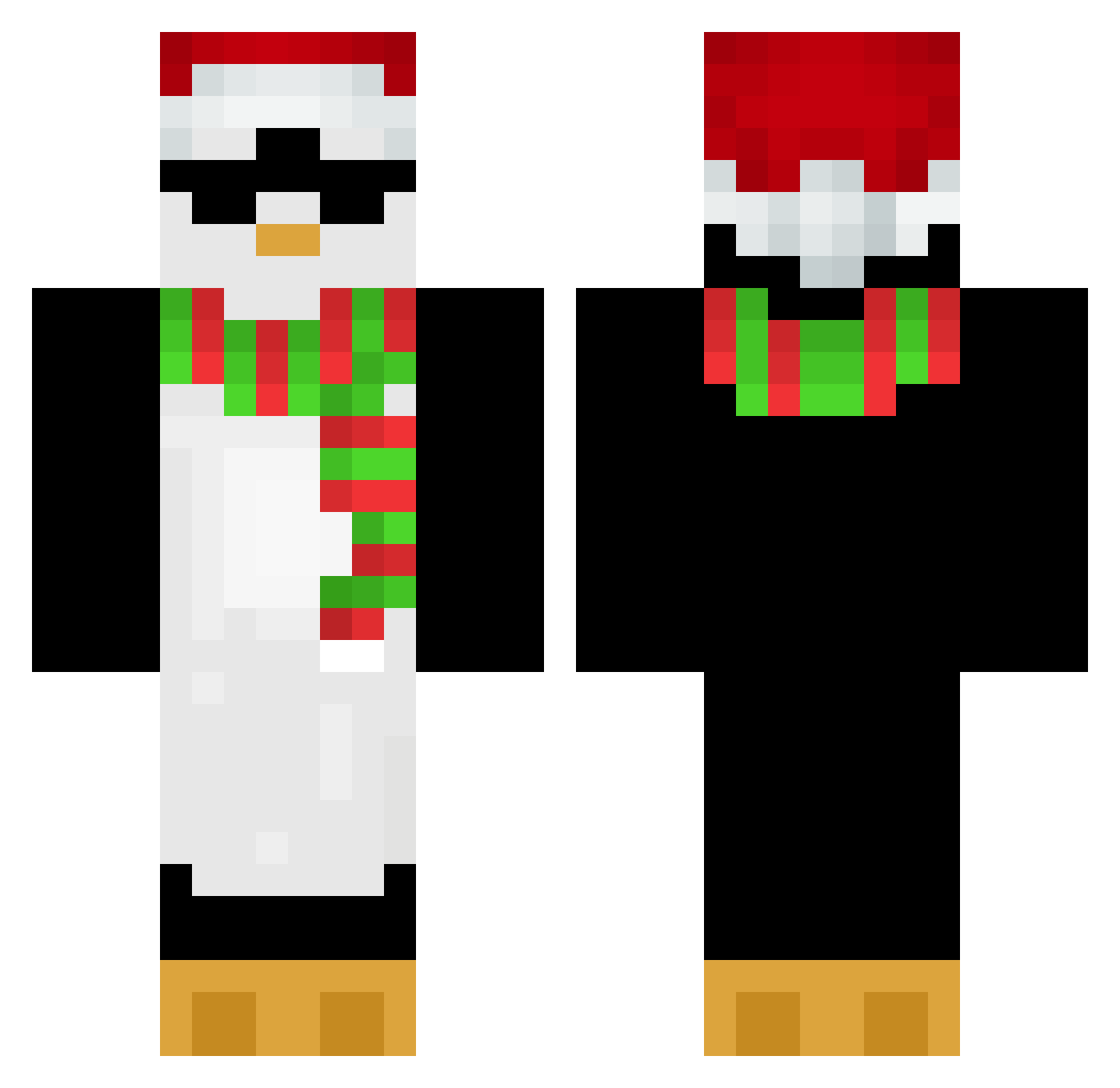
Current Minecraft skin of the player Bobbycar123, loaded from the official Mojang API. Rotate the 3D model with your mouse or finger, then download the skin as a PNG file and use it in Minecraft: Bedrock Edition or Java Edition for free. When Bobbycar123 changes their skin, this page updates automatically and the old skin stays in the history below.
Other players with this skin (654)
Bobbycar123 was the 441st player we have seen with this skin, first spotted on 04.10.2026. The same skin was seen on these players. Open a nickname to see their current skin and skin history.
 whdsks Lazuli_X __PENGPENG_ MrPe33 keiske Pochaco_ SleepyyApple Oesterjoen GreetedNormal NoHairPolarBear Lucid0602 thejennsmith Cpross Wanheda7077 MisfitMallard M1LANESAS HGKING Bozeo Fluff8929 Kiimoo64 LiuHaho NiiiiiChan h92nZp5rttjx17er EclipzT TattedDragon04 TheRisingTide12 LaurenUnicorn14 JoJo_91 Super_Tomato_Man iLuvTheWorld TilinTactico Y_A_G_U Sunwize slrmoo Zolster MadderBlue zzangop02 PennyJX YER21NAVER Mr_Jams17 Elooo3000 a1d36araN Drutek Cornelia29 TheGameYolo Apriliss Gryzli46 key_cW ItBeDesteny Stay1High_Event Kisara_Zz odag35 atacks20 GUINEANUGGET najuliaaaaaaa light_km T1ny_Danc3r Adamm_007 Jaakoq SmplyCalvin
More Penguin Minecraft skins
How to install the Bobbycar123 skin
- Press the Download button above to save the skin as a PNG file.
- Minecraft: Bedrock Edition (PE): open the Dressing Room from the main menu (or tap your character → Edit Character), go to Classic Skins → Owned, press the + (new skin) button, choose the downloaded PNG and pick the Classic (Steve) model. Works on PC and mobile; consoles cannot import custom skins.
- Minecraft: Java Edition: open the Minecraft Launcher, go to the Skins tab, click New Skin, load the PNG, pick the Classic (Steve) model and press Save & Use. You can also upload it at minecraft.net → Profile → Change Skin.
The skin does not show up after import - what should I do?
Restart Minecraft and open the Dressing Room again - imported skins sometimes appear only after a restart. Also make sure you selected the imported skin and picked the Classic (Steve) model.
Which model should I choose, Classic or Slim?
This skin is designed for the Classic (Steve) model. If you pick the wrong model, the arms of the skin will look stretched or squeezed.
Is the skin of Bobbycar123 free to download?
Yes. Press Download, save the PNG file and use it in Minecraft: Bedrock Edition or Java Edition - no payment or registration needed. The skin also works on multiplayer servers and Realms.
More skins
Looking for more? Go back to all Minecraft skins and check the top skins of the week, month and all time, or find any player's skin by nickname.