
Bluecer - Minecraft Skins & Skin History
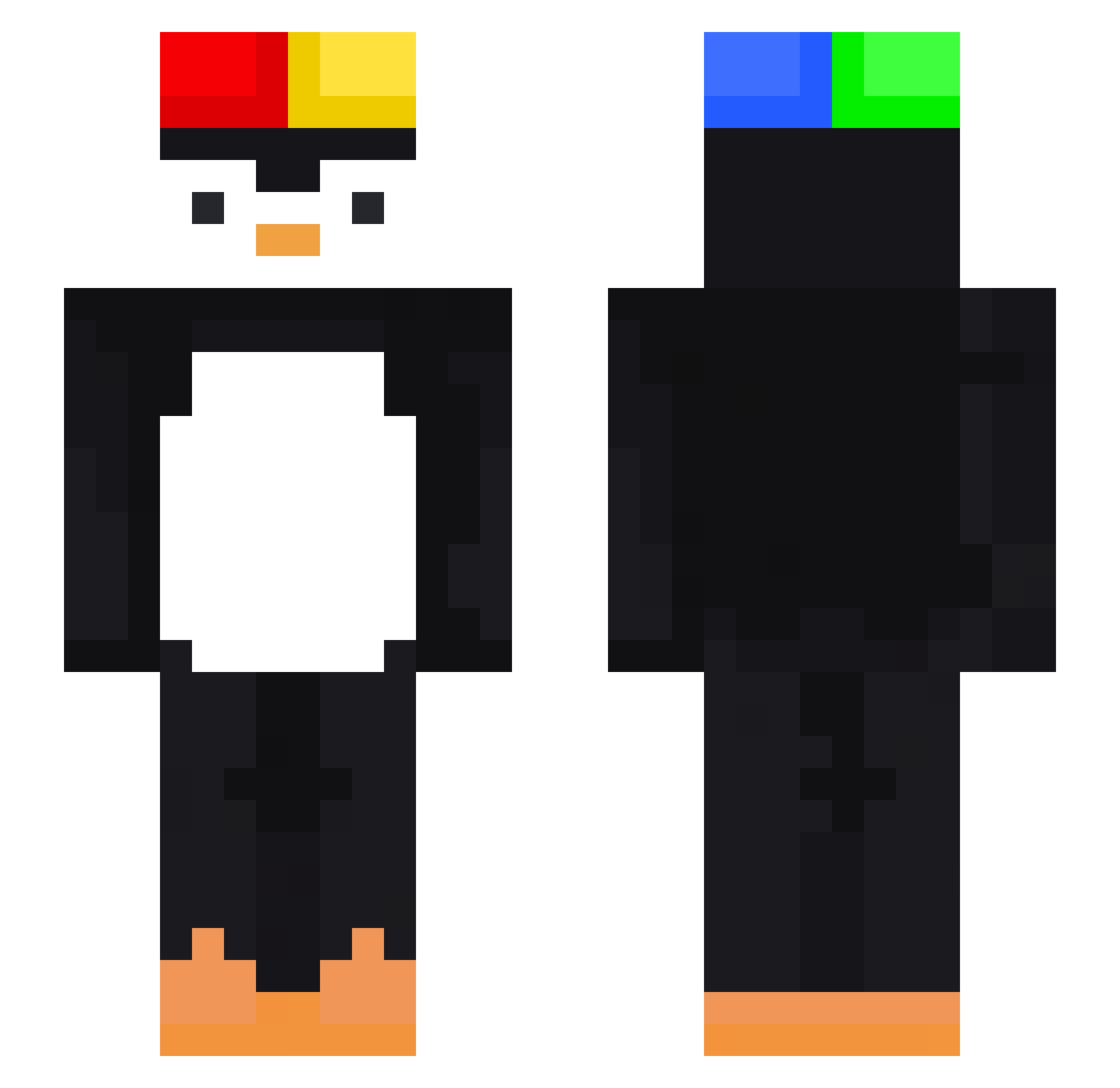
Current Minecraft skin of the player Bluecer, loaded from the official Mojang API. Rotate the 3D model with your mouse or finger, then download the skin as a PNG file and use it in Minecraft: Bedrock Edition or Java Edition for free. When Bluecer changes their skin, this page updates automatically and the old skin stays in the history below.
Other players with this skin (473)
Bluecer was the 35th player we have seen with this skin, first spotted on 31.07.2026. The same skin was seen on these players. Open a nickname to see their current skin and skin history.
 eljoker2 Leo38819xd Jimbo_Wimbo nai_2 Marcelek_223 MRZORK98 Brasil_1 Ewkn_Oz 4rich V0zD0c3 t_Milo
 Dewwbs TYUPxxx juliansofr lakraz Jojo_papi phlpsk8 AbueloDeSlook MAMAELIAS NY_SanTa csizmy Tymemy TuMangeQuoi MTOoui graf200 ilovcigs D3AD407 maomao011 A_leeeeeX YigliNoPuff BadDesT_Cat_ superPenguin991 Raizoki Cargaquette_Beta son_94 gyurious KGG_Gaming
 Geaskii ddg77 was1anpersuas1on
 Lazar0200 bellellie subin0313 elase47 Dark_98 Matejko___ akumiZZ Lintuinfluenssa Erodek96 chicoteTV
 GERMANX12 Ben901230 bwdossz EliteMai saulo_boli Yaropok poke1284 salvadorszn yeorang2 Batu035
More Penguin Minecraft skins
How to install the Bluecer skin
- Press the Download button above to save the skin as a PNG file.
- Minecraft: Bedrock Edition (PE): open the Dressing Room from the main menu (or tap your character → Edit Character), go to Classic Skins → Owned, press the + (new skin) button, choose the downloaded PNG and pick the Slim (Alex) model. Works on PC and mobile; consoles cannot import custom skins.
- Minecraft: Java Edition: open the Minecraft Launcher, go to the Skins tab, click New Skin, load the PNG, pick the Slim (Alex) model and press Save & Use. You can also upload it at minecraft.net → Profile → Change Skin.
The skin does not show up after import - what should I do?
Restart Minecraft and open the Dressing Room again - imported skins sometimes appear only after a restart. Also make sure you selected the imported skin and picked the Slim (Alex) model.
Which model should I choose, Classic or Slim?
This skin is designed for the Slim (Alex) model. If you pick the wrong model, the arms of the skin will look stretched or squeezed.
Is the skin of Bluecer free to download?
Yes. Press Download, save the PNG file and use it in Minecraft: Bedrock Edition or Java Edition - no payment or registration needed. The skin also works on multiplayer servers and Realms.
More skins
Looking for more? Go back to all Minecraft skins and check the top skins of the week, month and all time, or find any player's skin by nickname.