
Axel5611 - Minecraft Skins & Skin History
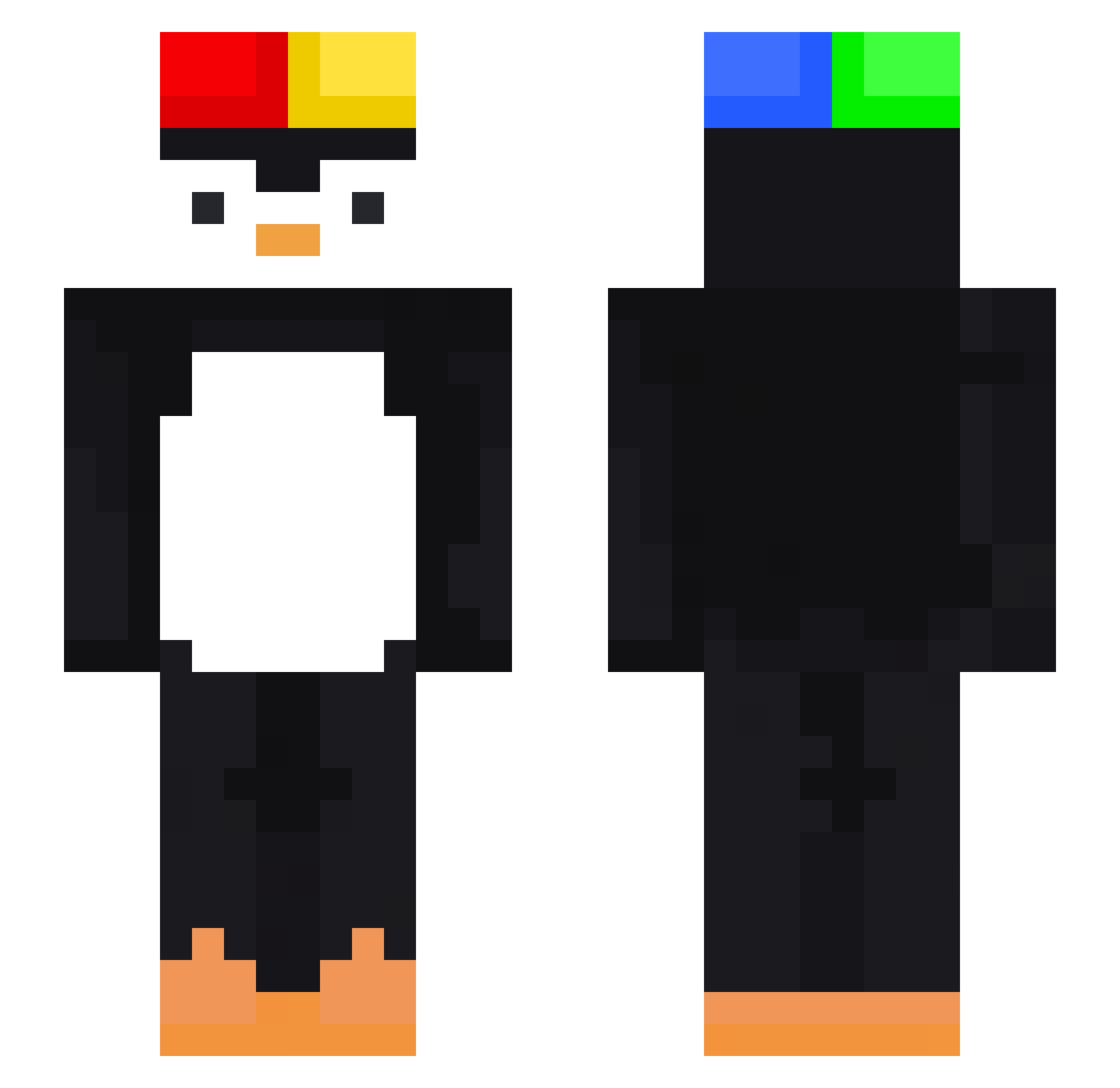
Current Minecraft skin of the player Axel5611, loaded from the official Mojang API. Rotate the 3D model with your mouse or finger, then download the skin as a PNG file and use it in Minecraft: Bedrock Edition or Java Edition for free. When Axel5611 changes their skin, this page updates automatically and the old skin stays in the history below.
Other players with this skin (473)
Axel5611 was the 376th player we have seen with this skin, first spotted on 16.10.2026. The same skin was seen on these players. Open a nickname to see their current skin and skin history.
 SlackPatrica Namsan1 BleuMars096 _mel_sama Eric_1105 wrepgoijkw409ihg yamadakame Brzydki_Oddech Boroda1 SUURKONN44 mael_lung Kaio_L0 ParenteX LipeK09 jjm0947 royalislegit Dssking Kiggrex jjoonara lol_xd5 buttworms royalnutssssssss CasperEU muniutymuniu123 Lucascr27 Vardizz HanxCeco asdrub4le dobindobin dinospace ZieeZouu wyxuu JA_A Myopiq ruhambabkezewa veryunhappy Alexxou54200 _Cricri_SHx Alservo_Eos kurokus kimbong88 SmokeGG liderlay XiaoAo7 losesword bjordan0432 HejtuPiotrek1357 PinguKymkci chiterlisacutie antireplay Umbra_Borealis bersek787 kd75601 ___Arthur___ LucasTraszi ruiballl FabKas natmarmau ImThEfAtMaN__ royalluvsemyung
More Penguin Minecraft skins
How to install the Axel5611 skin
- Press the Download button above to save the skin as a PNG file.
- Minecraft: Bedrock Edition (PE): open the Dressing Room from the main menu (or tap your character → Edit Character), go to Classic Skins → Owned, press the + (new skin) button, choose the downloaded PNG and pick the Slim (Alex) model. Works on PC and mobile; consoles cannot import custom skins.
- Minecraft: Java Edition: open the Minecraft Launcher, go to the Skins tab, click New Skin, load the PNG, pick the Slim (Alex) model and press Save & Use. You can also upload it at minecraft.net → Profile → Change Skin.
The skin does not show up after import - what should I do?
Restart Minecraft and open the Dressing Room again - imported skins sometimes appear only after a restart. Also make sure you selected the imported skin and picked the Slim (Alex) model.
Which model should I choose, Classic or Slim?
This skin is designed for the Slim (Alex) model. If you pick the wrong model, the arms of the skin will look stretched or squeezed.
Is the skin of Axel5611 free to download?
Yes. Press Download, save the PNG file and use it in Minecraft: Bedrock Edition or Java Edition - no payment or registration needed. The skin also works on multiplayer servers and Realms.
More skins
Looking for more? Go back to all Minecraft skins and check the top skins of the week, month and all time, or find any player's skin by nickname.