
ARON_208 - Minecraft Skins & Skin History
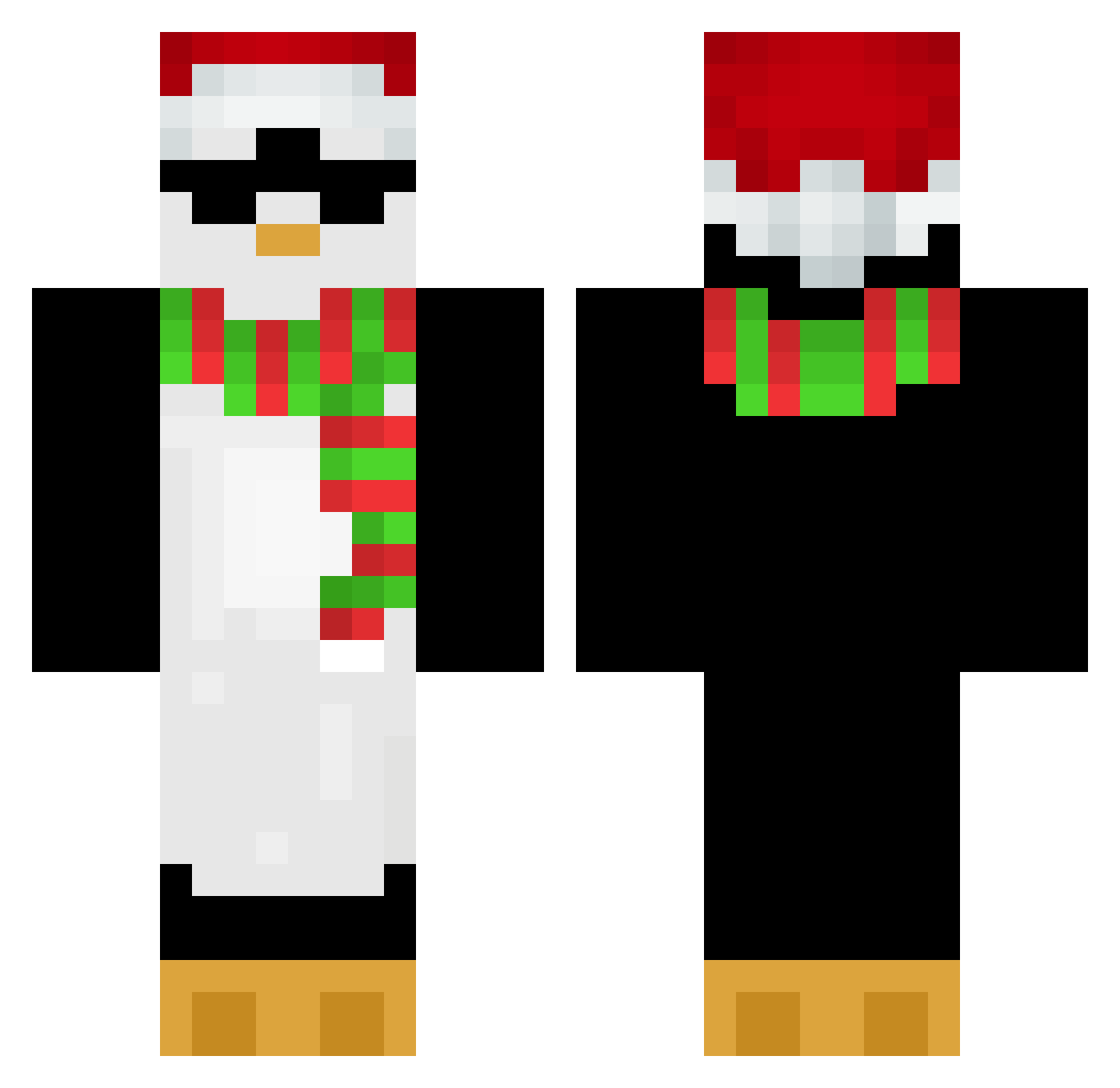
Current Minecraft skin of the player ARON_208, loaded from the official Mojang API. Rotate the 3D model with your mouse or finger, then download the skin as a PNG file and use it in Minecraft: Bedrock Edition or Java Edition for free. When ARON_208 changes their skin, this page updates automatically and the old skin stays in the history below.
Other players with this skin (652)
ARON_208 was the 597th player we have seen with this skin, first spotted on 25.10.2026. The same skin was seen on these players. Open a nickname to see their current skin and skin history.
 D0mzR nrdcaptain stasick_dagestan mrchocolatekun TillyBoy99 snowbaby723 Fredrix2010 XY_0807 DerVinceman smartpenguin89 NarRiko TogglingKillaura JongTake corwkd affetuoso0903 CallMeKruz _olex11_ cool_penguin_jy CodeaLuci JimothyTheFirst livepingu Hate_trouble Monokuuuma kageboo HiBack Shadowak_ Fenrirrrr chiaksan_peach Lopes007 weemikey05 u7juhus James7dd Vroomstick judi3754 Chudzielecc Muslimak S3RGINH0 ggf5545 Leyman223 SnoopyShadow09 Exsimple Gaskoo minecraftguy7799 0To4noHeFlay0 Gabu_3 AsianDonut21 mercheer PillyWilly1 PengWin86 BNGWonOfficial ItzSylvium LittlePenguin18 Sanjiii____ lollocae 0Stone TomekTop1 NRGbaturobot IchhabkeinArm Koksy520 pvp_Jaboleq
More Penguin Minecraft skins
How to install the ARON_208 skin
- Press the Download button above to save the skin as a PNG file.
- Minecraft: Bedrock Edition (PE): open the Dressing Room from the main menu (or tap your character → Edit Character), go to Classic Skins → Owned, press the + (new skin) button, choose the downloaded PNG and pick the Classic (Steve) model. Works on PC and mobile; consoles cannot import custom skins.
- Minecraft: Java Edition: open the Minecraft Launcher, go to the Skins tab, click New Skin, load the PNG, pick the Classic (Steve) model and press Save & Use. You can also upload it at minecraft.net → Profile → Change Skin.
The skin does not show up after import - what should I do?
Restart Minecraft and open the Dressing Room again - imported skins sometimes appear only after a restart. Also make sure you selected the imported skin and picked the Classic (Steve) model.
Which model should I choose, Classic or Slim?
This skin is designed for the Classic (Steve) model. If you pick the wrong model, the arms of the skin will look stretched or squeezed.
Is the skin of ARON_208 free to download?
Yes. Press Download, save the PNG file and use it in Minecraft: Bedrock Edition or Java Edition - no payment or registration needed. The skin also works on multiplayer servers and Realms.
More skins
Looking for more? Go back to all Minecraft skins and check the top skins of the week, month and all time, or find any player's skin by nickname.