
xiaoming_ai - Minecraft Skins & Skin History
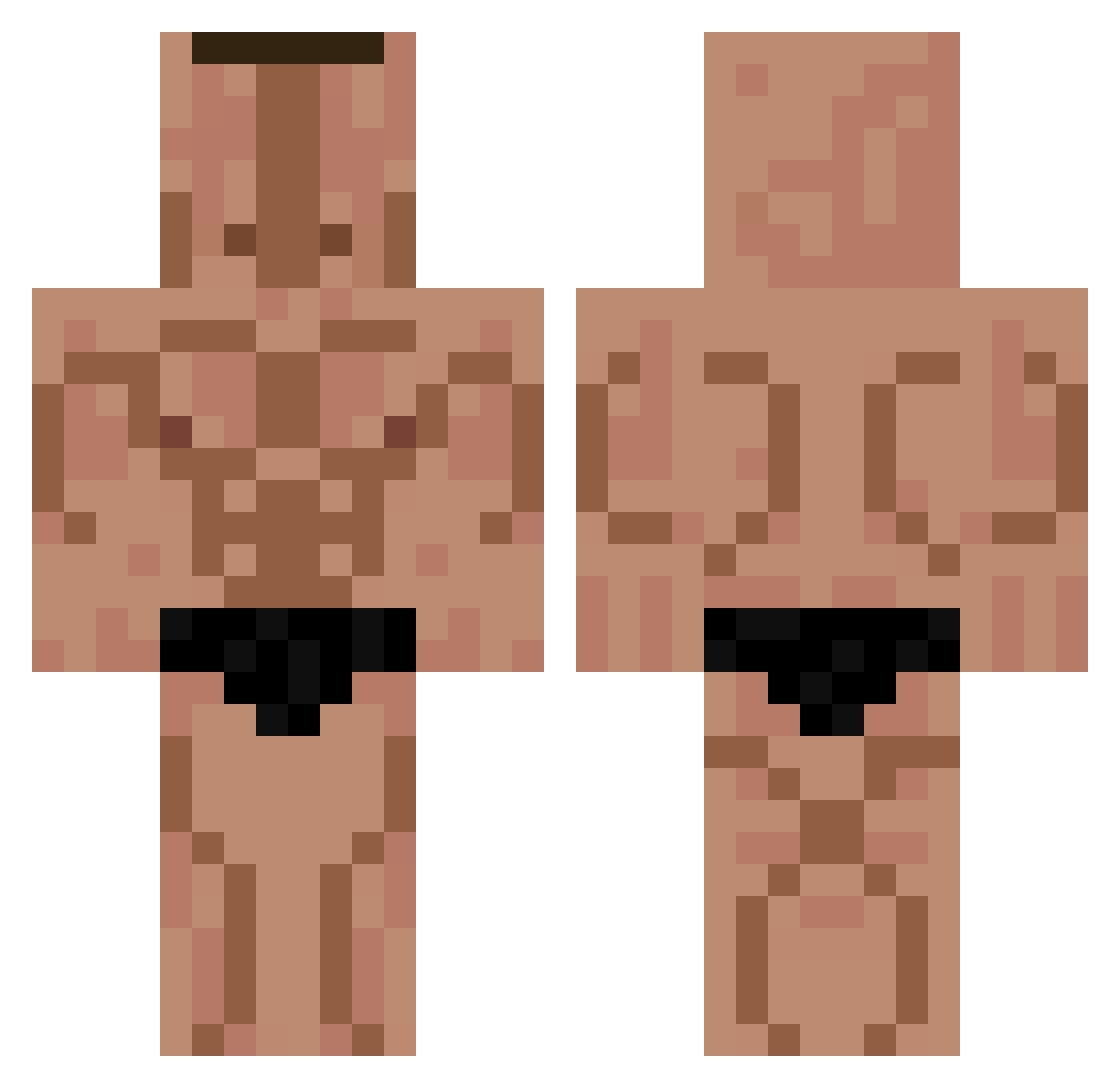
Current Minecraft skin of the player xiaoming_ai, loaded from the official Mojang API. Rotate the 3D model with your mouse or finger, then download the skin as a PNG file and use it in Minecraft: Bedrock Edition or Java Edition for free. When xiaoming_ai changes their skin, this page updates automatically and the old skin stays in the history below.
Other players with this skin (330)
xiaoming_ai was the 28th player we have seen with this skin, first spotted on 01.08.2026. The same skin was seen on these players. Open a nickname to see their current skin and skin history.
 hetebanaan EliBambeli XxlaxninjaxX
 ktmpsga lumptiDumpty mnl_nf
 dream_of_sky kiddo_shon
 takenaka_mizuki souracista
 Edenyu666 gusgh12 junpyo42
 RODAMA10 LAMATRAQUE Xesus_ MirHaram xXIKYHXx AceHunta Hxnriqux
 FRNIX GIDI19 Azurtron7 Rexonio timyen1214
 IamBooked BazZ1221 CATF1SHaha iKSR Deseuv GurthyPeen
 vi1606good Yawewe The_Cool_Mule AtomcTV Syiince MDC_folquini EzTi antonianton
 Papsic 3UN01A
 Exordial x_Randomguy luxaupe Osakapa Victopi2 Engchan leanlias ISUZZ El_Plemniorito Antsaaaaa
 No_Synergy Himmelslaefer joppie05 Skaazee Fxmt0 envisions Canero
 heitormaciel Gerry0191
More Buff Minecraft skins
How to install the xiaoming_ai skin
- Press the Download button above to save the skin as a PNG file.
- Minecraft: Bedrock Edition (PE): open the Dressing Room from the main menu (or tap your character → Edit Character), go to Classic Skins → Owned, press the + (new skin) button, choose the downloaded PNG and pick the Classic (Steve) model. Works on PC and mobile; consoles cannot import custom skins.
- Minecraft: Java Edition: open the Minecraft Launcher, go to the Skins tab, click New Skin, load the PNG, pick the Classic (Steve) model and press Save & Use. You can also upload it at minecraft.net → Profile → Change Skin.
The skin does not show up after import - what should I do?
Restart Minecraft and open the Dressing Room again - imported skins sometimes appear only after a restart. Also make sure you selected the imported skin and picked the Classic (Steve) model.
Which model should I choose, Classic or Slim?
This skin is designed for the Classic (Steve) model. If you pick the wrong model, the arms of the skin will look stretched or squeezed.
Is the skin of xiaoming_ai free to download?
Yes. Press Download, save the PNG file and use it in Minecraft: Bedrock Edition or Java Edition - no payment or registration needed. The skin also works on multiplayer servers and Realms.
More skins
Looking for more? Go back to all Minecraft skins and check the top skins of the week, month and all time, or find any player's skin by nickname.