
thirstyboii_ - Minecraft Skins & Skin History
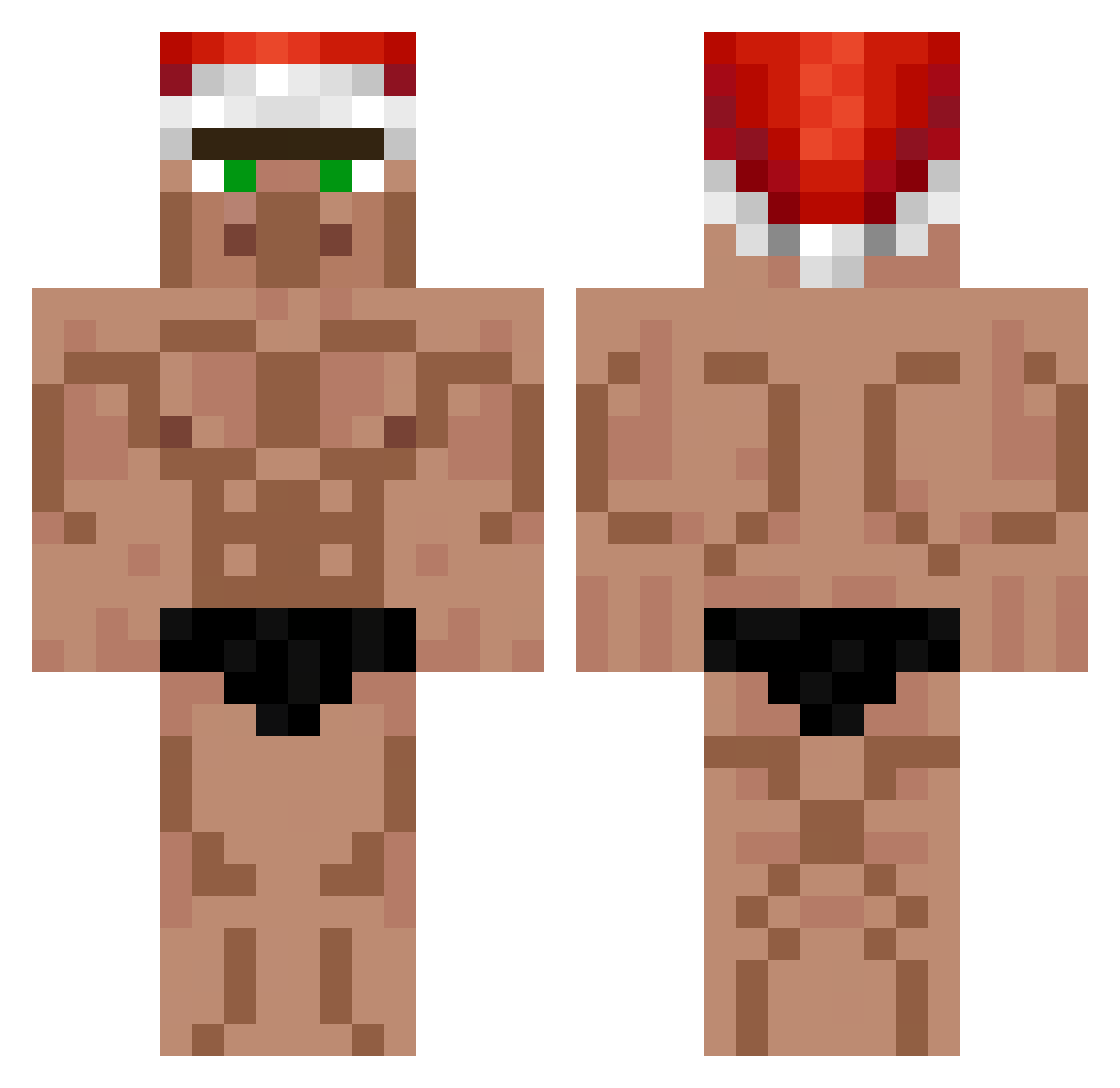
Current Minecraft skin of the player thirstyboii_, loaded from the official Mojang API. Rotate the 3D model with your mouse or finger, then download the skin as a PNG file and use it in Minecraft: Bedrock Edition or Java Edition for free. When thirstyboii_ changes their skin, this page updates automatically and the old skin stays in the history below.
Other players with this skin (552)
thirstyboii_ was the 51st player we have seen with this skin, first spotted on 02.08.2026. The same skin was seen on these players. Open a nickname to see their current skin and skin history.
 RusTieeee Gay_Homo_Sapien Kogse Hjuuubi humongos BenjenBre Rocobob Black_Light12114 nabatee SANFUJI TangyRhombus69 TheGuy00 vegt69 MHH2333 Dolamio Asxn MinecraftMeme69 woobin0528 kociokwik_good Bazenz Turrin2 TSG_Ayu Arupin FeetPicsW tulido DrKowalsky 69Aarush kondziuszeff dom6ciburak Tsepish Gr3gor33 Kilos890 zDenish SpinUrJaw _Neobi_ sizzling127 PeDriiNx7 Knoechisa_1099 Axoule888 hyunsu9266 Jumsisbums toff_craft Blocky_Chunks Recovery100 JopaDropper BetaNow SchockiMC kk9302 Sram_Do_Gara Coopers_Prod CreepyDeepy3450 Ieliminated FlocoZ Dot_Con mobik2115 1088jay hodd12 doppiaa Masshyx Braboes
More Buff Minecraft skins
How to install the thirstyboii_ skin
- Press the Download button above to save the skin as a PNG file.
- Minecraft: Bedrock Edition (PE): open the Dressing Room from the main menu (or tap your character → Edit Character), go to Classic Skins → Owned, press the + (new skin) button, choose the downloaded PNG and pick the Classic (Steve) model. Works on PC and mobile; consoles cannot import custom skins.
- Minecraft: Java Edition: open the Minecraft Launcher, go to the Skins tab, click New Skin, load the PNG, pick the Classic (Steve) model and press Save & Use. You can also upload it at minecraft.net → Profile → Change Skin.
The skin does not show up after import - what should I do?
Restart Minecraft and open the Dressing Room again - imported skins sometimes appear only after a restart. Also make sure you selected the imported skin and picked the Classic (Steve) model.
Which model should I choose, Classic or Slim?
This skin is designed for the Classic (Steve) model. If you pick the wrong model, the arms of the skin will look stretched or squeezed.
Is the skin of thirstyboii_ free to download?
Yes. Press Download, save the PNG file and use it in Minecraft: Bedrock Edition or Java Edition - no payment or registration needed. The skin also works on multiplayer servers and Realms.
More skins
Looking for more? Go back to all Minecraft skins and check the top skins of the week, month and all time, or find any player's skin by nickname.