
stew_da_man - Minecraft Skins & Skin History
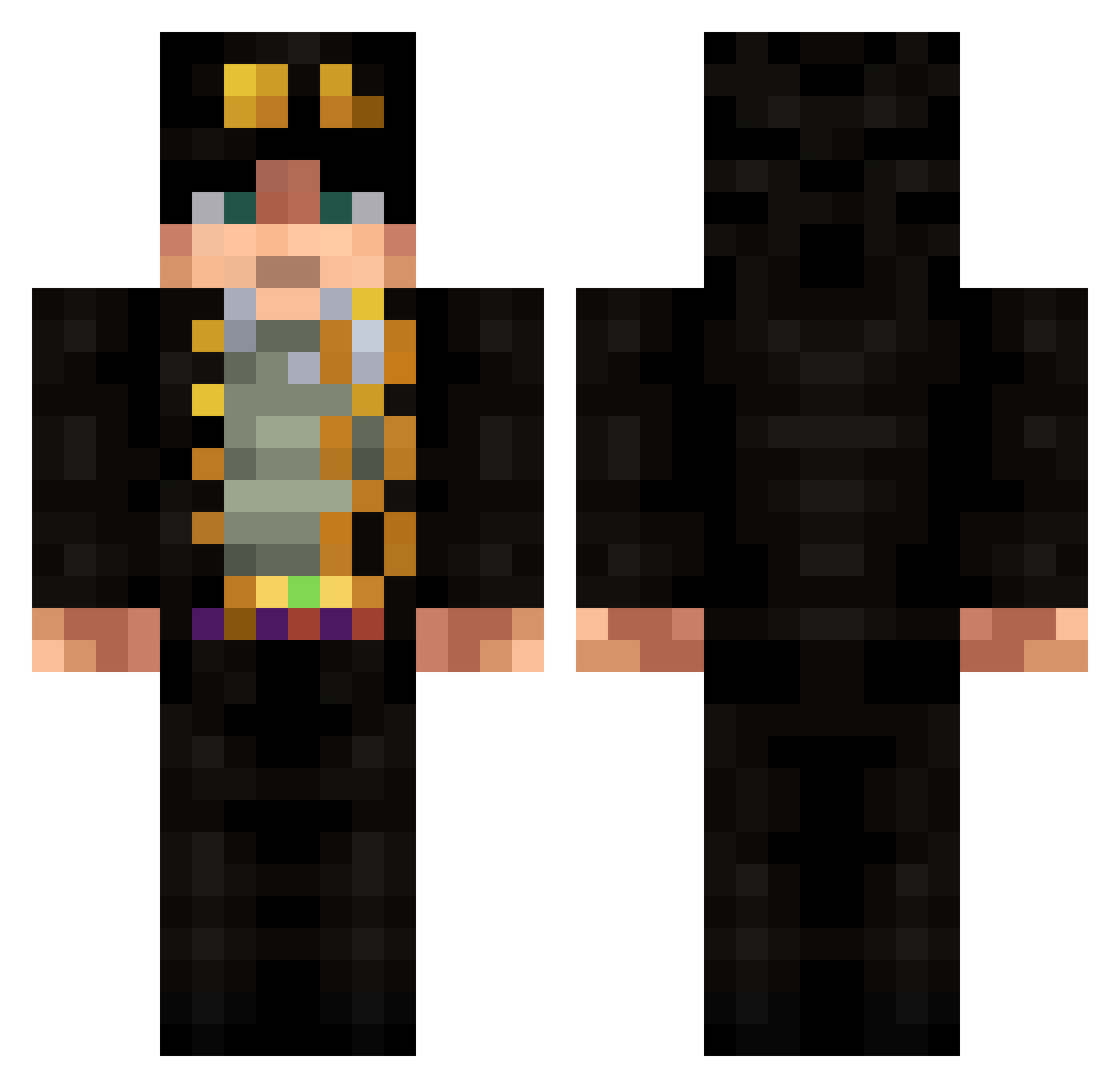
Current Minecraft skin of the player stew_da_man, loaded from the official Mojang API. Rotate the 3D model with your mouse or finger, then download the skin as a PNG file and use it in Minecraft: Bedrock Edition or Java Edition for free. When stew_da_man changes their skin, this page updates automatically and the old skin stays in the history below.
Other players with this skin (676)
stew_da_man was the 188th player we have seen with this skin, first spotted on 27.08.2026. The same skin was seen on these players. Open a nickname to see their current skin and skin history.
 Fastpup xXMrGamerCatXx THE_Breadlover JhynH _Tedak_ WoodbineE PunkPlays Huliver1 TKSav lingyu1130 Cardy_BoT Soul_Alchem1st Dr_Ethanol Volaree_ Sock_Snatcher Mrak2020 Kegue abnormal273 Shine_Musk05 frogal Kujo__Jotaro Cryptid7 Michael_Michael6 _Kraljica_ RealSoul zKrowser TioLokan Teptay TheLiveTortoise JungZA53 SrXamer ImportX torlayk Fajlox_ OkamiSenpai Twinkies59 Silver_Driver MiiMiiTheK1D rackspreader6000 Kuivakka jedi_lightnin seta1381 wood_chu yNiKoS27 RAG_vt Avgeek22 Kai9515 Urielus_05 AUSSIE4SOME Just_Matthew CashMoneyAiman JoJo1021 dmczin girlbossfever Estarossa0405 p1nk_M41n NEMEClS Imverygay626
 Pawern CuganPlatinum
More Jotaro Kujo Minecraft skins
How to install the stew_da_man skin
- Press the Download button above to save the skin as a PNG file.
- Minecraft: Bedrock Edition (PE): open the Dressing Room from the main menu (or tap your character → Edit Character), go to Classic Skins → Owned, press the + (new skin) button, choose the downloaded PNG and pick the Classic (Steve) model. Works on PC and mobile; consoles cannot import custom skins.
- Minecraft: Java Edition: open the Minecraft Launcher, go to the Skins tab, click New Skin, load the PNG, pick the Classic (Steve) model and press Save & Use. You can also upload it at minecraft.net → Profile → Change Skin.
The skin does not show up after import - what should I do?
Restart Minecraft and open the Dressing Room again - imported skins sometimes appear only after a restart. Also make sure you selected the imported skin and picked the Classic (Steve) model.
Which model should I choose, Classic or Slim?
This skin is designed for the Classic (Steve) model. If you pick the wrong model, the arms of the skin will look stretched or squeezed.
Is the skin of stew_da_man free to download?
Yes. Press Download, save the PNG file and use it in Minecraft: Bedrock Edition or Java Edition - no payment or registration needed. The skin also works on multiplayer servers and Realms.
More skins
Looking for more? Go back to all Minecraft skins and check the top skins of the week, month and all time, or find any player's skin by nickname.