
ChenjiQin - Minecraft Skins & Skin History
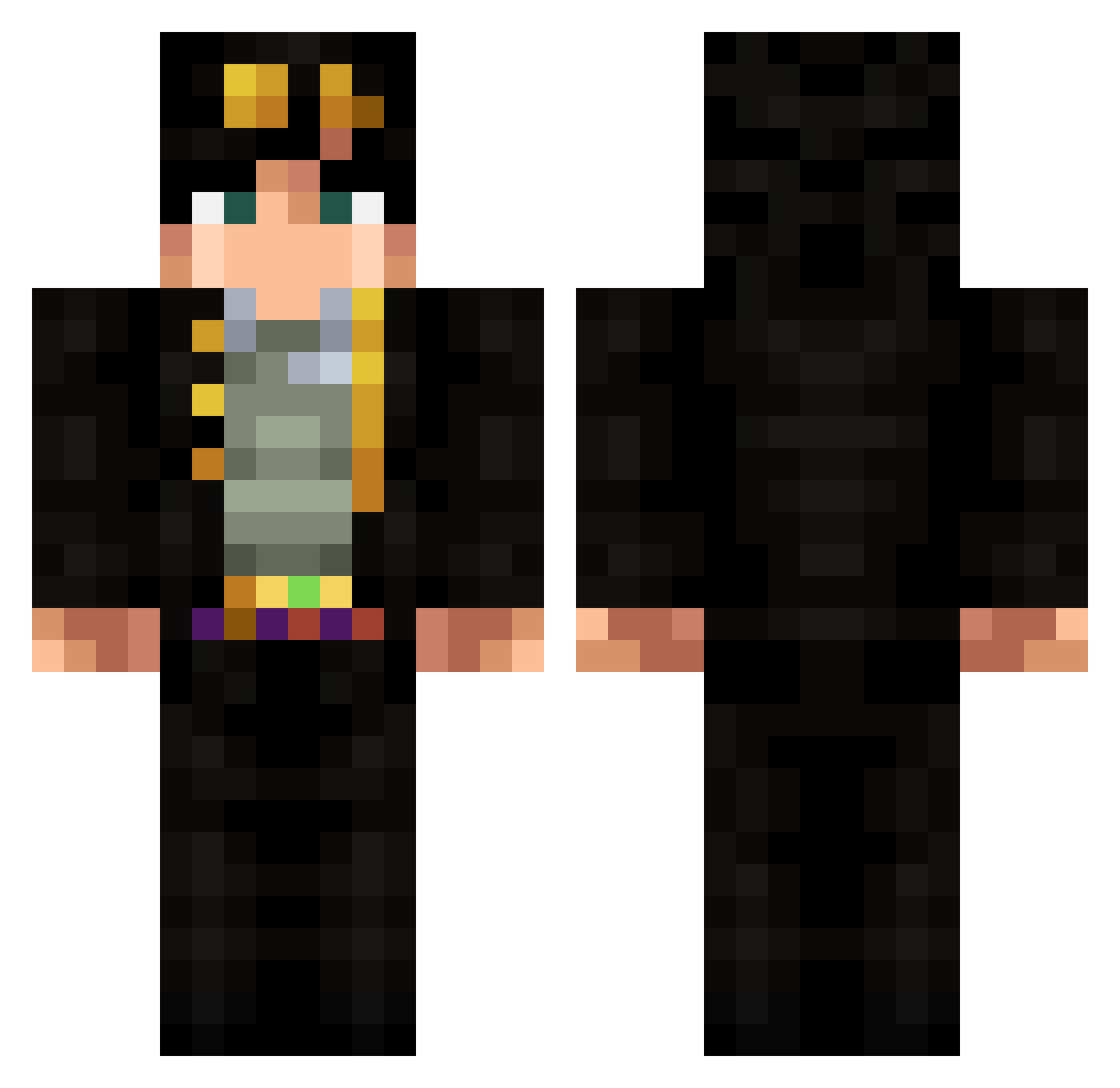
Current Minecraft skin of the player ChenjiQin, loaded from the official Mojang API. Rotate the 3D model with your mouse or finger, then download the skin as a PNG file and use it in Minecraft: Bedrock Edition or Java Edition for free. When ChenjiQin changes their skin, this page updates automatically and the old skin stays in the history below.
Other players with this skin (324)
ChenjiQin was the 1st player we have seen with this skin, first spotted on 20.07.2026. The same skin was seen on these players. Open a nickname to see their current skin and skin history.
 jiermann TheDrowned Delmo89 JotaroOverHeaven gonk2321 Duncan_4041 awesomecooper420 Murmuring99 Leonideus sitharmyknife MaxTTV rickysticky420 Narcissus75 _XoRi_ loganissmart stalloneputin Rhyme3341 SphencerVII SvimE gta5isgood1 Jojo_fanclub blackhaloryder Andro_RR _alyyssa doradora88 Zaron366 Titoumax xMuti ryno912 N0VACHR0NO BurntT0ast44 KyleButler22 _Purpl Venom006 Physick26 3axapka_ blackdeath8763 redsaw13 xISezer TheEggmo Vetalyq ManinManito Mangel31 JemmaIsClapped tyyyy123 TeeEsEm mmms1203 xnami017 Davidhyzkm_
 Joezbot Wonkonoyd IMMAWAFFLE123 PanConHamon winter123164 AubinTheMaster Gustuy GNovaa sonysentme Troaaz JoJoestar190
More Jotaro Kujo Minecraft skins
How to install the ChenjiQin skin
- Press the Download button above to save the skin as a PNG file.
- Minecraft: Bedrock Edition (PE): open the Dressing Room from the main menu (or tap your character → Edit Character), go to Classic Skins → Owned, press the + (new skin) button, choose the downloaded PNG and pick the Classic (Steve) model. Works on PC and mobile; consoles cannot import custom skins.
- Minecraft: Java Edition: open the Minecraft Launcher, go to the Skins tab, click New Skin, load the PNG, pick the Classic (Steve) model and press Save & Use. You can also upload it at minecraft.net → Profile → Change Skin.
The skin does not show up after import - what should I do?
Restart Minecraft and open the Dressing Room again - imported skins sometimes appear only after a restart. Also make sure you selected the imported skin and picked the Classic (Steve) model.
Which model should I choose, Classic or Slim?
This skin is designed for the Classic (Steve) model. If you pick the wrong model, the arms of the skin will look stretched or squeezed.
Is the skin of ChenjiQin free to download?
Yes. Press Download, save the PNG file and use it in Minecraft: Bedrock Edition or Java Edition - no payment or registration needed. The skin also works on multiplayer servers and Realms.
More skins
Looking for more? Go back to all Minecraft skins and check the top skins of the week, month and all time, or find any player's skin by nickname.