
speedyrko2891 - Minecraft Skins & Skin History
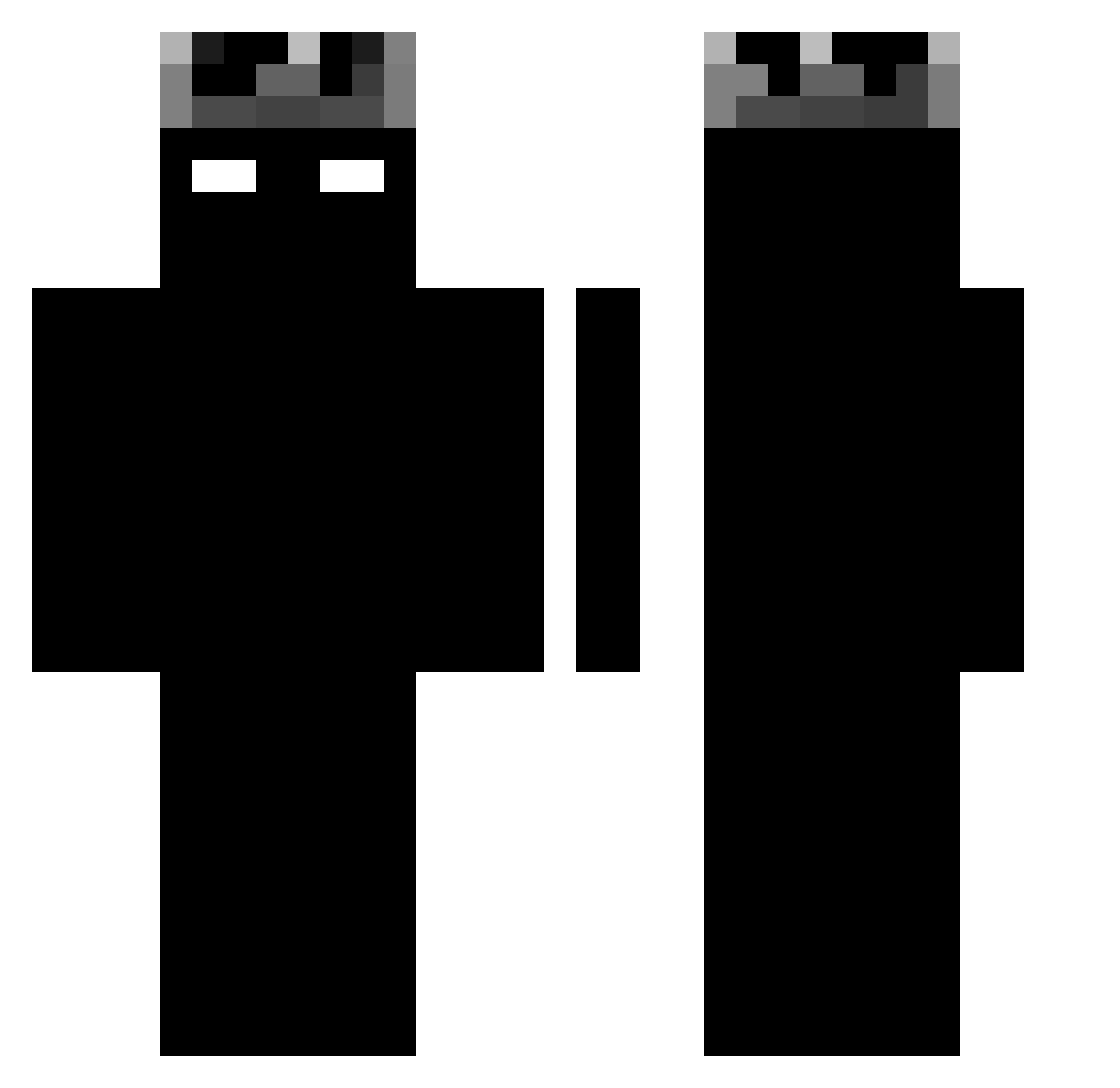
Current Minecraft skin of the player speedyrko2891, loaded from the official Mojang API. Rotate the 3D model with your mouse or finger, then download the skin as a PNG file and use it in Minecraft: Bedrock Edition or Java Edition for free. When speedyrko2891 changes their skin, this page updates automatically and the old skin stays in the history below.
Other players with this skin (1190)
speedyrko2891 was the 196th player we have seen with this skin, first spotted on 10.08.2026. The same skin was seen on these players. Open a nickname to see their current skin and skin history.
 THEKINGBLACK839 z3r0flux_ xvermillion ColoFire socalv2 favid93 Spong03 FOX13333I Tanmet qwzyas1 GuiXzin DortHit_zuj37fns MOLTOBENNEE silver15057 Chen7533 oskawiv
 OmpaTape24 serwasq Ich_bin_kein Iyzaki
 Frost1cekk DaRK_LEo_0
 enzosnol Ubertas Draghan2011 Wajih_Gamer four2891 Ajdamm_ Crystal79Hunter X1L3 Bitiwi Tedziorski N0tY0u_ PeloneReal aleksander963 MillaistFett Crazyboi2007 Madako__ bauty177 Dawid2115 LoZioCi Co0rasz_ Zycers Axrised ViiiruSer Gabriel_M12 ovrdosennz Limba5g Pradzy reh01 q_16 ItsNotGoose tianqi777 Fl4shC0nc0rd3 GeheimerJaeger yilik squitzy_ XszymiiX LillArne franprogame
More Shadow Minecraft skins
How to install the speedyrko2891 skin
- Press the Download button above to save the skin as a PNG file.
- Minecraft: Bedrock Edition (PE): open the Dressing Room from the main menu (or tap your character → Edit Character), go to Classic Skins → Owned, press the + (new skin) button, choose the downloaded PNG and pick the Classic (Steve) model. Works on PC and mobile; consoles cannot import custom skins.
- Minecraft: Java Edition: open the Minecraft Launcher, go to the Skins tab, click New Skin, load the PNG, pick the Classic (Steve) model and press Save & Use. You can also upload it at minecraft.net → Profile → Change Skin.
The skin does not show up after import - what should I do?
Restart Minecraft and open the Dressing Room again - imported skins sometimes appear only after a restart. Also make sure you selected the imported skin and picked the Classic (Steve) model.
Which model should I choose, Classic or Slim?
This skin is designed for the Classic (Steve) model. If you pick the wrong model, the arms of the skin will look stretched or squeezed.
Is the skin of speedyrko2891 free to download?
Yes. Press Download, save the PNG file and use it in Minecraft: Bedrock Edition or Java Edition - no payment or registration needed. The skin also works on multiplayer servers and Realms.
More skins
Looking for more? Go back to all Minecraft skins and check the top skins of the week, month and all time, or find any player's skin by nickname.