
sarolaaas - Minecraft Skins & Skin History
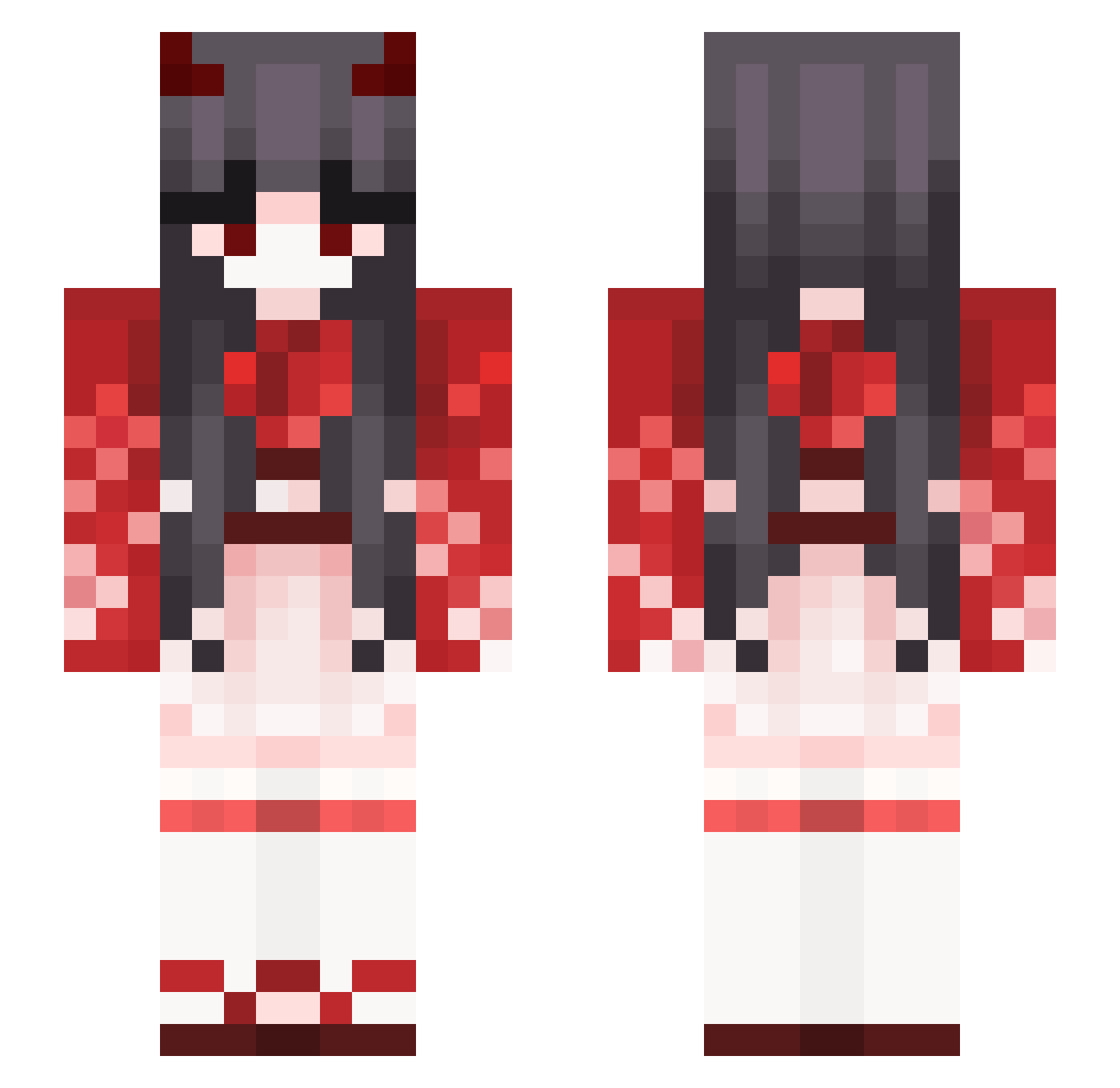
Current Minecraft skin of the player sarolaaas, loaded from the official Mojang API. Rotate the 3D model with your mouse or finger, then download the skin as a PNG file and use it in Minecraft: Bedrock Edition or Java Edition for free. When sarolaaas changes their skin, this page updates automatically and the old skin stays in the history below.
Other players with this skin (387)
sarolaaas was the 180th player we have seen with this skin, first spotted on 18.09.2026. The same skin was seen on these players. Open a nickname to see their current skin and skin history.
 rhckdtn Yoisya av4te4 Julia0925 CvmInMeDaddyUwU UniqueKing improGameer TheoHanHan Memori5271 MineChiCk_ BBosongQ Tyler687 KellyFox Neil_Fang AmbreCbl itsonyxx rxnjaxx RosieHasMilkBags sakurabbh Kevin990524 Riizk Axaly cfv1110 Bluncyrt Yato_poi Phvers Pathfinder261 Amadeus1048 WindiestPenny98 xarakter StarRaft LazydevilMiss Yainsin DoMeDaddy141 P4inbreaker misakidragneel Yuanowob Vindy6 Ppuppy_ nesugon 0wyz CKaiu sora_0205 KikiEllie1 Estrill HanamiMami Angar_ FortuneBlue lynn_9160 Caramicoli xShadowTheWolf arminkaa Lyle_44 MoZamPEKO9527 Ricardo_Mzz Iroha16923 quatrozada S2S2yeon MrCreeperedNuts Moyu_0216
More Demon Minecraft skins
How to install the sarolaaas skin
- Press the Download button above to save the skin as a PNG file.
- Minecraft: Bedrock Edition (PE): open the Dressing Room from the main menu (or tap your character → Edit Character), go to Classic Skins → Owned, press the + (new skin) button, choose the downloaded PNG and pick the Slim (Alex) model. Works on PC and mobile; consoles cannot import custom skins.
- Minecraft: Java Edition: open the Minecraft Launcher, go to the Skins tab, click New Skin, load the PNG, pick the Slim (Alex) model and press Save & Use. You can also upload it at minecraft.net → Profile → Change Skin.
The skin does not show up after import - what should I do?
Restart Minecraft and open the Dressing Room again - imported skins sometimes appear only after a restart. Also make sure you selected the imported skin and picked the Slim (Alex) model.
Which model should I choose, Classic or Slim?
This skin is designed for the Slim (Alex) model. If you pick the wrong model, the arms of the skin will look stretched or squeezed.
Is the skin of sarolaaas free to download?
Yes. Press Download, save the PNG file and use it in Minecraft: Bedrock Edition or Java Edition - no payment or registration needed. The skin also works on multiplayer servers and Realms.
More skins
Looking for more? Go back to all Minecraft skins and check the top skins of the week, month and all time, or find any player's skin by nickname.