
prolaps0retal - Minecraft Skins & Skin History
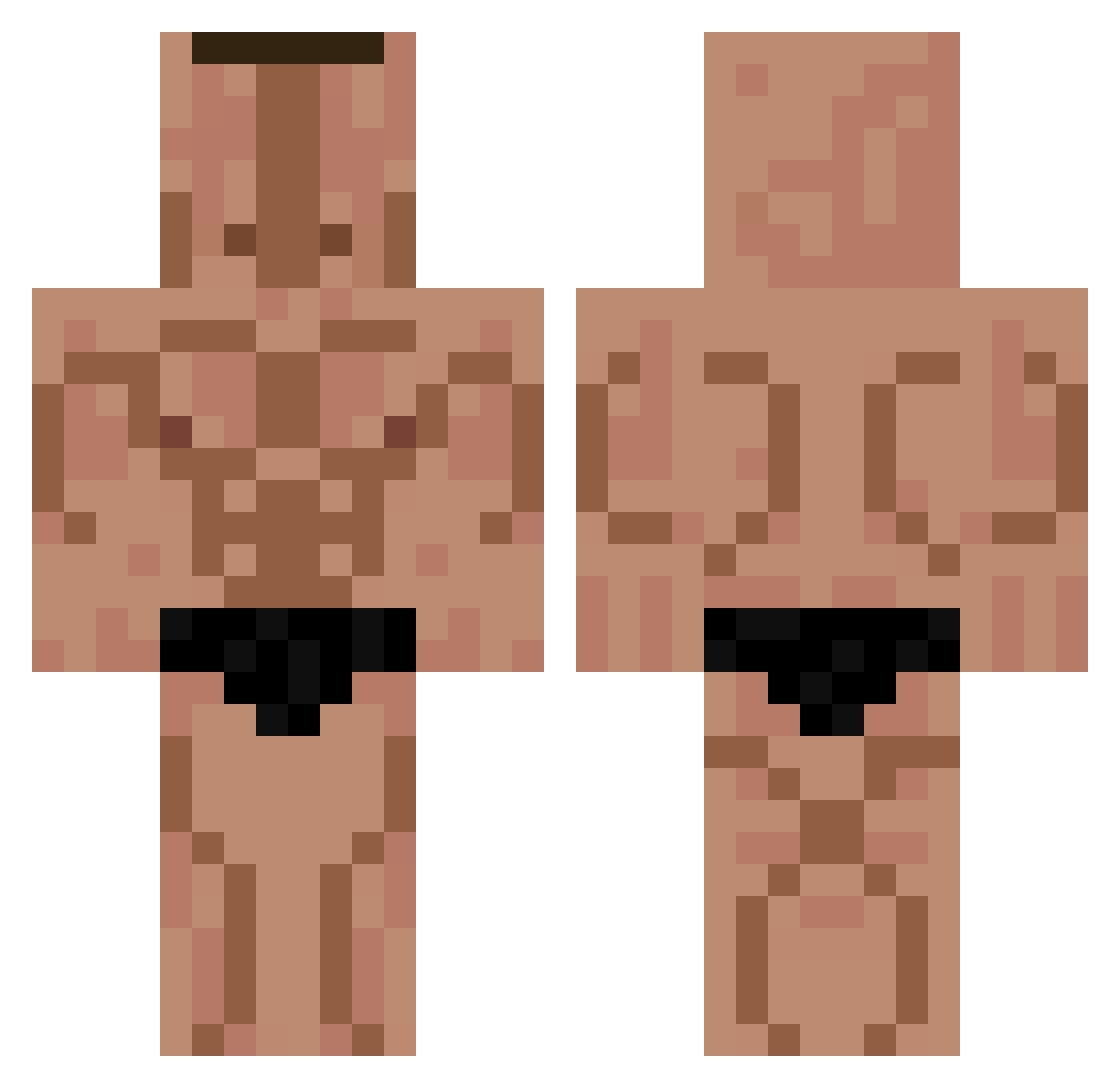
Current Minecraft skin of the player prolaps0retal, loaded from the official Mojang API. Rotate the 3D model with your mouse or finger, then download the skin as a PNG file and use it in Minecraft: Bedrock Edition or Java Edition for free. When prolaps0retal changes their skin, this page updates automatically and the old skin stays in the history below.
Other players with this skin (330)
prolaps0retal was the 227th player we have seen with this skin, first spotted on 11.10.2026. The same skin was seen on these players. Open a nickname to see their current skin and skin history.
 Rikizane0626 Hashich Kubhon ungerbungerr Supreme_Tiscali AtomicVenom_98 CrippledCharlie Mrmasonfx Sweetpotato6969 Ojciecrydzek912 battlefrog1047 TioLeo23 fmbe22 dftg Shmeatoly BigNoseTroll urreguini777 Mourad254 tim0809a Farrill5fine96 HoBoJoBo_1 doctor_g_ SrJandro MF_tee SnowyToilet elberkay TH3Fock jacksepiceye Rezeteadx Fan2Younes gehad187 ovSupreme LE_ALEXIS Policarpopvp aomg00 Wainy Qicki_1 Tannyss BON3R zac_r36 orianc829 PapaJulian67 ganggangKIFFER Patatodrakos2 FapiF24 KIRFYY Vietnamec04 LvcaLiber Ploru lordckam1 Frailie bloinkus Defxnder MiesDurchfall Zantax16 ShewMustard Mustang943 Erenp4513 EDYFICIO1 negaSteve1
More Buff Minecraft skins
How to install the prolaps0retal skin
- Press the Download button above to save the skin as a PNG file.
- Minecraft: Bedrock Edition (PE): open the Dressing Room from the main menu (or tap your character → Edit Character), go to Classic Skins → Owned, press the + (new skin) button, choose the downloaded PNG and pick the Classic (Steve) model. Works on PC and mobile; consoles cannot import custom skins.
- Minecraft: Java Edition: open the Minecraft Launcher, go to the Skins tab, click New Skin, load the PNG, pick the Classic (Steve) model and press Save & Use. You can also upload it at minecraft.net → Profile → Change Skin.
The skin does not show up after import - what should I do?
Restart Minecraft and open the Dressing Room again - imported skins sometimes appear only after a restart. Also make sure you selected the imported skin and picked the Classic (Steve) model.
Which model should I choose, Classic or Slim?
This skin is designed for the Classic (Steve) model. If you pick the wrong model, the arms of the skin will look stretched or squeezed.
Is the skin of prolaps0retal free to download?
Yes. Press Download, save the PNG file and use it in Minecraft: Bedrock Edition or Java Edition - no payment or registration needed. The skin also works on multiplayer servers and Realms.
More skins
Looking for more? Go back to all Minecraft skins and check the top skins of the week, month and all time, or find any player's skin by nickname.