
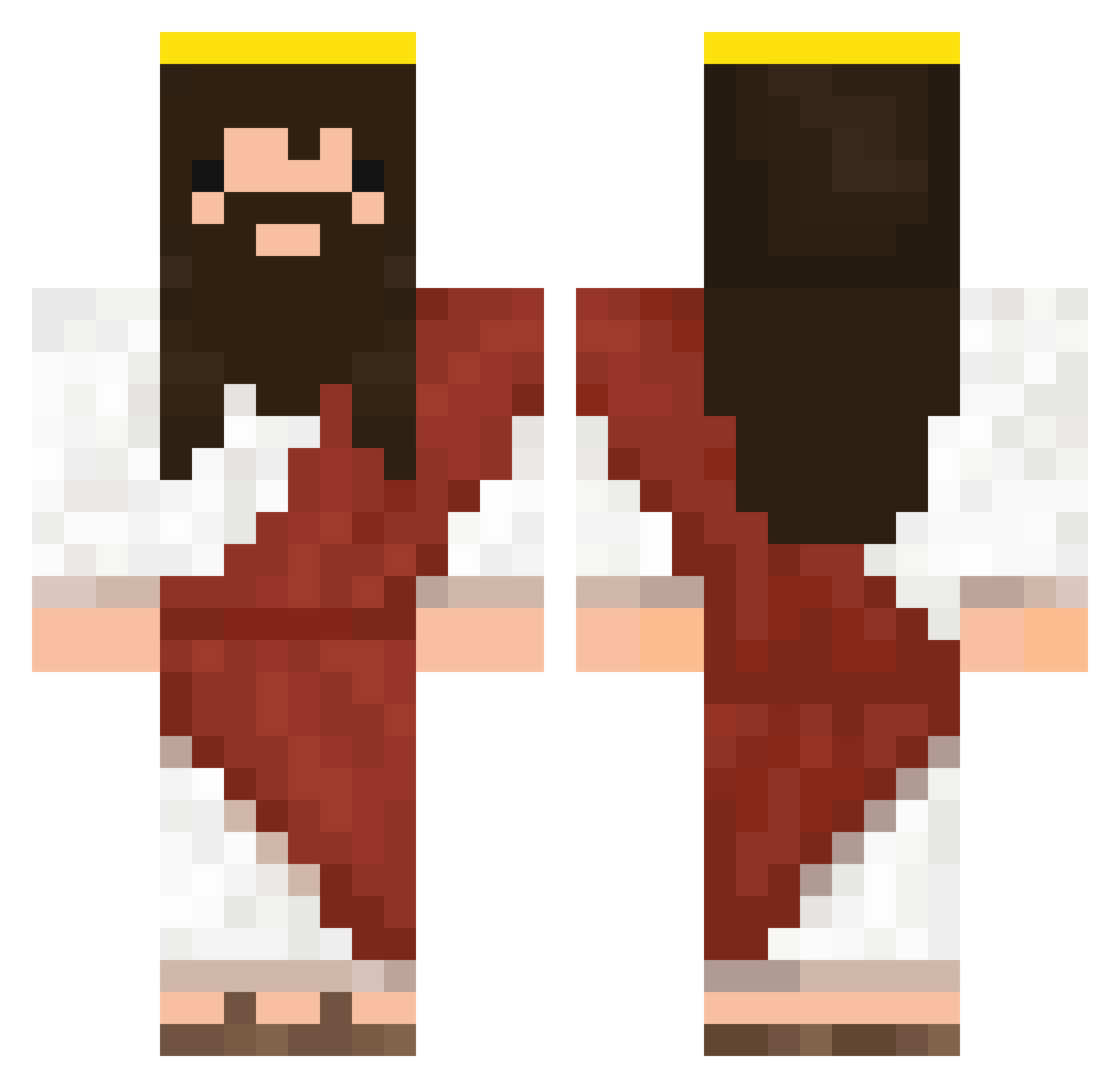
Current Minecraft skin of the player palejointa, loaded from the official Mojang API. Rotate the 3D model with your mouse or finger, then download the skin as a PNG file and use it in Minecraft: Bedrock Edition or Java Edition for free. When palejointa changes their skin, this page updates automatically and the old skin stays in the history below.
Other players with this skin (258)
palejointa was the 234th player we have seen with this skin, first spotted on 09.10.2026. The same skin was seen on these players. Open a nickname to see their current skin and skin history.
 dwillo CaptainAbyssal Chilliseed teamgoldtiger rizzster RandagioNero Lllazy 5kagRabbit Usual100 Mouxis _JhonF_ Neokill Famous_Rat exoou Aiquy mastergojo JackHorkheimer CAASI1313 Viruskette38612 DioColorato Ouen132 ______Mia_______ ATMTA_2002 _Queko_ MAIDOUd Treeie_ AbsenteeKhan211 Kerimov97 Maxwell6595 SUPAKURA Albertius888 mcjrburger69 Garaaa Bonkedd BaboucheLand greenson3creator hombrezaza LarryLarsonn Maxipaow El_Rosar Pawolocobra matsu_O3O Bighiggs77 Phoelipe oJeff_ GodOfJutice Aassey BarbaPie Birdman0321 joyyytotheworld pepersong Megumin789 Davix01 Sepo_0 PI1DO BALLDEEPINCHIARA MasterCave18 Masterfix1942 ignJesus flaxforever
More Jesus Minecraft skins
How to install the palejointa skin
- Press the Download button above to save the skin as a PNG file.
- Minecraft: Bedrock Edition (PE): open the Dressing Room from the main menu (or tap your character → Edit Character), go to Classic Skins → Owned, press the + (new skin) button, choose the downloaded PNG and pick the Classic (Steve) model. Works on PC and mobile; consoles cannot import custom skins.
- Minecraft: Java Edition: open the Minecraft Launcher, go to the Skins tab, click New Skin, load the PNG, pick the Classic (Steve) model and press Save & Use. You can also upload it at minecraft.net → Profile → Change Skin.
The skin does not show up after import - what should I do?
Restart Minecraft and open the Dressing Room again - imported skins sometimes appear only after a restart. Also make sure you selected the imported skin and picked the Classic (Steve) model.
Which model should I choose, Classic or Slim?
This skin is designed for the Classic (Steve) model. If you pick the wrong model, the arms of the skin will look stretched or squeezed.
Is the skin of palejointa free to download?
Yes. Press Download, save the PNG file and use it in Minecraft: Bedrock Edition or Java Edition - no payment or registration needed. The skin also works on multiplayer servers and Realms.
More skins
Looking for more? Go back to all Minecraft skins and check the top skins of the week, month and all time, or find any player's skin by nickname.