
 Turp__ Moong_Tang_2 Moonsg Sacramentals TheSakuraSlayer Kajman70 Mr_Tion PlutoWeeb NoixdeCousteau BlockyBoi64 geraldthebanana furkaqn Lelreis NP_Roy Muctapx benoonjamingo V33G3R OllieWie fauss _syntz_ Brahmogus Pinguim036 Lardon69 vDarkT Matdongsan Gamer_LP100 JopaNegra2289 Thoro2 retrotech117 Langellot8 Nevalet Talowrx 777M0neymaker Chewbies0809 bigdogjb97 Mantschgo1 Andiiikaaaa HerrB48rt xLukenziiii junei6 BoogiemanYT SunDae_CHIP DeVaY F4R_Turbo COinIsLaRge Midimaat Tabascooooo Cartaz_ CSTGAKA goofygoober000 dustyongfuel H4Bee Fatal_Silence SaffronJoker17 MartinSigma Synogun 4one VOID_321 __Rast_ InsaneBersker15
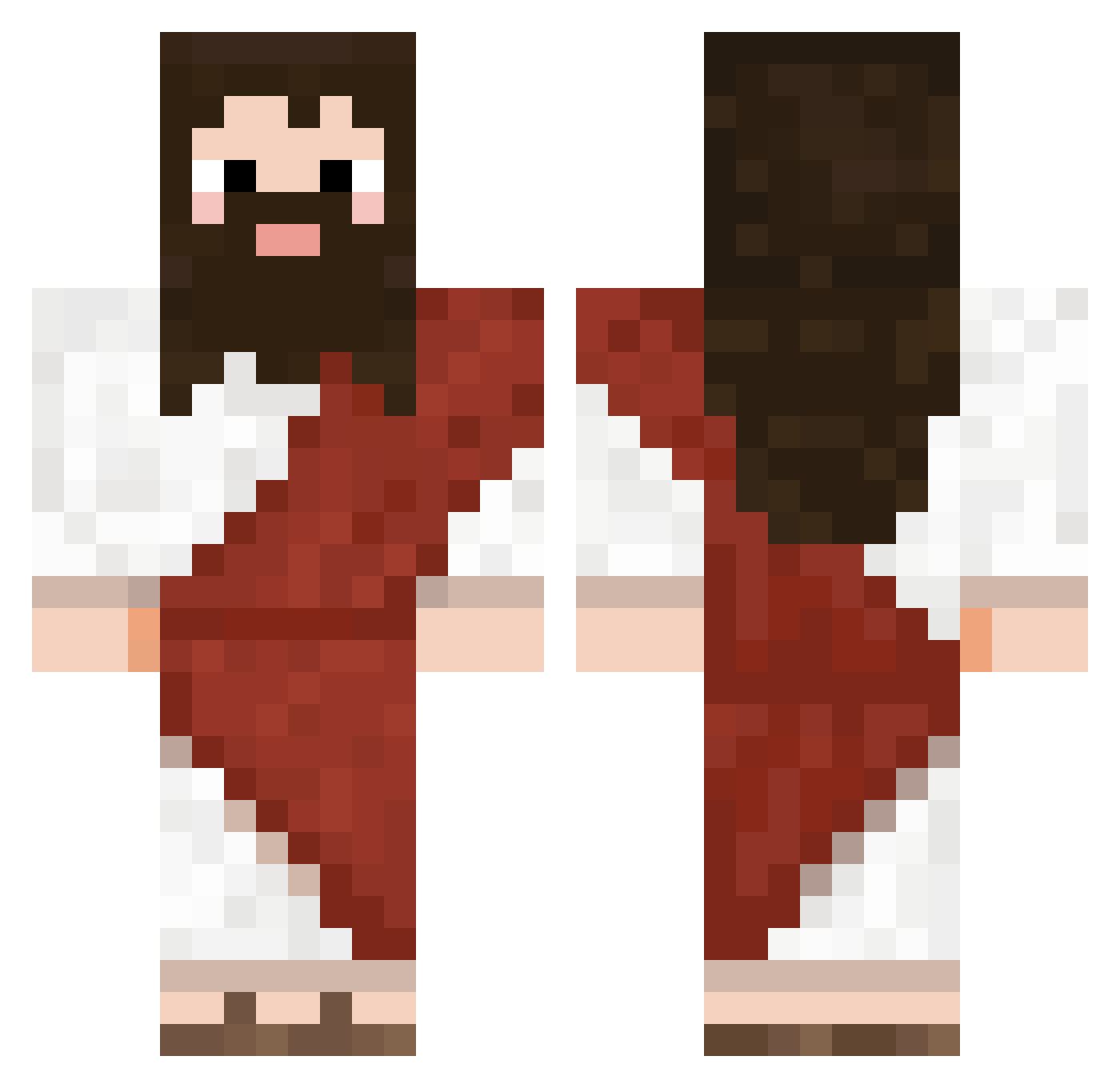
Minecraft skin of Jesus_savior. Rotate the 3D model with your mouse or finger to view the skin from every angle, then download it as a PNG file and use it in Minecraft: Bedrock Edition or Java Edition for free. Rate the skin with stars to help other players find the best skins in our collection.
How to install the Jesus_savior skin
- Press the Download button above to save the skin as a PNG file.
- Minecraft: Bedrock Edition (PE): open the Dressing Room from the main menu (or tap your character → Edit Character), go to Classic Skins → Owned, press the + (new skin) button, choose the downloaded PNG and pick the Classic (Steve) model. Works on PC and mobile; consoles cannot import custom skins.
- Minecraft: Java Edition: open the Minecraft Launcher, go to the Skins tab, click New Skin, load the PNG, pick the Classic (Steve) model and press Save & Use. You can also upload it at minecraft.net → Profile → Change Skin.
The skin does not show up after import - what should I do?
Restart Minecraft and open the Dressing Room again - imported skins sometimes appear only after a restart. Also make sure you selected the imported skin and picked the Classic (Steve) model.
Which model should I choose, Classic or Slim?
This skin is designed for the Classic (Steve) model. If you pick the wrong model, the arms of the skin will look stretched or squeezed.
Is this skin free to use?
Yes. Press Download, save the PNG file and use it in Minecraft: Bedrock Edition or Java Edition - no payment or registration needed. The skin also works on multiplayer servers and Realms.
More Biblical Minecraft skins
More skins
Looking for more? Go back to all Minecraft skins and check the top skins of the week, month and all time, or find any player's skin by nickname.