
 lCryptex nopaxeHNe Mauroxter82 StefZeminjulski Turri09 ONI_FV Semian Adentt Hades1140 geekbar1977 Favism KadoBey69 Panduh124 Reurasd_ERE HeinrichHimmmler Nerag011 beeeeatriz W3bos LILVINE LucasturH Nexey99 Hunt8er_ Pati_gg herpslep Discountjesus98 normalmentefran1 That_1_Italian GRILLONE118 Prostochelv woabii PedroHUN WMrD25 Alexsandr_Wolf steakyman efrem21napoli Chubs1134 Sonnenwirbel249 michigaming69 Pizzatomic decayisdaddy Betoniera98 Lorddope zoldeur FizioBull12 Simonpigeon Decus7 abcdefy Odratolgus Disguised_Pug Countgandi FERMAZIN Basic_0 vgds MK4TDI TimoFish_21 PRIMEOPTIMUS 1JISUS1 Zehirete_ molsxd1232 prooostosasha
Minecraft skin of GaunerGaul. Rotate the 3D model with your mouse or finger to view the skin from every angle, then download it as a PNG file and use it in Minecraft: Bedrock Edition or Java Edition for free. Rate the skin with stars to help other players find the best skins in our collection.
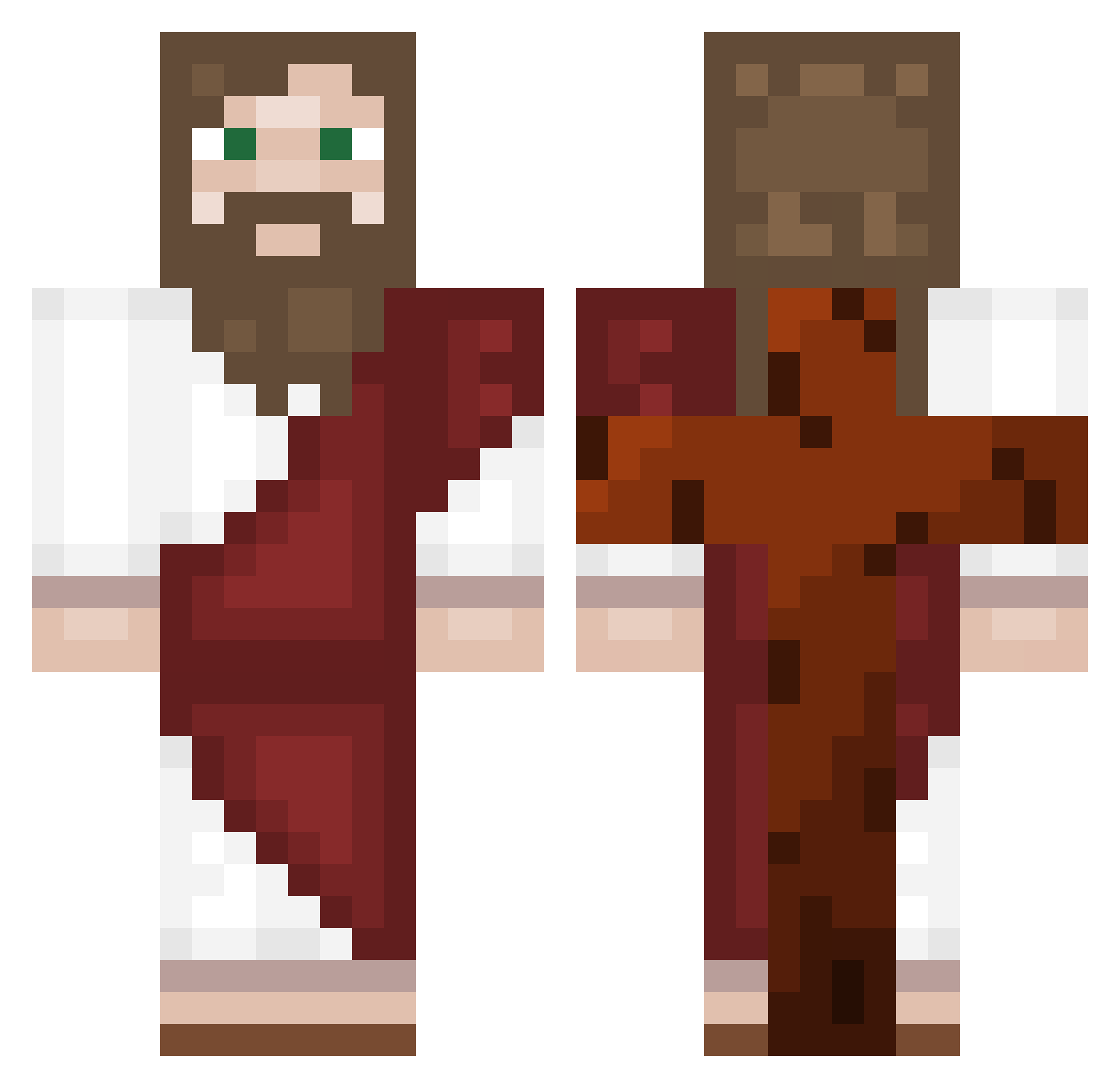
How to install the GaunerGaul skin
- Press the Download button above to save the skin as a PNG file.
- Minecraft: Bedrock Edition (PE): open the Dressing Room from the main menu (or tap your character → Edit Character), go to Classic Skins → Owned, press the + (new skin) button, choose the downloaded PNG and pick the Classic (Steve) model. Works on PC and mobile; consoles cannot import custom skins.
- Minecraft: Java Edition: open the Minecraft Launcher, go to the Skins tab, click New Skin, load the PNG, pick the Classic (Steve) model and press Save & Use. You can also upload it at minecraft.net → Profile → Change Skin.
The skin does not show up after import - what should I do?
Restart Minecraft and open the Dressing Room again - imported skins sometimes appear only after a restart. Also make sure you selected the imported skin and picked the Classic (Steve) model.
Which model should I choose, Classic or Slim?
This skin is designed for the Classic (Steve) model. If you pick the wrong model, the arms of the skin will look stretched or squeezed.
Is this skin free to use?
Yes. Press Download, save the PNG file and use it in Minecraft: Bedrock Edition or Java Edition - no payment or registration needed. The skin also works on multiplayer servers and Realms.
More Biblical Minecraft skins
More skins
Looking for more? Go back to all Minecraft skins and check the top skins of the week, month and all time, or find any player's skin by nickname.