
luxkas - Minecraft Skins & Skin History
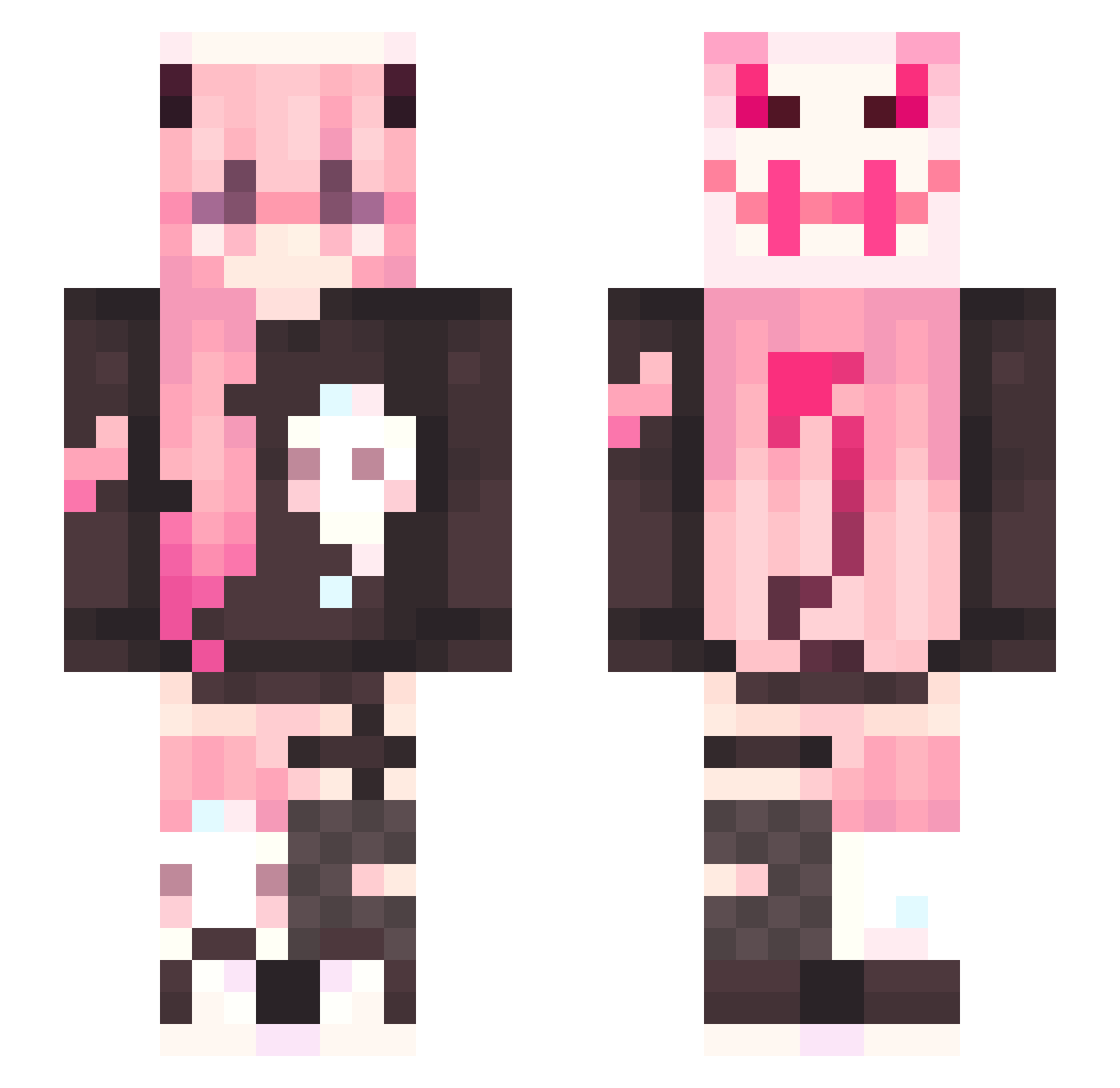
Current Minecraft skin of the player luxkas, loaded from the official Mojang API. Rotate the 3D model with your mouse or finger, then download the skin as a PNG file and use it in Minecraft: Bedrock Edition or Java Edition for free. When luxkas changes their skin, this page updates automatically and the old skin stays in the history below.
Other players with this skin (336)
luxkas was the 43rd player we have seen with this skin, first spotted on 10.08.2026. The same skin was seen on these players. Open a nickname to see their current skin and skin history.
 UwU216 BlixitJr kiwi0313 __Aris__00 VoidBirds arusqul yunjun9771 Asumu BoredTwo Batata910 urakiH_ iItems comgirls Kiyoo_00 lmolina2021 TurtleBoi67
 Okeedoku Arumm_ Mynekowo LostParad1se JustinHi3rd Wangtingwei IceCola97 lillyrobinson00 JemmaSenpai RPK127 Linzoodles Lucanya Musha0527
 Chq21 Rextimouo Yun1842 tiaopimao lilmonix30922 kombukyo CalicoKook ViperX96 Amuuy0112 psw9581 HuanXu_OuO Tessie08 spwlet Fieonchen ellnmts kittilittr Kri_is LosT_DeMMoN Miraaaaa27 merimucea NotNappen pee_pan Mete0ra_ Toka_You ScaThaCha523 sigee36 MoshtheMage awhhalyssa LittleMINBlacK filianta1 MaddyBunny86
More Demon Minecraft skins
How to install the luxkas skin
- Press the Download button above to save the skin as a PNG file.
- Minecraft: Bedrock Edition (PE): open the Dressing Room from the main menu (or tap your character → Edit Character), go to Classic Skins → Owned, press the + (new skin) button, choose the downloaded PNG and pick the Slim (Alex) model. Works on PC and mobile; consoles cannot import custom skins.
- Minecraft: Java Edition: open the Minecraft Launcher, go to the Skins tab, click New Skin, load the PNG, pick the Slim (Alex) model and press Save & Use. You can also upload it at minecraft.net → Profile → Change Skin.
The skin does not show up after import - what should I do?
Restart Minecraft and open the Dressing Room again - imported skins sometimes appear only after a restart. Also make sure you selected the imported skin and picked the Slim (Alex) model.
Which model should I choose, Classic or Slim?
This skin is designed for the Slim (Alex) model. If you pick the wrong model, the arms of the skin will look stretched or squeezed.
Is the skin of luxkas free to download?
Yes. Press Download, save the PNG file and use it in Minecraft: Bedrock Edition or Java Edition - no payment or registration needed. The skin also works on multiplayer servers and Realms.
More skins
Looking for more? Go back to all Minecraft skins and check the top skins of the week, month and all time, or find any player's skin by nickname.