
juge23 - Minecraft Skins & Skin History
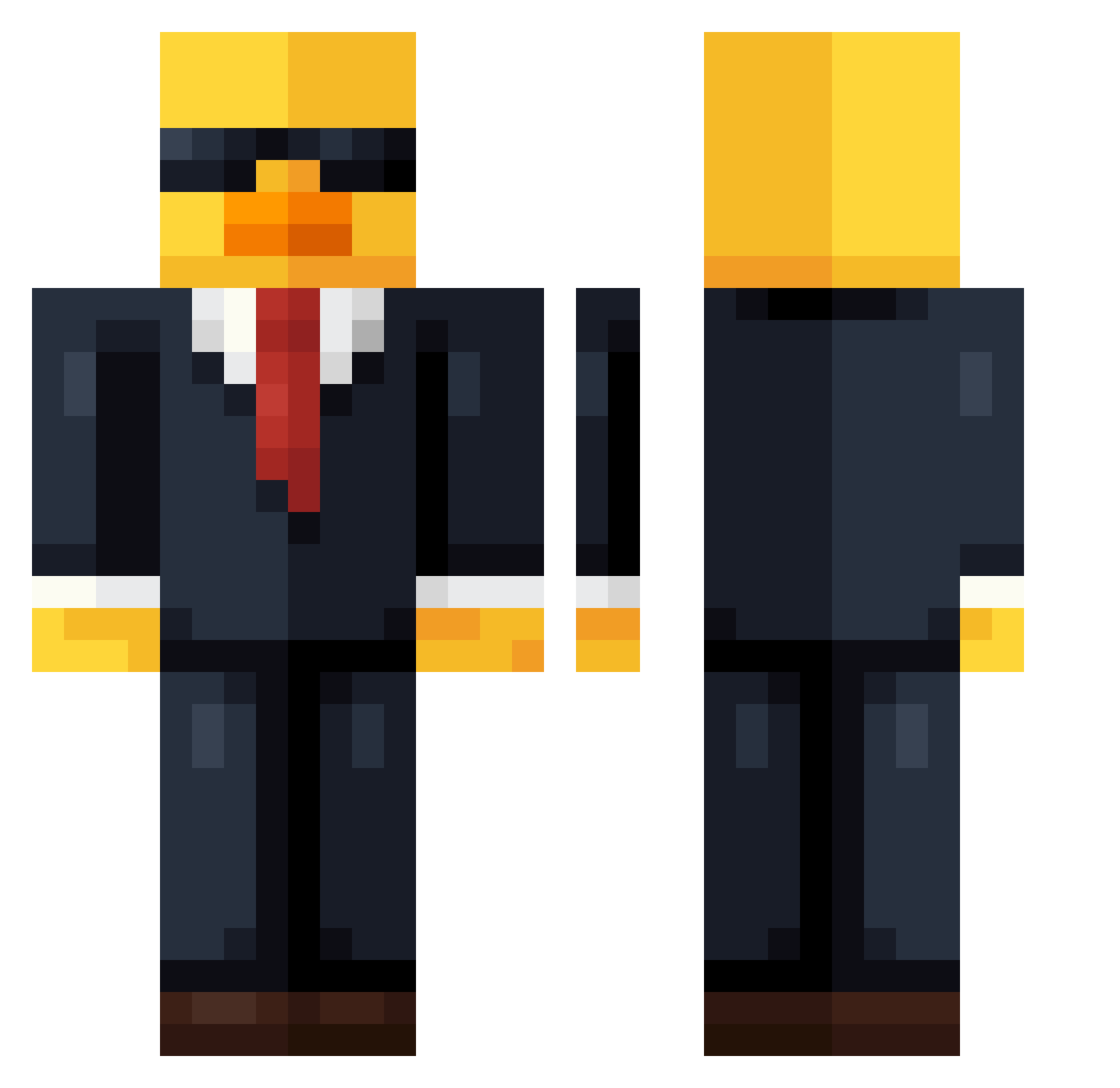
Current Minecraft skin of the player juge23, loaded from the official Mojang API. Rotate the 3D model with your mouse or finger, then download the skin as a PNG file and use it in Minecraft: Bedrock Edition or Java Edition for free. When juge23 changes their skin, this page updates automatically and the old skin stays in the history below.
Other players with this skin (736)
juge23 was the 459th player we have seen with this skin, first spotted on 02.10.2026. The same skin was seen on these players. Open a nickname to see their current skin and skin history.
 policeofficer002 Victor2010pro IndigoXme xJulixs ZJZ5 Steambot222 Rasmusv09 xMirim bribriiiiiiiiii bubbeluski dr_worldwidee XinZho ButterRatOG Biscochito87 MATYB23 ZekeCacTo SRF911 el_licenciadottv King_of_Duckis nalum3030 C63_Mafia Proplayer6037 MichiDerMacher RarePopcorn6900 C00CAT Euurutue Hlaiq Aspect445 Ptitmoth19 Chef_Joris 5lld Sw_Qr Haulax8 Crediters tadekinvestor terr88 DestrozaQKS69 MatchedTitan459 JohnnyPower12 Rykke3 Edepanda DockouP Alexdestroyer47 kikooog Zeno_88 Fonta7 bumpstaxsi captwolf13 Bier_00 Nar4Ev3r Adrian01456 vi_vi_6606 14black_night Diogo3x HART90 ooexd RN711_ bam_boo_23 Portepon pikapabli
More Duck Minecraft skins
How to install the juge23 skin
- Press the Download button above to save the skin as a PNG file.
- Minecraft: Bedrock Edition (PE): open the Dressing Room from the main menu (or tap your character → Edit Character), go to Classic Skins → Owned, press the + (new skin) button, choose the downloaded PNG and pick the Classic (Steve) model. Works on PC and mobile; consoles cannot import custom skins.
- Minecraft: Java Edition: open the Minecraft Launcher, go to the Skins tab, click New Skin, load the PNG, pick the Classic (Steve) model and press Save & Use. You can also upload it at minecraft.net → Profile → Change Skin.
The skin does not show up after import - what should I do?
Restart Minecraft and open the Dressing Room again - imported skins sometimes appear only after a restart. Also make sure you selected the imported skin and picked the Classic (Steve) model.
Which model should I choose, Classic or Slim?
This skin is designed for the Classic (Steve) model. If you pick the wrong model, the arms of the skin will look stretched or squeezed.
Is the skin of juge23 free to download?
Yes. Press Download, save the PNG file and use it in Minecraft: Bedrock Edition or Java Edition - no payment or registration needed. The skin also works on multiplayer servers and Realms.
More skins
Looking for more? Go back to all Minecraft skins and check the top skins of the week, month and all time, or find any player's skin by nickname.