
iSlaw09 - Minecraft Skins & Skin History
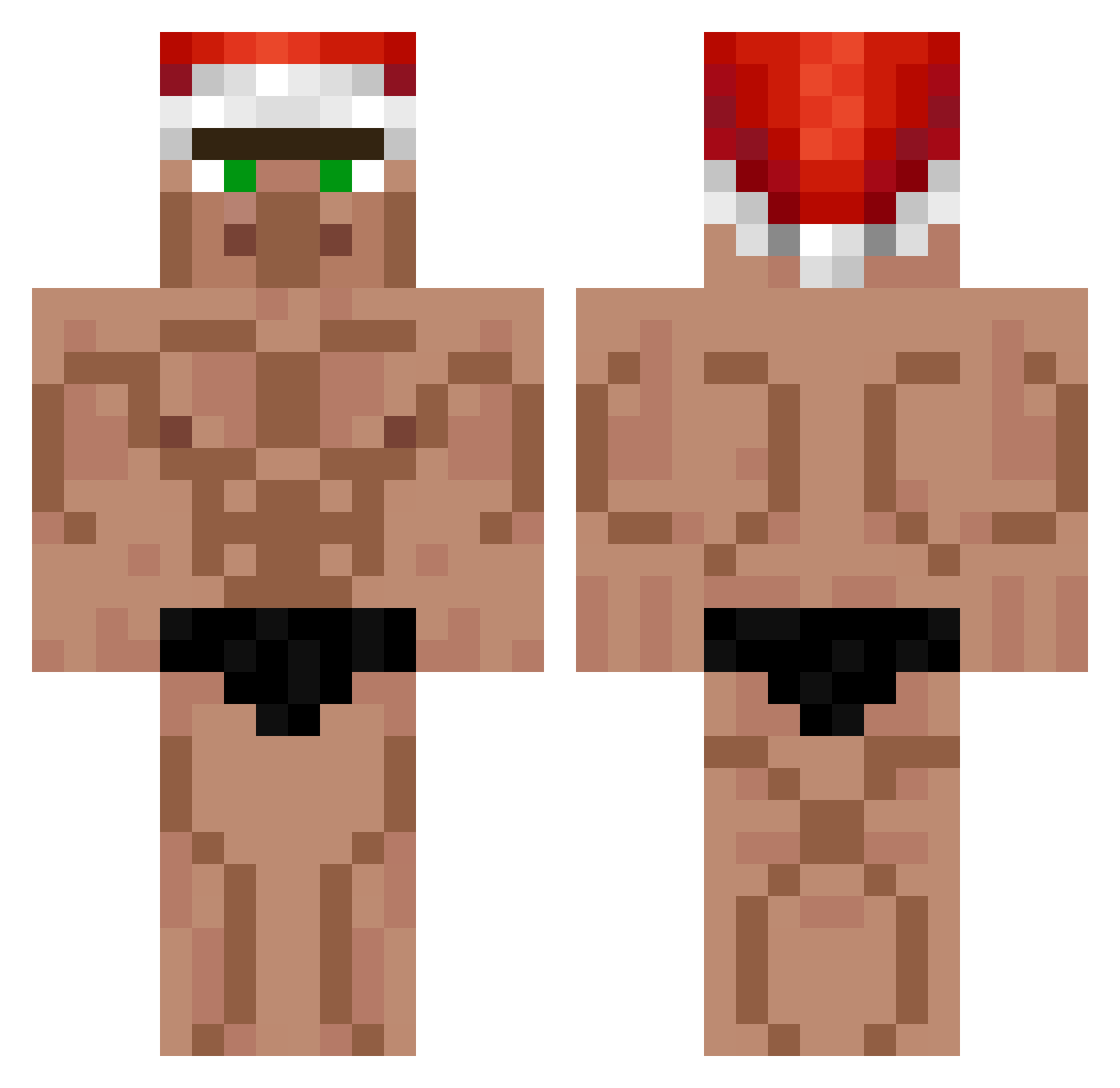
Current Minecraft skin of the player iSlaw09, loaded from the official Mojang API. Rotate the 3D model with your mouse or finger, then download the skin as a PNG file and use it in Minecraft: Bedrock Edition or Java Edition for free. When iSlaw09 changes their skin, this page updates automatically and the old skin stays in the history below.
Other players with this skin (399)
iSlaw09 was the 242nd player we have seen with this skin, first spotted on 01.10.2026. The same skin was seen on these players. Open a nickname to see their current skin and skin history.
 Austin0718 swag_mrpenguin PaPiRoSkA00 SlurpyMilkshake jay_rtl Snoofy87 lopescardoso VibronicHippo The_Amazing_Roro LeonMonster Pan_2 RiverIsUnwanted svenlin123 amogent Liukku Boltioo Semino94 Marksi21 KingOfGlory cuzyabasic06 SiSoonYi08 EduardoB14 faxnomachine Banana_Samurai Sysnim Kulnio SSJPanda_08 hyun_o_kim puplemoskito IanZGT Weezeh CamOnMac Turi_KING oukin Zackyboi84 noirdetourkoin93 Jacksonn69 OzNe_en_soumsoum Cazuela_Anal VincetheGreat Shadu15963 AsunaFMC mackymommy TomJHiltz benjvmon SpikeBigBoss22 GriemReaper4501 Neoguli0 David540615 FAUSI_LANE fetty324 YeetusDeletusX mickeyten lukasowy2196 DucksForBucks89 Michimbito Adasgg ILOVEZOELLE Magnum0919 OchauaPowa25
More Buff Minecraft skins
How to install the iSlaw09 skin
- Press the Download button above to save the skin as a PNG file.
- Minecraft: Bedrock Edition (PE): open the Dressing Room from the main menu (or tap your character → Edit Character), go to Classic Skins → Owned, press the + (new skin) button, choose the downloaded PNG and pick the Classic (Steve) model. Works on PC and mobile; consoles cannot import custom skins.
- Minecraft: Java Edition: open the Minecraft Launcher, go to the Skins tab, click New Skin, load the PNG, pick the Classic (Steve) model and press Save & Use. You can also upload it at minecraft.net → Profile → Change Skin.
The skin does not show up after import - what should I do?
Restart Minecraft and open the Dressing Room again - imported skins sometimes appear only after a restart. Also make sure you selected the imported skin and picked the Classic (Steve) model.
Which model should I choose, Classic or Slim?
This skin is designed for the Classic (Steve) model. If you pick the wrong model, the arms of the skin will look stretched or squeezed.
Is the skin of iSlaw09 free to download?
Yes. Press Download, save the PNG file and use it in Minecraft: Bedrock Edition or Java Edition - no payment or registration needed. The skin also works on multiplayer servers and Realms.
More skins
Looking for more? Go back to all Minecraft skins and check the top skins of the week, month and all time, or find any player's skin by nickname.