
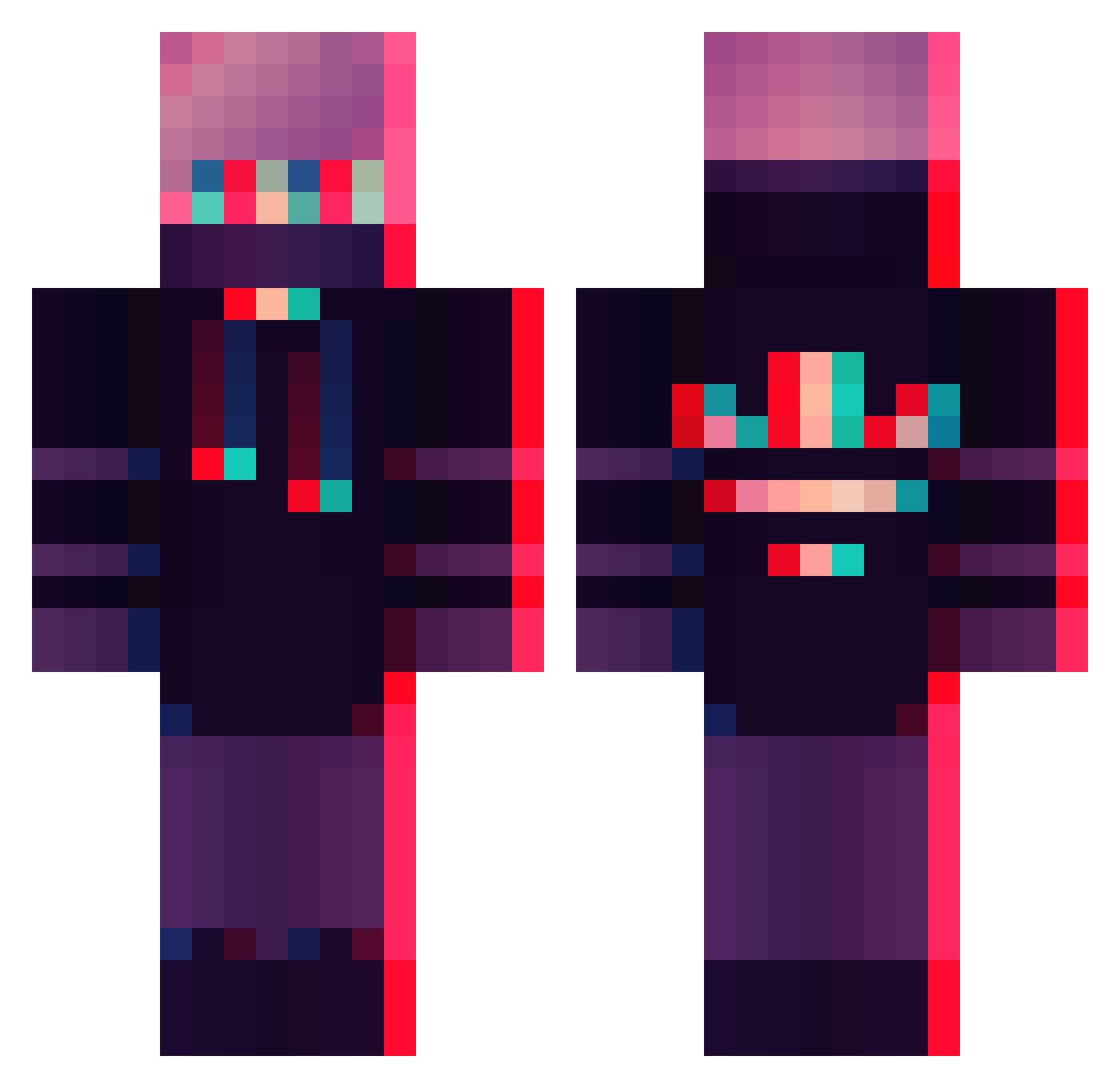
Current Minecraft skin of the player gArGoLy9231, loaded from the official Mojang API. Rotate the 3D model with your mouse or finger, then download the skin as a PNG file and use it in Minecraft: Bedrock Edition or Java Edition for free. When gArGoLy9231 changes their skin, this page updates automatically and the old skin stays in the history below.
Other players with this skin (288)
gArGoLy9231 was the 162nd player we have seen with this skin, first spotted on 13.09.2026. The same skin was seen on these players. Open a nickname to see their current skin and skin history.
 Schlatzko BLACKbird_MC BlackBurnxDD AriaStark Youtube_Razp DastardlyABDIEl5 Straaynane Az_marco TooThiccForU 2old_ladies DarkOfBr Pirowings GARKIO10 J4Hypenight Cxll_me_Dxvxd BaseEcco ADOU066 ViEwTeX Skullsmashert Vinsx KarahanVEVO BigSteppaMC xhaveyy KapiKot BeeKai183 ShareLock BeamKung14 gelo93 Mynkjar 4kashin IGHosTLegZ Hanzoy02 BlazingShadow716 14months Official_Ale supermegamat2000 that_dandelion FactionCreeperYT hazun10969 NUMARUNEKO bestpjs123 VeyzoowYT Leonardo_Badillo Velik_ WindowsUpdater fldn07 InTernalSoul zFlxxy Mario_XD27 w1tkat yaz234 Raylands lethalwolf1906 Zaxyen Sprosy Flaumig BraveNewMem MrDutty14 Hendrikson45 Grrouddon
More Glitch Minecraft skins
How to install the gArGoLy9231 skin
- Press the Download button above to save the skin as a PNG file.
- Minecraft: Bedrock Edition (PE): open the Dressing Room from the main menu (or tap your character → Edit Character), go to Classic Skins → Owned, press the + (new skin) button, choose the downloaded PNG and pick the Classic (Steve) model. Works on PC and mobile; consoles cannot import custom skins.
- Minecraft: Java Edition: open the Minecraft Launcher, go to the Skins tab, click New Skin, load the PNG, pick the Classic (Steve) model and press Save & Use. You can also upload it at minecraft.net → Profile → Change Skin.
The skin does not show up after import - what should I do?
Restart Minecraft and open the Dressing Room again - imported skins sometimes appear only after a restart. Also make sure you selected the imported skin and picked the Classic (Steve) model.
Which model should I choose, Classic or Slim?
This skin is designed for the Classic (Steve) model. If you pick the wrong model, the arms of the skin will look stretched or squeezed.
Is the skin of gArGoLy9231 free to download?
Yes. Press Download, save the PNG file and use it in Minecraft: Bedrock Edition or Java Edition - no payment or registration needed. The skin also works on multiplayer servers and Realms.
More skins
Looking for more? Go back to all Minecraft skins and check the top skins of the week, month and all time, or find any player's skin by nickname.