
daro2341 - Minecraft Skins & Skin History
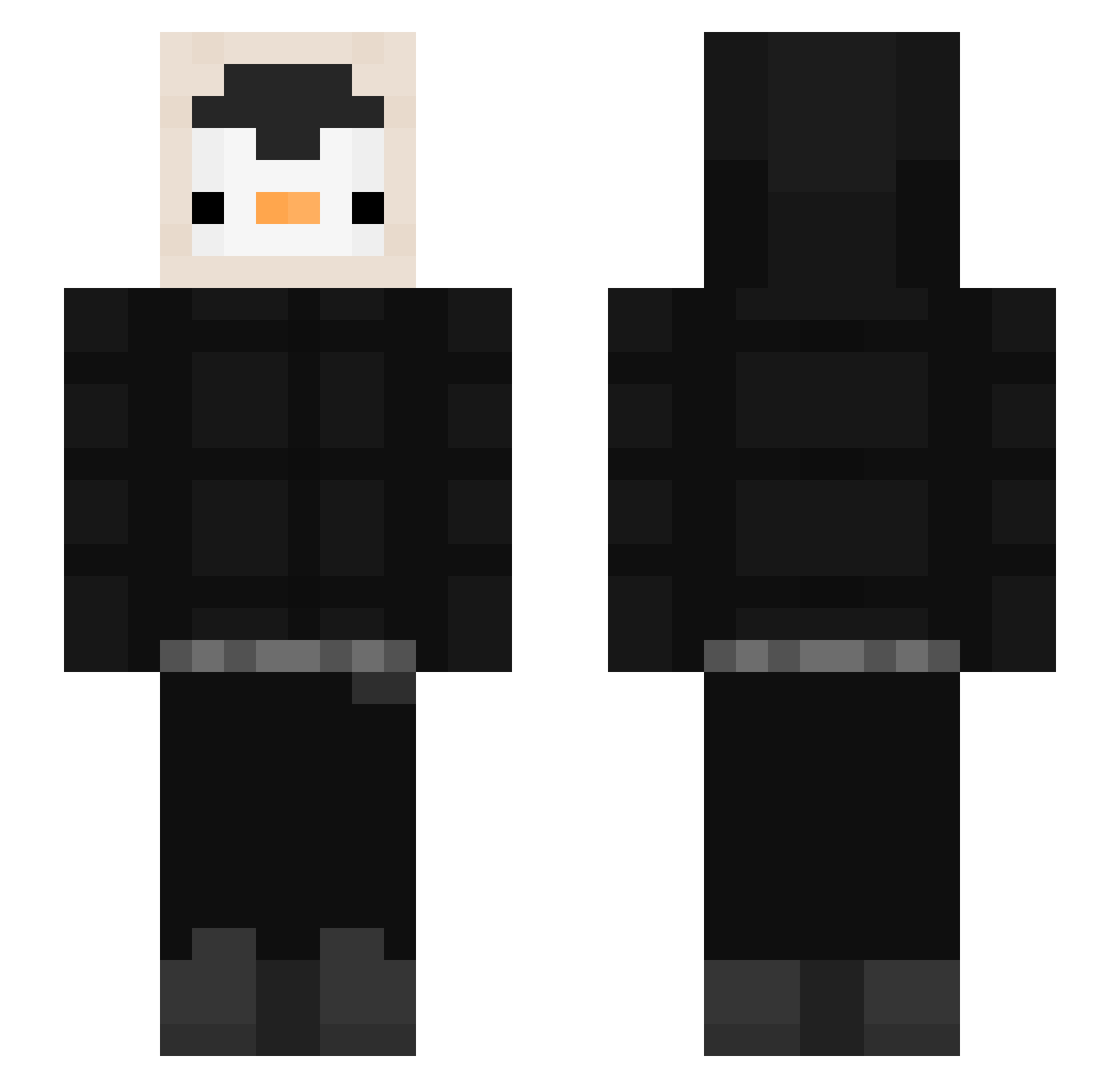
Current Minecraft skin of the player daro2341, loaded from the official Mojang API. Rotate the 3D model with your mouse or finger, then download the skin as a PNG file and use it in Minecraft: Bedrock Edition or Java Edition for free. When daro2341 changes their skin, this page updates automatically and the old skin stays in the history below.
Other players with this skin (536)
daro2341 was the 194th player we have seen with this skin, first spotted on 03.09.2026. The same skin was seen on these players. Open a nickname to see their current skin and skin history.
 Munjiii songddongg xKingBu zeldapast Beknacktlp Not2456 Fabrixxx6 BENPIDE wsumming Dakirenis MyMainMan GodaBloxlebro FoxY_4SV anty_poo Hin3ko Vowlovskiy killedbyRobin05 mingzzuu Ozsoydan JORGE2013 dudcks0129 kongsoon_2 GIGINO_PIPINO Cr1stalyze Bailse Xela5252 tarumin11 winwins apopse TOMJFF PatrickMoon Vaginula Zmandapenguin SoyTrickz TTVYUO lucasbeer Basti0906 TatitaJones a13ksa3s nigmare005 PauloGamer2607 R1n5c kimSAO 17Affi Choi98 TheChosenVitor FriendK Kyevin madovvv weebatoot ChodaSan zaza_licous rAther8164 Spocony_Domino legoshiiii0 timo0925 bubgus AbodBR ripperkicker69 1Benju
More Penguin Minecraft skins
How to install the daro2341 skin
- Press the Download button above to save the skin as a PNG file.
- Minecraft: Bedrock Edition (PE): open the Dressing Room from the main menu (or tap your character → Edit Character), go to Classic Skins → Owned, press the + (new skin) button, choose the downloaded PNG and pick the Slim (Alex) model. Works on PC and mobile; consoles cannot import custom skins.
- Minecraft: Java Edition: open the Minecraft Launcher, go to the Skins tab, click New Skin, load the PNG, pick the Slim (Alex) model and press Save & Use. You can also upload it at minecraft.net → Profile → Change Skin.
The skin does not show up after import - what should I do?
Restart Minecraft and open the Dressing Room again - imported skins sometimes appear only after a restart. Also make sure you selected the imported skin and picked the Slim (Alex) model.
Which model should I choose, Classic or Slim?
This skin is designed for the Slim (Alex) model. If you pick the wrong model, the arms of the skin will look stretched or squeezed.
Is the skin of daro2341 free to download?
Yes. Press Download, save the PNG file and use it in Minecraft: Bedrock Edition or Java Edition - no payment or registration needed. The skin also works on multiplayer servers and Realms.
More skins
Looking for more? Go back to all Minecraft skins and check the top skins of the week, month and all time, or find any player's skin by nickname.