
brodzywaffles_ - Minecraft Skins & Skin History
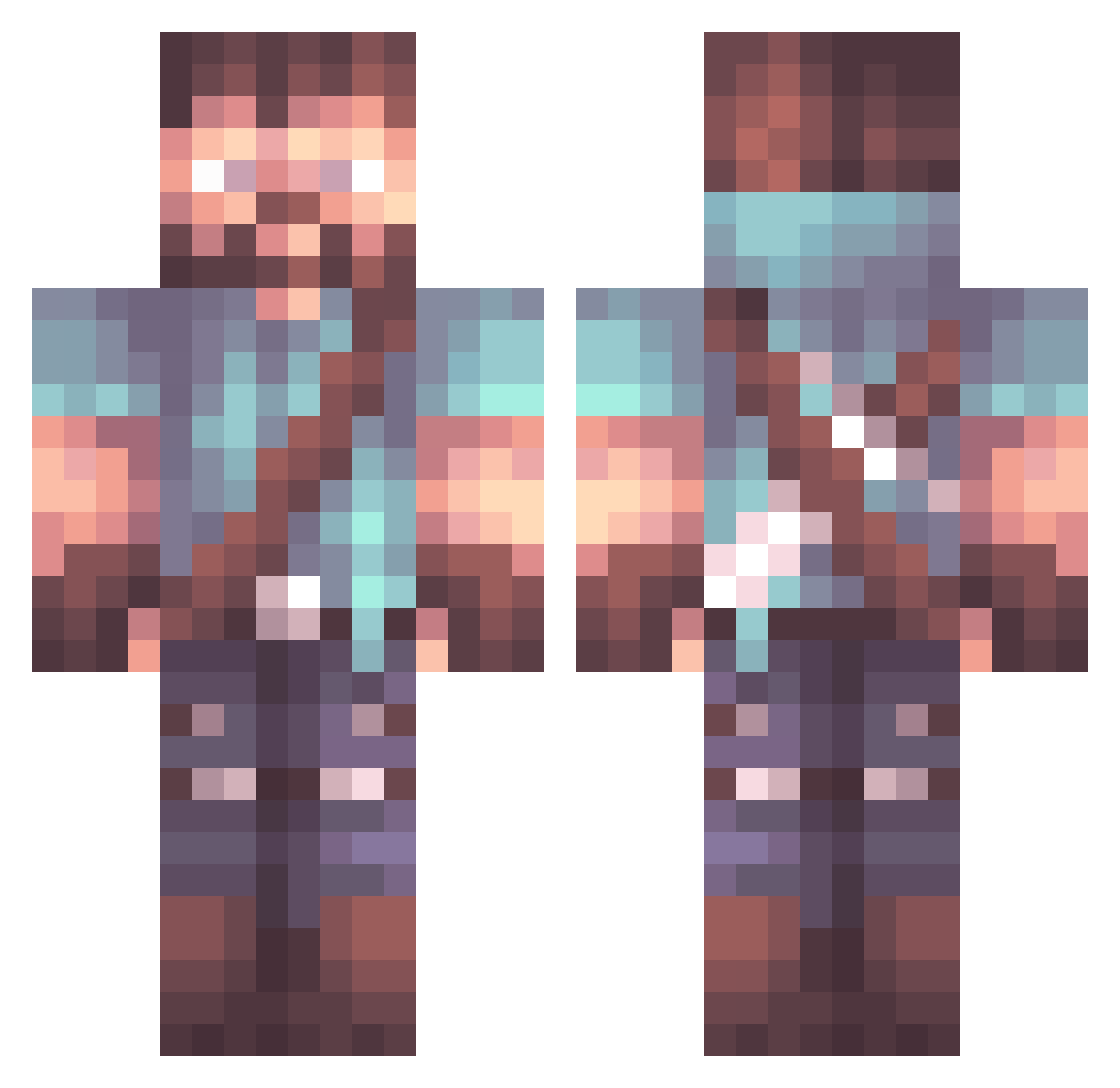
Current Minecraft skin of the player brodzywaffles_, loaded from the official Mojang API. Rotate the 3D model with your mouse or finger, then download the skin as a PNG file and use it in Minecraft: Bedrock Edition or Java Edition for free. When brodzywaffles_ changes their skin, this page updates automatically and the old skin stays in the history below.
Other players with this skin (848)
brodzywaffles_ was the 203rd player we have seen with this skin, first spotted on 14.08.2026. The same skin was seen on these players. Open a nickname to see their current skin and skin history.
 Putchix jerome_p OfficialSteezie Kilpix JaimeVzq fastfist123 jake_154 Vorgse9 shiroshini steccc StreamSorrow AlbertGuardiola white_mamota BFC_OGDA Trygach_ NiklasTspone PARSALI Grondela Ludi___ Gido01 DanTyrann MinerGrabber EJHB Rustyone73 ComboSlayer22 Yorjonjerppu Label_ ggwinfred Raaluf EnderSlayer8978 jarda799 MINIMESSIALBANIA Alacid WillyTry17 Arrowman511 Cubohima hmleung Goofster1776 Jokerz1141 PunctualLamp Sane95 DepthTrickParade Kivstahem VincentBW EthanAnderton Fabse1717 trooperdx317 SalocinPrime ChewyDuke BlueTits DreadedTerror theslowsack MisoTheGreat Joethedictator23 Zombie_XII xLucasDutra Gatormouth Winter_Death_Qc DieserMagga THXXX
More Herobrine Minecraft skins
How to install the brodzywaffles_ skin
- Press the Download button above to save the skin as a PNG file.
- Minecraft: Bedrock Edition (PE): open the Dressing Room from the main menu (or tap your character → Edit Character), go to Classic Skins → Owned, press the + (new skin) button, choose the downloaded PNG and pick the Classic (Steve) model. Works on PC and mobile; consoles cannot import custom skins.
- Minecraft: Java Edition: open the Minecraft Launcher, go to the Skins tab, click New Skin, load the PNG, pick the Classic (Steve) model and press Save & Use. You can also upload it at minecraft.net → Profile → Change Skin.
The skin does not show up after import - what should I do?
Restart Minecraft and open the Dressing Room again - imported skins sometimes appear only after a restart. Also make sure you selected the imported skin and picked the Classic (Steve) model.
Which model should I choose, Classic or Slim?
This skin is designed for the Classic (Steve) model. If you pick the wrong model, the arms of the skin will look stretched or squeezed.
Is the skin of brodzywaffles_ free to download?
Yes. Press Download, save the PNG file and use it in Minecraft: Bedrock Edition or Java Edition - no payment or registration needed. The skin also works on multiplayer servers and Realms.
More skins
Looking for more? Go back to all Minecraft skins and check the top skins of the week, month and all time, or find any player's skin by nickname.