
Hugo1351 - Minecraft Skins & Skin History
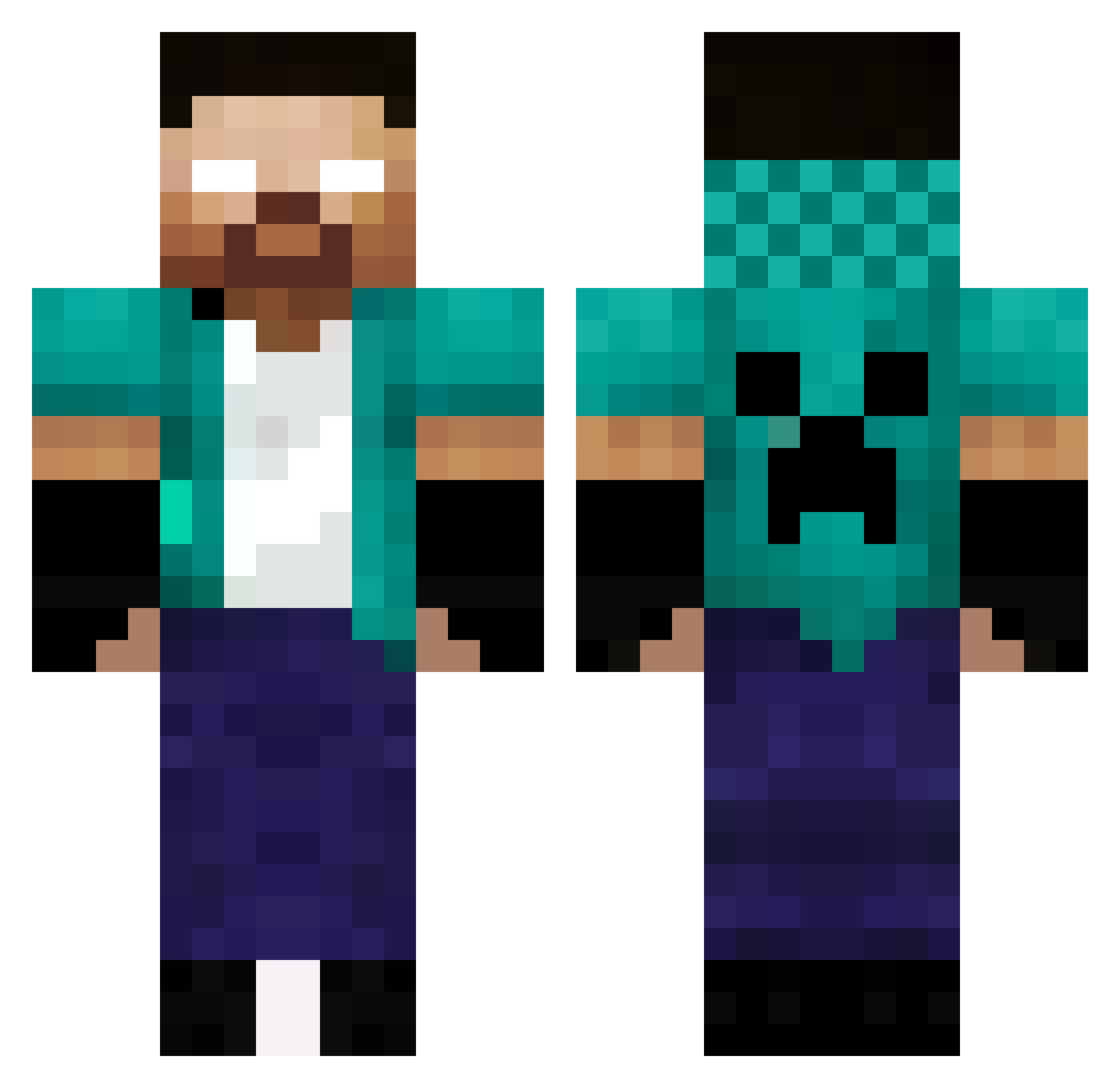
Current Minecraft skin of the player Hugo1351, loaded from the official Mojang API. Rotate the 3D model with your mouse or finger, then download the skin as a PNG file and use it in Minecraft: Bedrock Edition or Java Edition for free. When Hugo1351 changes their skin, this page updates automatically and the old skin stays in the history below.
Other players with this skin (336)
Hugo1351 was the 1st player we have seen with this skin, first spotted on 20.07.2026. The same skin was seen on these players. Open a nickname to see their current skin and skin history.
 Andor11 RitchieLeParfum Benni8128 SantuyBoy tossi0917 queijooj KyyuCrafte
 7Sanie2014 UltimateBubi Ro7erior WaryCircle RealDodl
 sataline Arian568 n2minecraft YOENKONG890 IQraked STEVE564 foxwolf95 Lozene842 Vangu61 Discarblitzo JintanYadomi OverTaker4r McElman Meloto nathancoco18
 JordanPintinho OguzBEYSSSS AYAtaka0398 Gand_The_Impaler ilLosty kiodale Tao6 GSANDRIB diogo75yt Woltaire53 Franco0o Heraklo Gigishadower umuttula1321 PysicalGOD_br MosheZr Basti91 uali85 Rakete12911 bam007007 dorime773 leoz1n007 lxlgalatine03 Untility MRBryan27 samymelo poederooysec180 AkuhTV155 Minohtar SoonFlexs02 Primusmark Lavan_07 TrunksExt
More Herobrine Minecraft skins
How to install the Hugo1351 skin
- Press the Download button above to save the skin as a PNG file.
- Minecraft: Bedrock Edition (PE): open the Dressing Room from the main menu (or tap your character → Edit Character), go to Classic Skins → Owned, press the + (new skin) button, choose the downloaded PNG and pick the Classic (Steve) model. Works on PC and mobile; consoles cannot import custom skins.
- Minecraft: Java Edition: open the Minecraft Launcher, go to the Skins tab, click New Skin, load the PNG, pick the Classic (Steve) model and press Save & Use. You can also upload it at minecraft.net → Profile → Change Skin.
The skin does not show up after import - what should I do?
Restart Minecraft and open the Dressing Room again - imported skins sometimes appear only after a restart. Also make sure you selected the imported skin and picked the Classic (Steve) model.
Which model should I choose, Classic or Slim?
This skin is designed for the Classic (Steve) model. If you pick the wrong model, the arms of the skin will look stretched or squeezed.
Is the skin of Hugo1351 free to download?
Yes. Press Download, save the PNG file and use it in Minecraft: Bedrock Edition or Java Edition - no payment or registration needed. The skin also works on multiplayer servers and Realms.
More skins
Looking for more? Go back to all Minecraft skins and check the top skins of the week, month and all time, or find any player's skin by nickname.