
TrunksExt - Minecraft Skins & Skin History
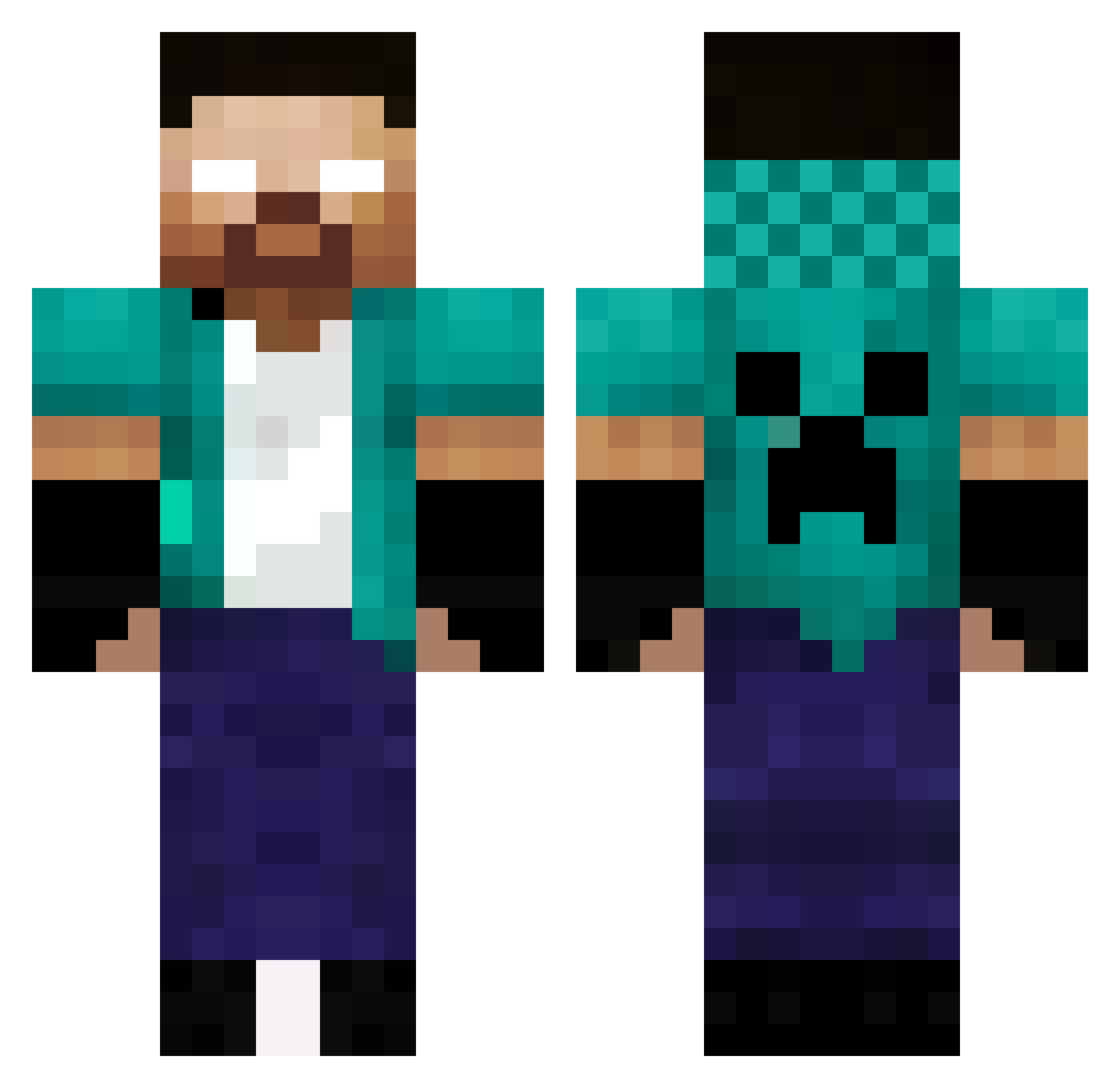
Current Minecraft skin of the player TrunksExt, loaded from the official Mojang API. Rotate the 3D model with your mouse or finger, then download the skin as a PNG file and use it in Minecraft: Bedrock Edition or Java Edition for free. When TrunksExt changes their skin, this page updates automatically and the old skin stays in the history below.
Other players with this skin (336)
TrunksExt was the 61st player we have seen with this skin, first spotted on 10.08.2026. The same skin was seen on these players. Open a nickname to see their current skin and skin history.
 S1m0nK Master_Walood Lavan_07 Primusmark daisei7 SoonFlexs02 jessmile303 therusher53 amcsika16 Sep_700 ammarkawana Warior3310 Minohtar punk99rock AkuhTV155 poederooysec180 samymelo MRBryan27 Untility Gab101001010 KEIzoya lxlgalatine03 leoz1n007 dorime773 bam007007 Aura_Xia zac09052015 Happyxxz Rakete12911 Dahlyaa uali85 Reichu_16 Basti91 MosheZr MitmyUwU ichigodwalker Maxtux2014 VitinZ7 giuspeppe9 PysicalGOD_br umuttula1321 Gigishadower felipegardinal WeltonGames NAoMi_1242 CursoryFish4968 Heraklo FYZanbak Franco0o Woltaire53 Saiko35 RenanDB ManiHyper VinoxTK diogo75yt GSANDRIB Tao6 toddyn111 gannbaru2 kiodale
More Herobrine Minecraft skins
How to install the TrunksExt skin
- Press the Download button above to save the skin as a PNG file.
- Minecraft: Bedrock Edition (PE): open the Dressing Room from the main menu (or tap your character → Edit Character), go to Classic Skins → Owned, press the + (new skin) button, choose the downloaded PNG and pick the Classic (Steve) model. Works on PC and mobile; consoles cannot import custom skins.
- Minecraft: Java Edition: open the Minecraft Launcher, go to the Skins tab, click New Skin, load the PNG, pick the Classic (Steve) model and press Save & Use. You can also upload it at minecraft.net → Profile → Change Skin.
The skin does not show up after import - what should I do?
Restart Minecraft and open the Dressing Room again - imported skins sometimes appear only after a restart. Also make sure you selected the imported skin and picked the Classic (Steve) model.
Which model should I choose, Classic or Slim?
This skin is designed for the Classic (Steve) model. If you pick the wrong model, the arms of the skin will look stretched or squeezed.
Is the skin of TrunksExt free to download?
Yes. Press Download, save the PNG file and use it in Minecraft: Bedrock Edition or Java Edition - no payment or registration needed. The skin also works on multiplayer servers and Realms.
More skins
Looking for more? Go back to all Minecraft skins and check the top skins of the week, month and all time, or find any player's skin by nickname.