
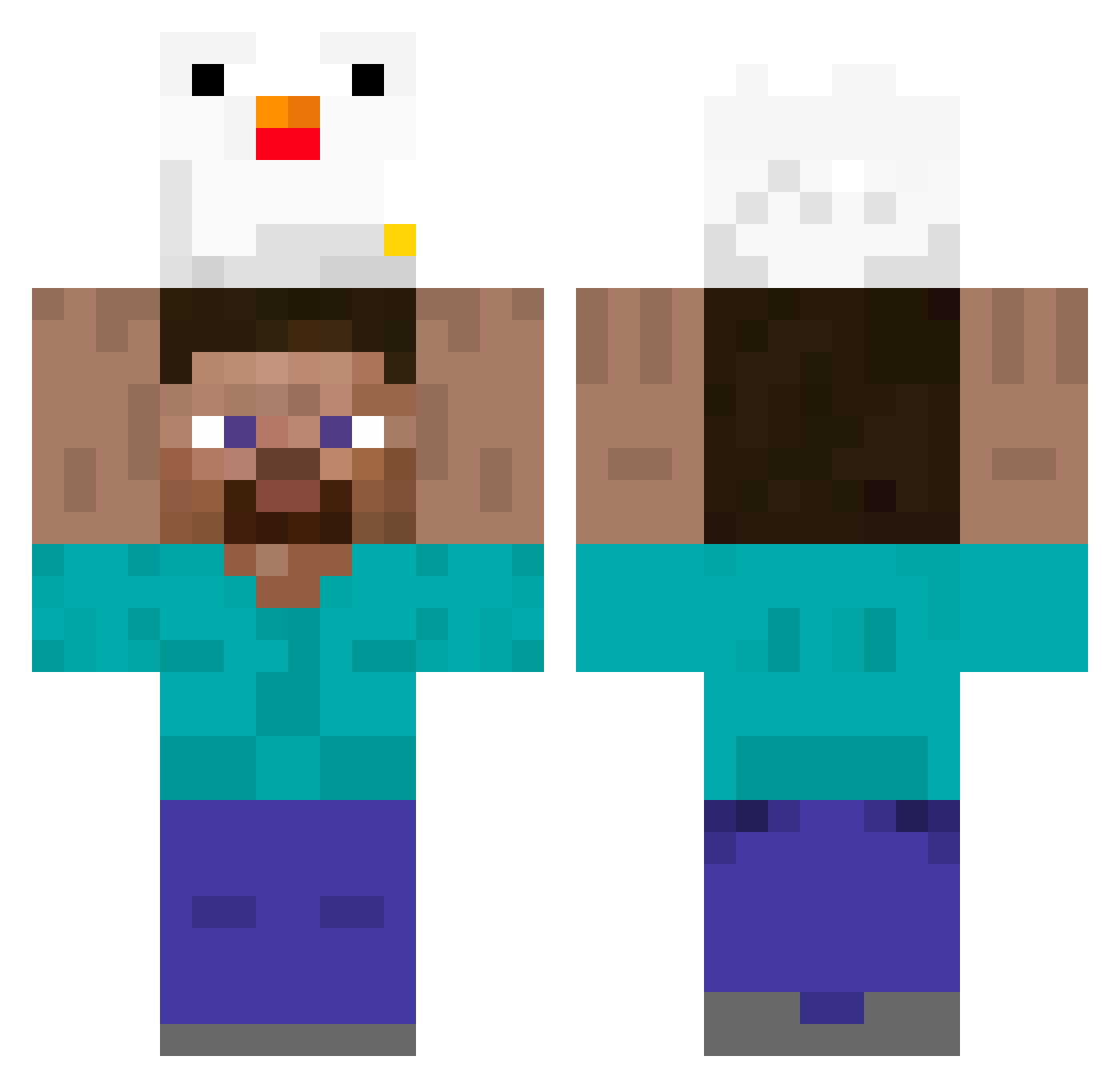
Current Minecraft skin of the player bigtimegamer1, loaded from the official Mojang API. Rotate the 3D model with your mouse or finger, then download the skin as a PNG file and use it in Minecraft: Bedrock Edition or Java Edition for free. When bigtimegamer1 changes their skin, this page updates automatically and the old skin stays in the history below.
Other players with this skin (298)
bigtimegamer1 was the 148th player we have seen with this skin, first spotted on 08.09.2026. The same skin was seen on these players. Open a nickname to see their current skin and skin history.
 BLAK11 AugustusBestWW Wadarfia yasaiseikatu_611 We1617bffr charby74 kingjuIian0 milancexyz iambugo steve546 mydeadbraincell syoku2n ZhuHuanYong J_gus1017 PumpkinBear7657 pato_gs BaVam Arkxer SHLUHI himawari1010 ooeshipo Drazan_Potter BackosLR KentukyFriedC0ck BaxM8 abed15 LeDinoBarry RIaSora LaBri0ch Abrahaw DokHell Ken_Zeee aowjawndls Rzano ItachiiUchiia Seb1501 DeRospis MatthieuRage C10UDI Ig_Boruto Marqueto Casseur4k hexpar Amurosaiko Lebron_C SoplaPotes Carex28 z0mbey3 mi0des_ Azginismo31_ BekKimchi GGININDCC yan_yo CerditoLogin malte1979hi hihihaw Elvstr0eM bubanos Davecraft43 Sanertaja
More Chicken Minecraft skins
How to install the bigtimegamer1 skin
- Press the Download button above to save the skin as a PNG file.
- Minecraft: Bedrock Edition (PE): open the Dressing Room from the main menu (or tap your character → Edit Character), go to Classic Skins → Owned, press the + (new skin) button, choose the downloaded PNG and pick the Classic (Steve) model. Works on PC and mobile; consoles cannot import custom skins.
- Minecraft: Java Edition: open the Minecraft Launcher, go to the Skins tab, click New Skin, load the PNG, pick the Classic (Steve) model and press Save & Use. You can also upload it at minecraft.net → Profile → Change Skin.
The skin does not show up after import - what should I do?
Restart Minecraft and open the Dressing Room again - imported skins sometimes appear only after a restart. Also make sure you selected the imported skin and picked the Classic (Steve) model.
Which model should I choose, Classic or Slim?
This skin is designed for the Classic (Steve) model. If you pick the wrong model, the arms of the skin will look stretched or squeezed.
Is the skin of bigtimegamer1 free to download?
Yes. Press Download, save the PNG file and use it in Minecraft: Bedrock Edition or Java Edition - no payment or registration needed. The skin also works on multiplayer servers and Realms.
More skins
Looking for more? Go back to all Minecraft skins and check the top skins of the week, month and all time, or find any player's skin by nickname.