
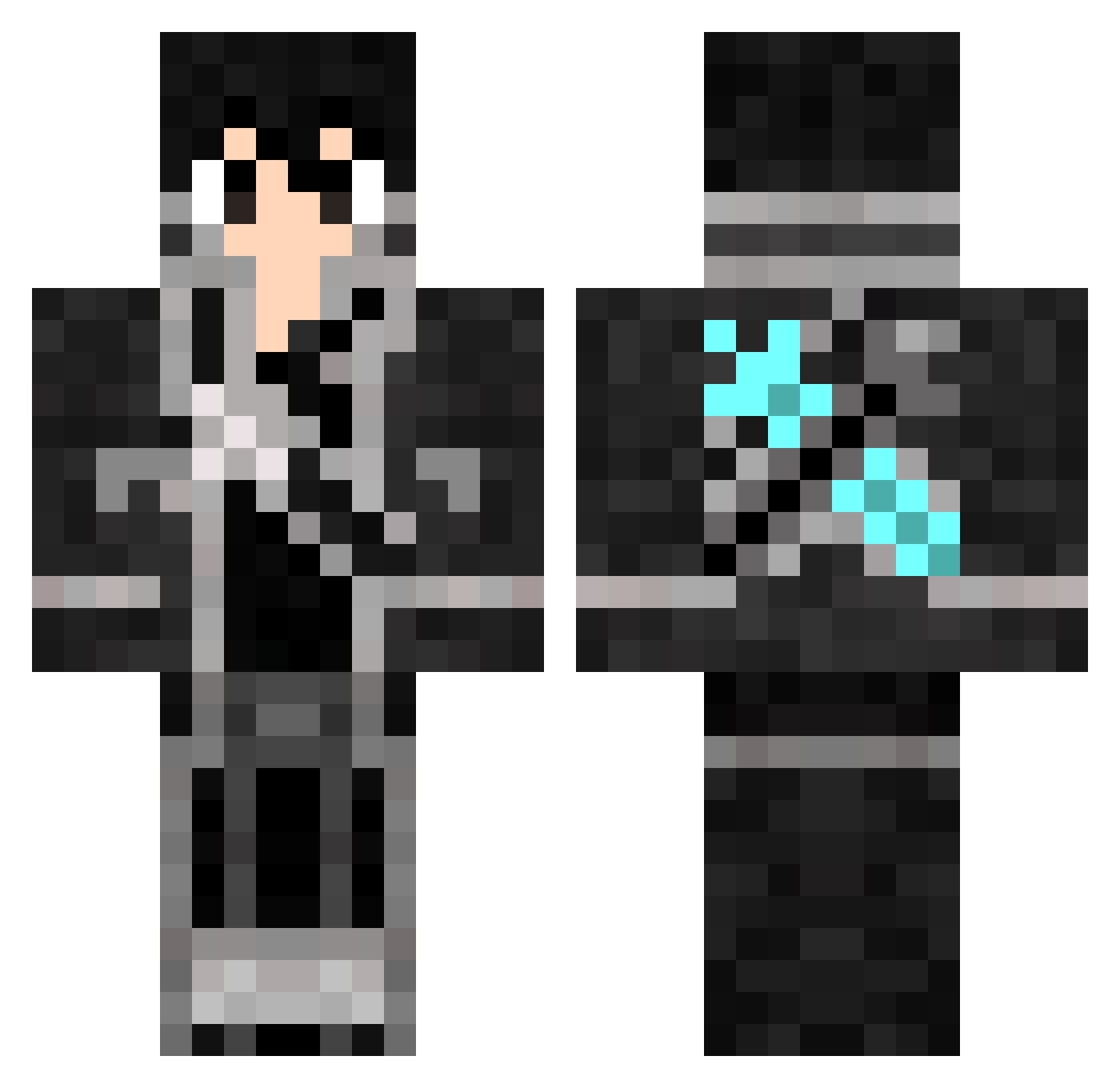
Current Minecraft skin of the player alertze, loaded from the official Mojang API. Rotate the 3D model with your mouse or finger, then download the skin as a PNG file and use it in Minecraft: Bedrock Edition or Java Edition for free. When alertze changes their skin, this page updates automatically and the old skin stays in the history below.
Other players with this skin (390)
alertze was the 115th player we have seen with this skin, first spotted on 21.08.2026. The same skin was seen on these players. Open a nickname to see their current skin and skin history.
 REZNAME1 PaytonSonicX 5Daddy MrChopper21 osami117 leatherman1490 Corentinc31 E5her kazuki789 EpicWeegee9000 Ltndmega jmcdonald_mcds KuraiHellHound FallenGinger Haruhirou Sacredfire36 iShoot lostsouls78 Royntf pepper_97 hyperboy1324 edward2244 NoHaxJustWibu BLU3M4NT4 Eason_Fennis HunterStrikeSNZ grimjjows onakasuitana jmacshok KiritoERONDONDON YoungPOWA kaist04 GuyWalker Smok3yTh3Asian pichou1347 kim9137 huskies_sky Rody2312 Pinnapple yeuhua zephan366 michael5323 FlamingFury00 z_Darkwolf_z Mo_Jun MultiDudeMC Red_Dova LoneWolfBrother LPB2108 MoltenRazer NatsuStewart09 BlueRoses7 Armystylle Sakura_mio_ Sniapig teateaGod Punimochi_2 MRMOON7550 irritated_user plinjp
More Kirito Minecraft skins
How to install the alertze skin
- Press the Download button above to save the skin as a PNG file.
- Minecraft: Bedrock Edition (PE): open the Dressing Room from the main menu (or tap your character → Edit Character), go to Classic Skins → Owned, press the + (new skin) button, choose the downloaded PNG and pick the Classic (Steve) model. Works on PC and mobile; consoles cannot import custom skins.
- Minecraft: Java Edition: open the Minecraft Launcher, go to the Skins tab, click New Skin, load the PNG, pick the Classic (Steve) model and press Save & Use. You can also upload it at minecraft.net → Profile → Change Skin.
The skin does not show up after import - what should I do?
Restart Minecraft and open the Dressing Room again - imported skins sometimes appear only after a restart. Also make sure you selected the imported skin and picked the Classic (Steve) model.
Which model should I choose, Classic or Slim?
This skin is designed for the Classic (Steve) model. If you pick the wrong model, the arms of the skin will look stretched or squeezed.
Is the skin of alertze free to download?
Yes. Press Download, save the PNG file and use it in Minecraft: Bedrock Edition or Java Edition - no payment or registration needed. The skin also works on multiplayer servers and Realms.
More skins
Looking for more? Go back to all Minecraft skins and check the top skins of the week, month and all time, or find any player's skin by nickname.