
 SoulDepth julia2292 DACHARLE xiao_han_2333 Whatever13 Bardman420 Zeroendingz KhanLeoun Sauce_LFD Minecraft_Buddy6 Squirt_Turtle Risktaker05 AwzsGhost Arknx WILKIN_SON SueingBigFoot101 Hapre maoring XZentralX Magnificentchris tharuto Allum163232 poseidonsweden gilhouse wei_yan_0818 whiteyt14 eclairsbleu BeHer0 acethree_3 Gimukay streaks_liu KeremOynuyor Reaxouhr Eren_98 EkiinoX2x2 Jorgito805 leotaehwankim Mockingbird1996 ShadowFaxxNL SirMickey LoviAndPillow Knochen_Raucher santagivesmecoal Foople100 reactgaming Xuma95 Gspyce SanyaValin Krustennico ShadowFighter07 Miss_Feng _Nathanomatic_ Snowyetiii zLiuPvp Natsuuko yu_ta0226 laefk Klompmaia HentaiSenpai Seixinhas_
Minecraft skin of gasad1. Rotate the 3D model with your mouse or finger to view the skin from every angle, then download it as a PNG file and use it in Minecraft: Bedrock Edition or Java Edition for free. Rate the skin with stars to help other players find the best skins in our collection.
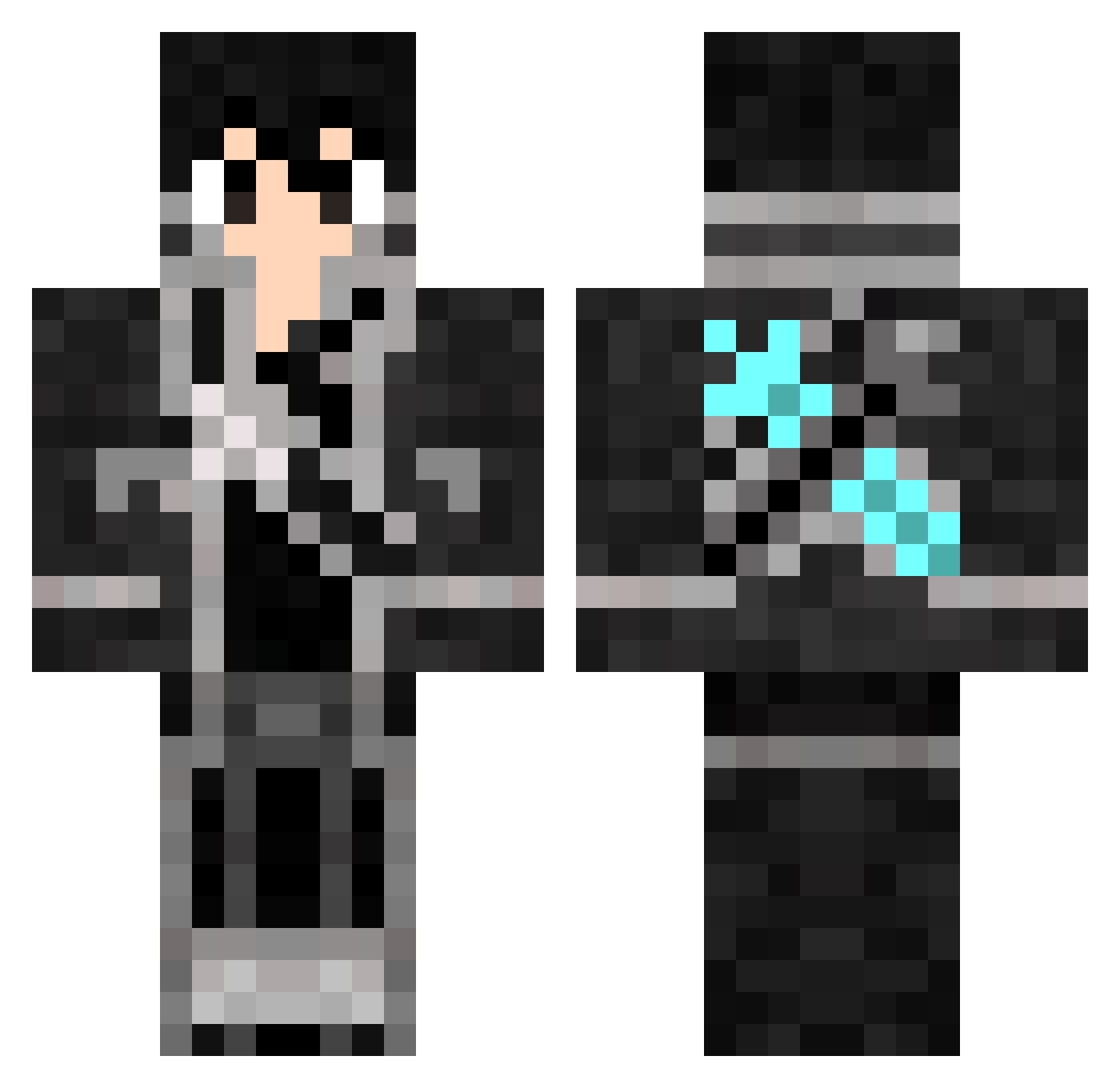
How to install the gasad1 skin
- Press the Download button above to save the skin as a PNG file.
- Minecraft: Bedrock Edition (PE): open the Dressing Room from the main menu (or tap your character → Edit Character), go to Classic Skins → Owned, press the + (new skin) button, choose the downloaded PNG and pick the Classic (Steve) model. Works on PC and mobile; consoles cannot import custom skins.
- Minecraft: Java Edition: open the Minecraft Launcher, go to the Skins tab, click New Skin, load the PNG, pick the Classic (Steve) model and press Save & Use. You can also upload it at minecraft.net → Profile → Change Skin.
The skin does not show up after import - what should I do?
Restart Minecraft and open the Dressing Room again - imported skins sometimes appear only after a restart. Also make sure you selected the imported skin and picked the Classic (Steve) model.
Which model should I choose, Classic or Slim?
This skin is designed for the Classic (Steve) model. If you pick the wrong model, the arms of the skin will look stretched or squeezed.
Is this skin free to use?
Yes. Press Download, save the PNG file and use it in Minecraft: Bedrock Edition or Java Edition - no payment or registration needed. The skin also works on multiplayer servers and Realms.
More Kirito Minecraft skins
More skins
Looking for more? Go back to all Minecraft skins and check the top skins of the week, month and all time, or find any player's skin by nickname.