
XB4XB4 - Minecraft Skins & Skin History
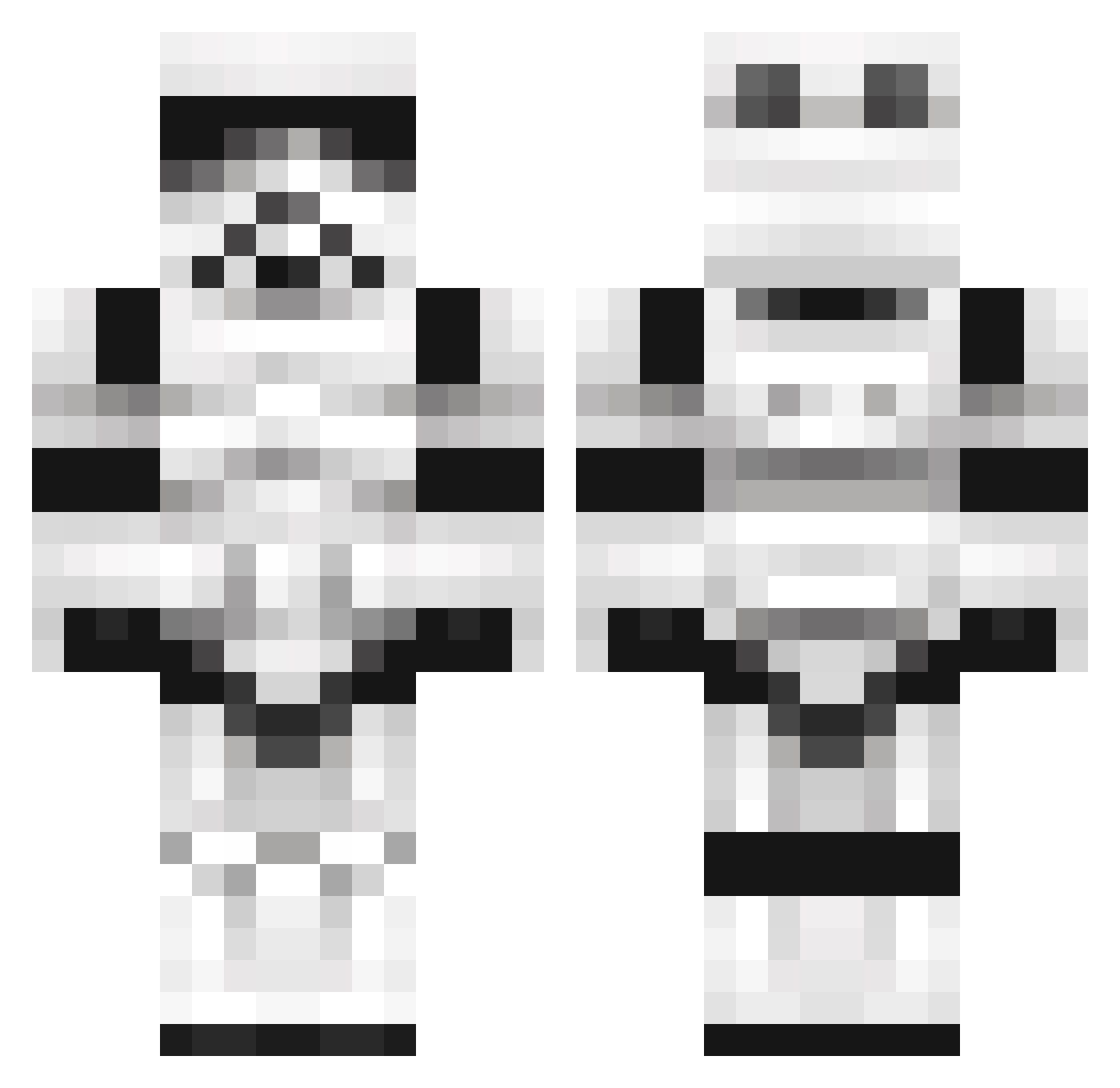
Current Minecraft skin of the player XB4XB4, loaded from the official Mojang API. Rotate the 3D model with your mouse or finger, then download the skin as a PNG file and use it in Minecraft: Bedrock Edition or Java Edition for free. When XB4XB4 changes their skin, this page updates automatically and the old skin stays in the history below.
Other players with this skin (160)
XB4XB4 was the 114th player we have seen with this skin, first spotted on 06.10.2026. The same skin was seen on these players. Open a nickname to see their current skin and skin history.
 wllwll elburpy HoFl Robither ShoxxyRoxxy qpugca xxXGunnyXxx itsMiguel12 Axteric ZyvAnt alkw0093 Jar_rod159 oliwier1337 Poderu roma3ta _Mamias_ FEI1012 PpekadorR SloWxR3MiiX Lagartija64 kokunSan alexplaygo2 arvil1969 Reewaze TheSpannerJNR JUGI_66 MightyJellyfish Andres042003 NictheXbox Coco98 GioeleGio Roriwars Antonyfox95 Ceciobrando wpnval_ RajskiWazon ChangChing0 Veeraphat007 JIM_2209 lucasd07 ZeID0 Schmidi22 mr_hetol hallowedharpy we4k_ Nerve117 Larkonus HaggardMarker69 GUNDAMSAN P_grd7 Selfura Kalyori _Xatman El_Axelotl after159951 math3572 BlkBone xhy1312 DarkErazer MasKra2
More Stormtrooper Minecraft skins
See all 506 Stormtrooper skins
How to install the XB4XB4 skin
- Press the Download button above to save the skin as a PNG file.
- Minecraft: Bedrock Edition (PE): open the Dressing Room from the main menu (or tap your character → Edit Character), go to Classic Skins → Owned, press the + (new skin) button, choose the downloaded PNG and pick the Classic (Steve) model. Works on PC and mobile; consoles cannot import custom skins.
- Minecraft: Java Edition: open the Minecraft Launcher, go to the Skins tab, click New Skin, load the PNG, pick the Classic (Steve) model and press Save & Use. You can also upload it at minecraft.net → Profile → Change Skin.
The skin does not show up after import - what should I do?
Restart Minecraft and open the Dressing Room again - imported skins sometimes appear only after a restart. Also make sure you selected the imported skin and picked the Classic (Steve) model.
Which model should I choose, Classic or Slim?
This skin is designed for the Classic (Steve) model. If you pick the wrong model, the arms of the skin will look stretched or squeezed.
Is the skin of XB4XB4 free to download?
Yes. Press Download, save the PNG file and use it in Minecraft: Bedrock Edition or Java Edition - no payment or registration needed. The skin also works on multiplayer servers and Realms.
More skins
Looking for more? Go back to all Minecraft skins and check the top skins of the week, month and all time, or find any player's skin by nickname.